
Rhino 9 transforms 2D drawing production by seamlessly linking precision floor plans, elevations, and sections to your 3D model, while shared Section Styles, symbols, and Markups streamline team workflow and keep designs coordinated throughout the project. And there’s more…
Technical Drawings: Dynamic drafting
Non Rectangular Details
Hatch: Make it, don’t fake it
Section Styles: Save and reuse
Complex Linetypes
Parallel Lines
Drafting Symbols
Geometric Dimensioning & Tolerancing
Layout Groups: Organize your drawings
Organize complex drawing sets with precision. Layout Groups eliminate tedious naming conventions by intelligently grouping sheets by status, discipline, location, or any criterion. Streamline printing, exporting, and collaboration while cutting time spent searching through dozens of layouts.
Text is now richer
Get the best out of  Text
with new formatting options for tabs, numbered and bulleted lists, superscript and subscript. Add text masks to frame and highlight information. Create a closer visual connection between your text and drawings.
Text
with new formatting options for tabs, numbered and bulleted lists, superscript and subscript. Add text masks to frame and highlight information. Create a closer visual connection between your text and drawings.
Black and White Switch: Turn off the lights
With a simple switch, your curves no longer disappear into your background! The new option automatically flips pure black or white curves and wires to the opposite color of the viewport background. Never lose a curve against a matching background.
Markup: Communication made easy
Block Edit: Drill down
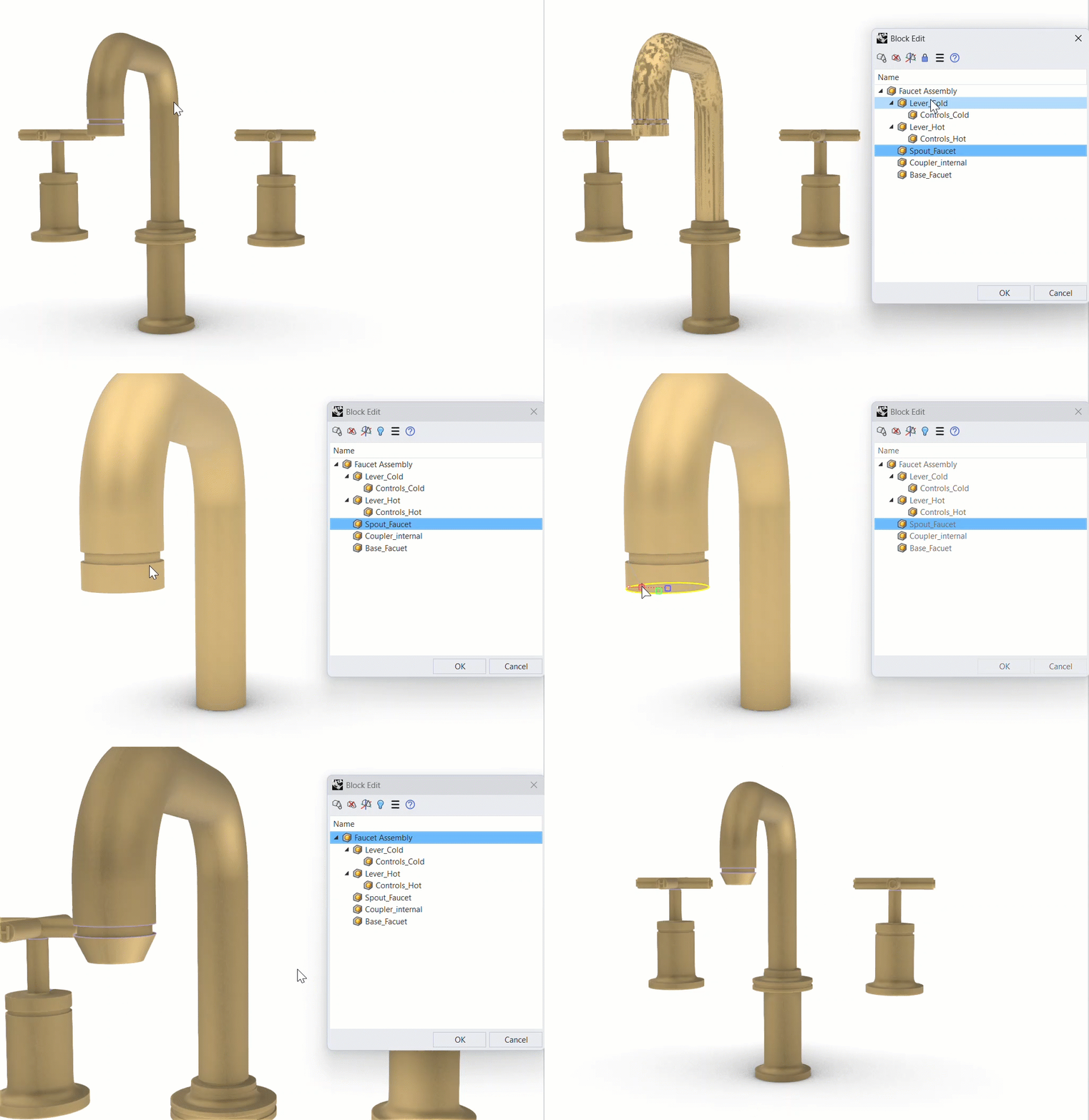
Editing blocks is now more precise and less disruptive. The refreshed  BlockEdit
workflow lets you isolate and edit nested geometry cleanly, even inside busy or non-uniformly scaled assemblies.
BlockEdit
workflow lets you isolate and edit nested geometry cleanly, even inside busy or non-uniformly scaled assemblies.
Overlap: Cleaning up
The new  Overlap
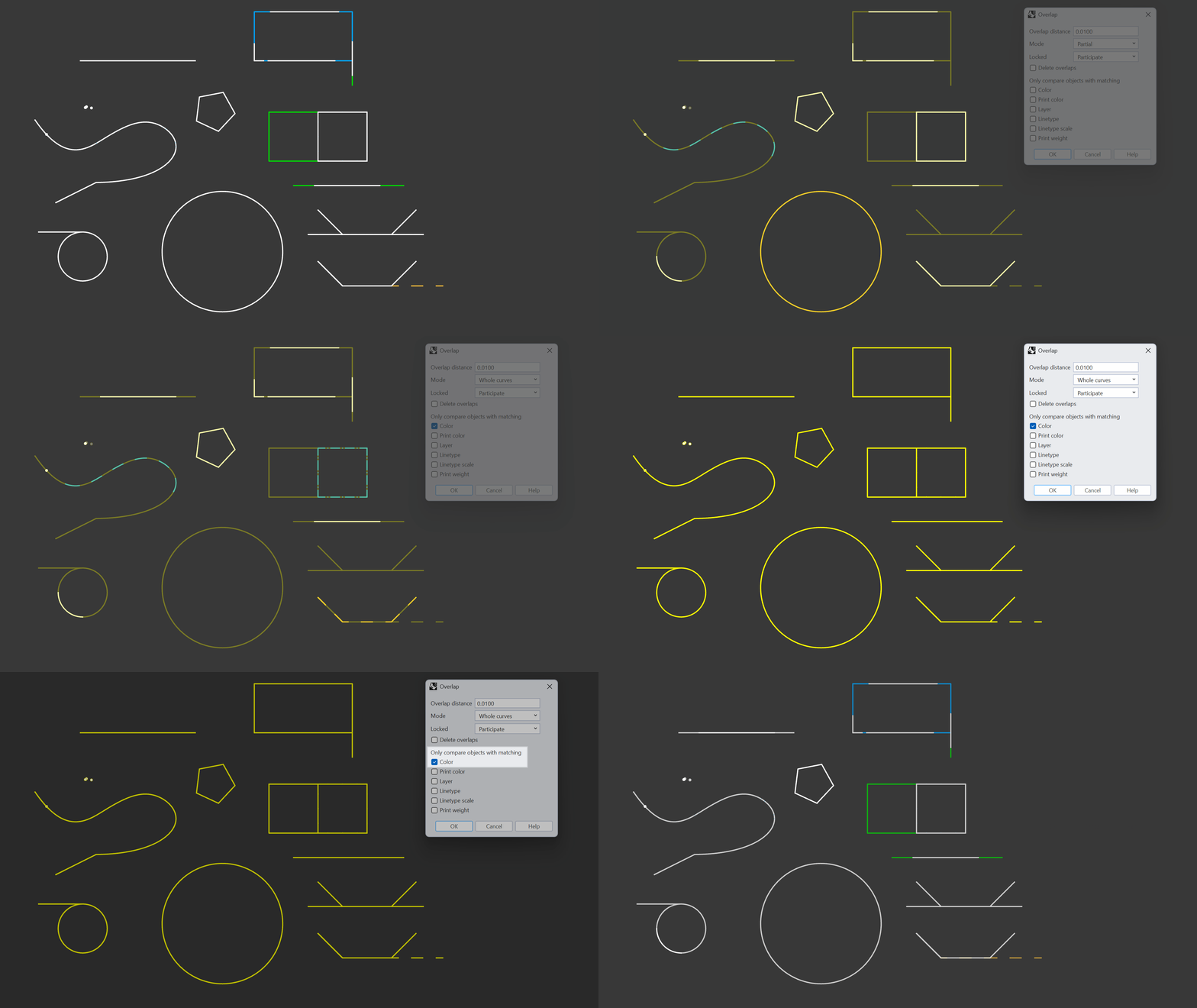
command helps you clean up messy 2D drawings by finding and selecting duplicate and overlapping linework within a user-defined distance. The command detects whole and partial overlaps as well as linework with different properties, making it easier to detect similar geometry as opposed to exact duplicates.
Overlap
command helps you clean up messy 2D drawings by finding and selecting duplicate and overlapping linework within a user-defined distance. The command detects whole and partial overlaps as well as linework with different properties, making it easier to detect similar geometry as opposed to exact duplicates.
Use-Cases:
- Clean 2D drawings so you can more easily annotate, add hatches or change linetypes.
- Clean large/heavy files of unnecessary, near-duplicate geometry.
- Avoid issues with downstream operations selecting multiple or wrong geometry that can slow down your workflow.
- Improve toolpath creation (multiple passes over the same segment).
- Improve laser/plasma results (extra burn time, overcutting, inconsistent kerf).

