Geometric Dimensioning & Tolerancing
Create standards-compliant GD&T annotations for your engineering drawings. Rhino 9’s new  GeometricTolerance
annotation uses symbols in engineering drawings to communicate the acceptable variation in a part’s geometry for manufacturing.
GeometricTolerance
annotation uses symbols in engineering drawings to communicate the acceptable variation in a part’s geometry for manufacturing.
Try It
- Download Rhino 9 Evaluation for Windows or Mac.
- Download and open the GeoTol-Try-it.3dm model.
- Make sure the
EndOsnap is enabled. - Run the GeometricTolerance
command.
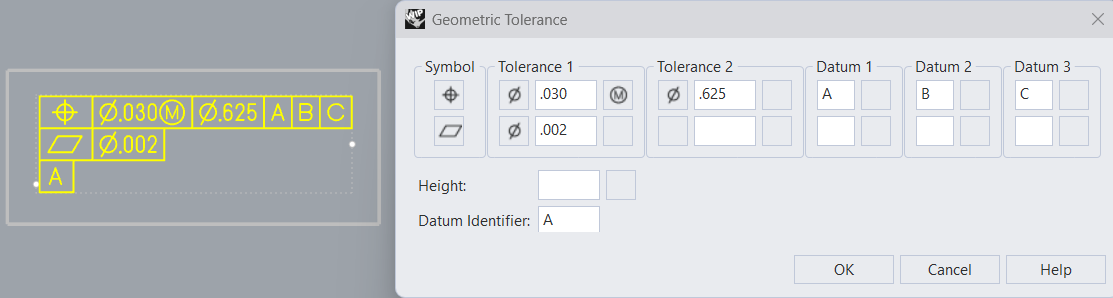
- Fill out the form as suggested:
- Press OK.
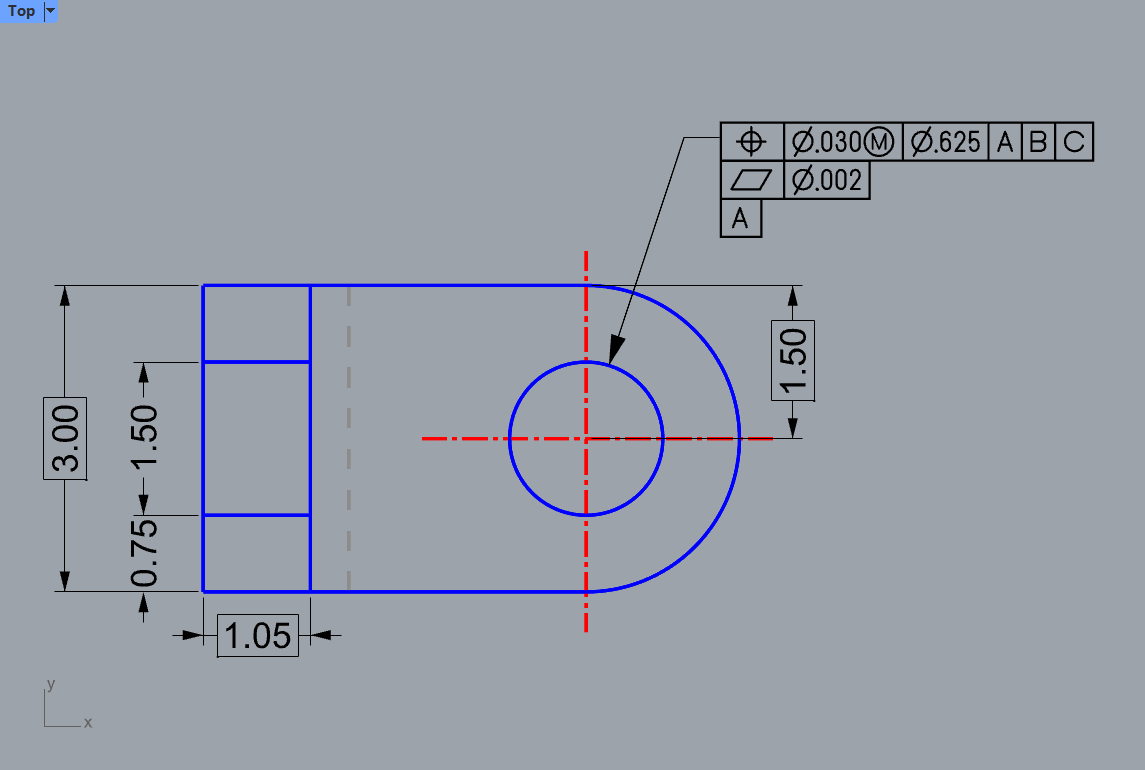
- At the
Geometric tolerance locationprompt , snap to theEndof the Leader arrow: - Try it on your own! Experiment with your own models.
- Share comments and feedback on the Rhino Forum.