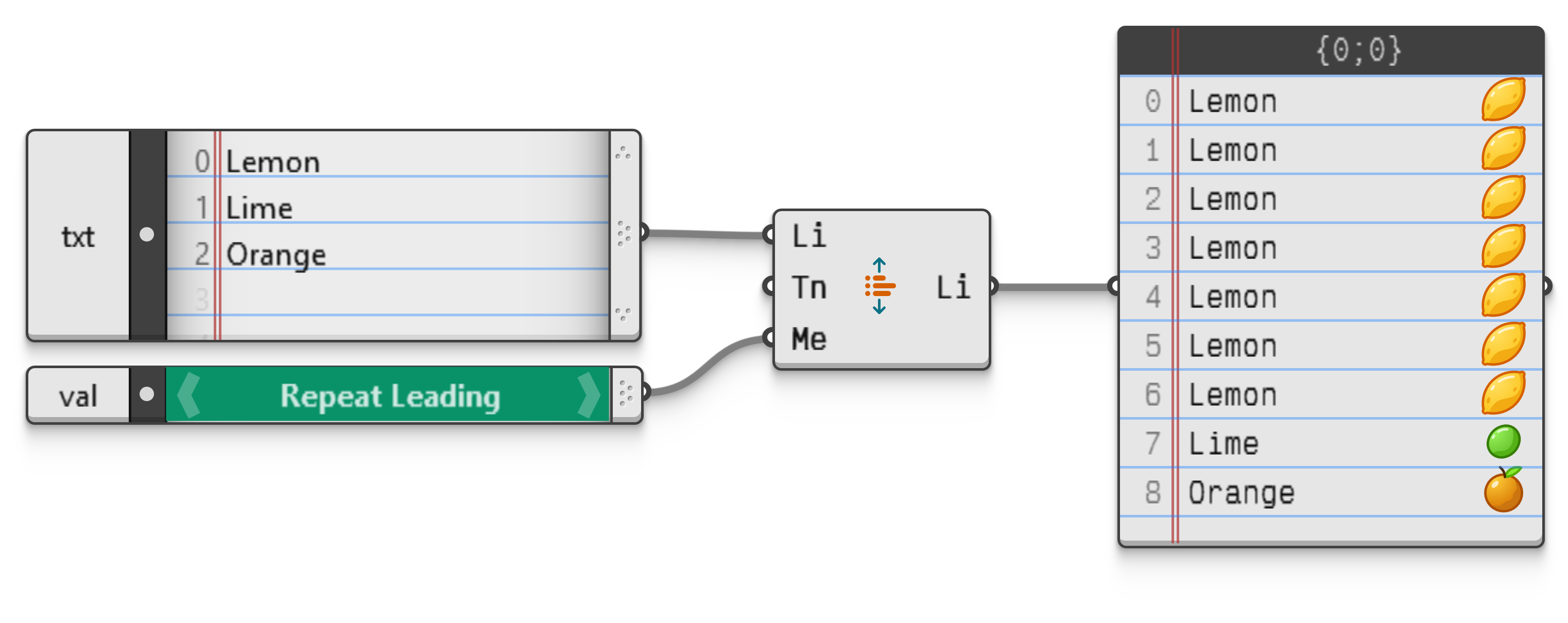

The Preset Picker object shows the preset values of input parameters, if they are available. Some component inputs have predefined, named values which carry special meaning. Most often these are integers which represent an option, but texts, booleans, and in fact any other parameter type has the ability to define presets.
For example the Expand component which expands lists to a set length supports a variety of different expansion methods. These methods can be selected by setting the correct integer in the appropriate input value (0=Repeat Leading, 4=Interpolate, 7=Zig-Zag, ..., and so on).
Rather than looking up the set of valid integers in the documentation each time, a Preset Picker can be used to directly see the list of available options.
Many boolean inputs have presets defined in order to aid readability. The text "closed" is much more meaningful than "true", so it makes more sense to prefer the former over the latter in the interface.
Although one could connect a Preset Picker to these boolean inputs, consider using a Toggle instead, as it is a much more lightweight object specifically designed to operate on boolean inputs.