
Section:
- Reseller Ordering, Prices, and Discounts
- Rhinoceros 3D
- Rhinoceros 3D
- 8s
- Features
- Rhino 5
- Rhino 6
- Rhino 7
- Rhino 9
- Authorized
- Docs
- Downloads
- For
- Learn to use Rhino
- Mcneels
- My Account
- Rhino Support
- Privacy Policy
- Stories
- Accounts
- Buy
- Discontinued Products
- E-News
Categories:
Levels:
Platforms:
Tags:
- 2d presentations
- 3d print
- 3d representation
- advanced
- ai
- architecture
- arctic
- arraycrvadvanced
- artistic
- background
- bake
- basic
- beginner
- bim
- block
- book
- bridge
- clipboard
- clipping
- clippings
- cnc
- color gradients
- copy
- copyat
- custom display mode
- customization
- dental
- diagrams
- digital fabrication
- direct modeling
- display
- display mode
- documentation
- drafting
- drawings
- edges
- engraving
- file-size
- file-sizemanagement
- fillet
- filletsrf
- filter
- fonts
- fundamentals
- fundametals
- geometry
- gradient
- gradient hatch
- gradient hatch pattern
- gradienthatch
- grasshopper
- grasshopper
- group
- guide
- hatch
- hatch command
- hatch patterns
- hatching
- icon
- illustrations
- industrial design
- ios
- irhino3d
- lasercut
- layer
- macros
- milling
- modeling
- parametric
- paste
- pasteat
- patch
- patternhatch
- pen
- plugin
- plugins
- project-management
- python
- render
- rendered
- rendering
- repair
- rhino
- rhino7
- rhinoceros
- rhinomcp
- scripting
- scripts
- shaded
- shading
- structural
- subd
- surfacing
- technical
- text
- texture-mapping
- toolbar
- tools
- user-text
- version 6
- version 7
- version 8
- version 9
- visualization
- zoo4
Tasks:
Scripts and Plugins
Working with scripts and plugins
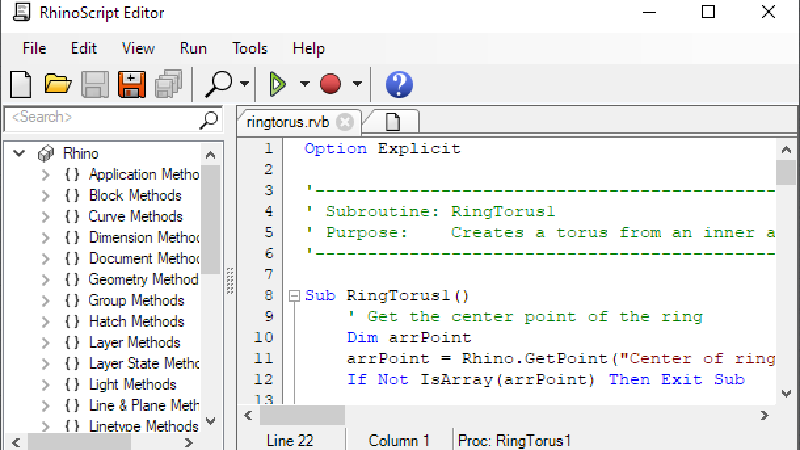
Getting Started with the Script Editor
Learn to use the script editor to create, edit and compile plugins
How to Use Scripts and Plugins
How to install, run, and un-install (scripted) plugins

