
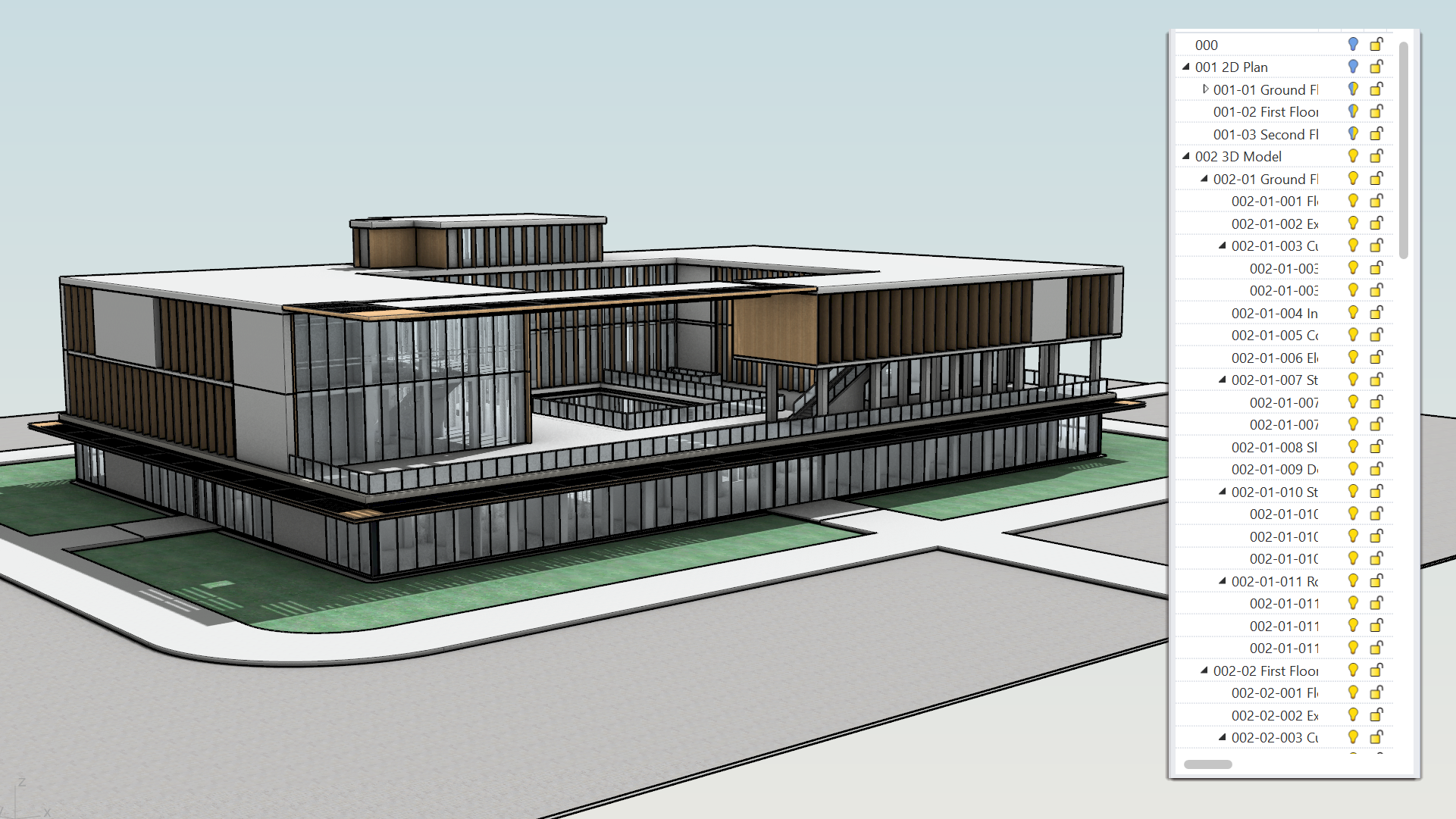
In Architecture, engineering and marine, everyday life consists of projects that are large by nature. Segmenting, distributing and organizing these are key in achieving tangible results. Rhino 9 builds on its existing tools to provide smarter solutions for managing, sharing and collaborating. Read on…
Block Edit
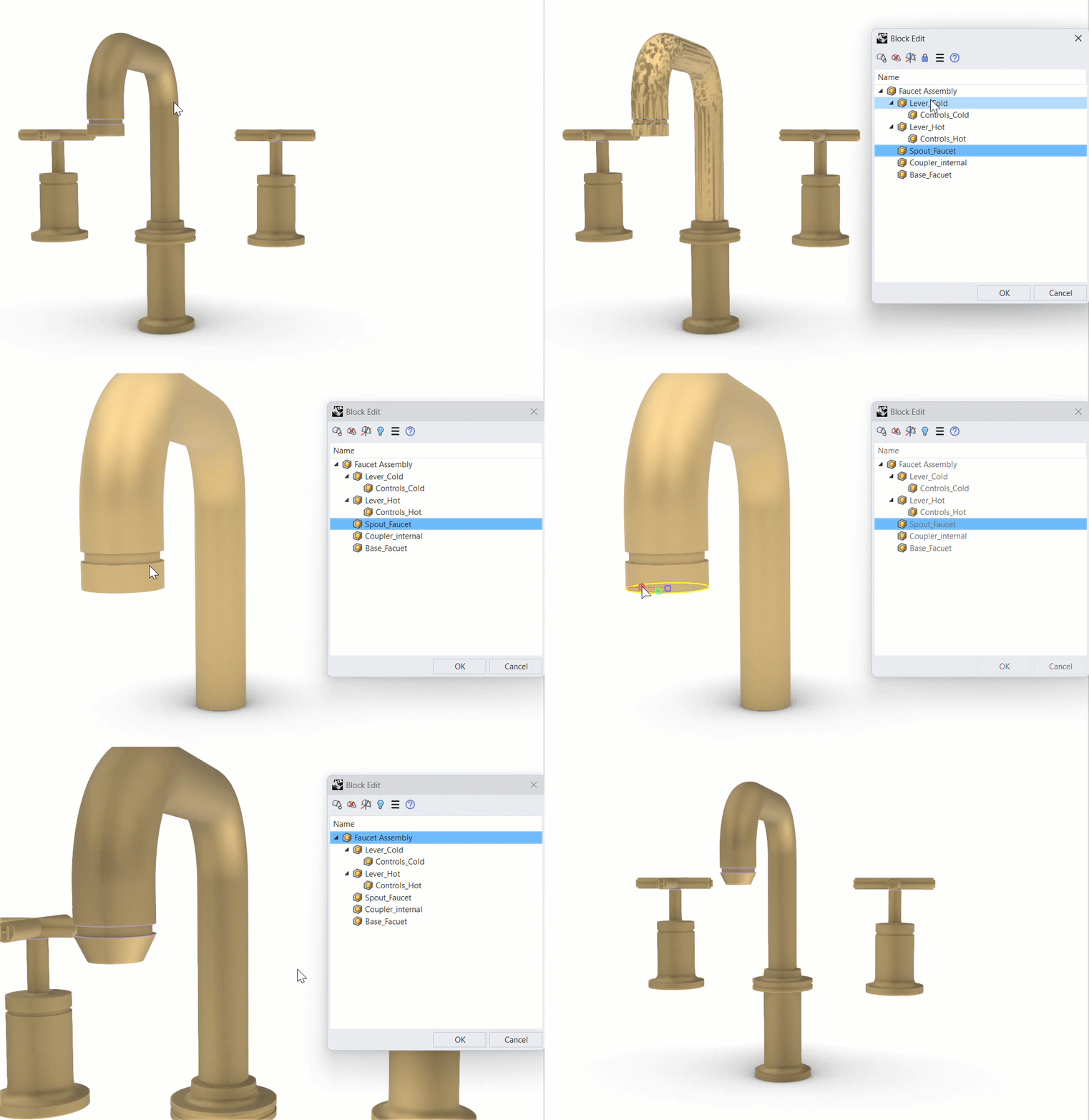
Blocks make large, repeated assemblies manageable. Now editing them is too. The refreshed  BlockEdit
workflow lets you access a nested sub-block inside a complex assembly to edit it in place, then step back out just as easily, keeping shared components consistent across the whole project.
BlockEdit
workflow lets you access a nested sub-block inside a complex assembly to edit it in place, then step back out just as easily, keeping shared components consistent across the whole project.
Markup
For architects and designers,  Markup
is an easy way to communicate with the design team directly on the model! Whether giving feedback on the 3D model or redlining 2D drawings, Markups are a great tool for collaboration.
Markup
is an easy way to communicate with the design team directly on the model! Whether giving feedback on the 3D model or redlining 2D drawings, Markups are a great tool for collaboration.
Worksessions: Refined
Collaborate across platforms with ease. Rhino 9 brings Worksessions to Mac for the first time, now featuring a dockable panel that keeps your multi-file projects organized and accessible. Attach multiple files at once, manage file locks in real time, and coordinate team edits without leaving the panel.
Layout Groups: organize your drawings
Organize complex drawing sets with precision. Layout Groups eliminate tedious naming conventions by intelligently grouping sheets by status, discipline, location, or any criterion. Streamline printing, exporting, and collaboration while cutting time spent searching through dozens of layouts.
Audit3DMFile: don’t suspect, inspect
Ever wonder why your 3dm is so big? Files can get out-of-hand when collaborating on large architectural, marine, or fabrication projects. Find your file’s “baggage” with  Audit3dmFile
’s interactive visualization:
Audit3dmFile
’s interactive visualization:
Performance Improvements
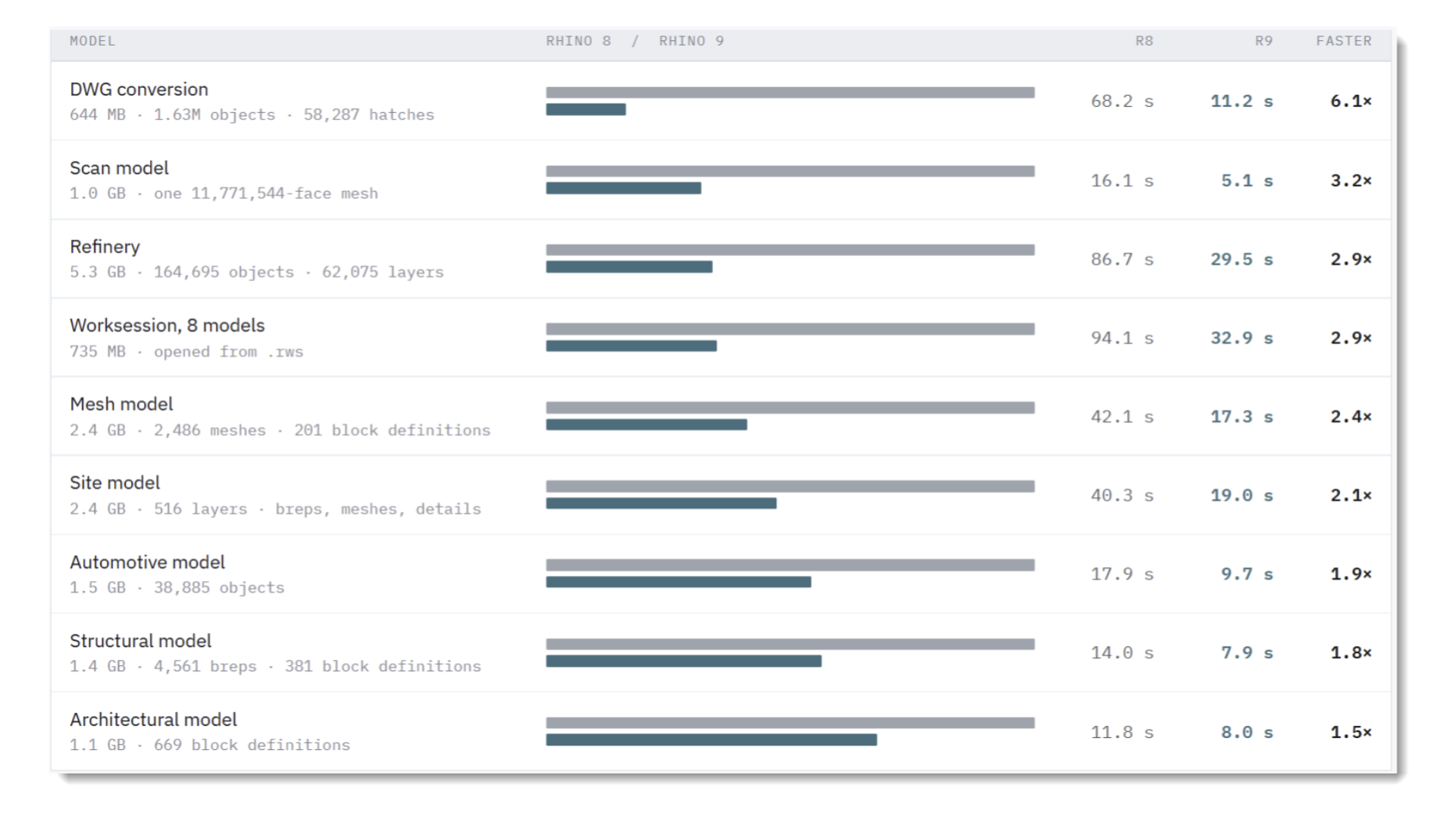
Considerable efforts have been invested in making Rhino 9 handle and respond better when treating large data set files. Improvements are visible when opening large files, selection, switching to technical display modes and manipulating views with heavy 2D drawings.
Overlap: cleaning up
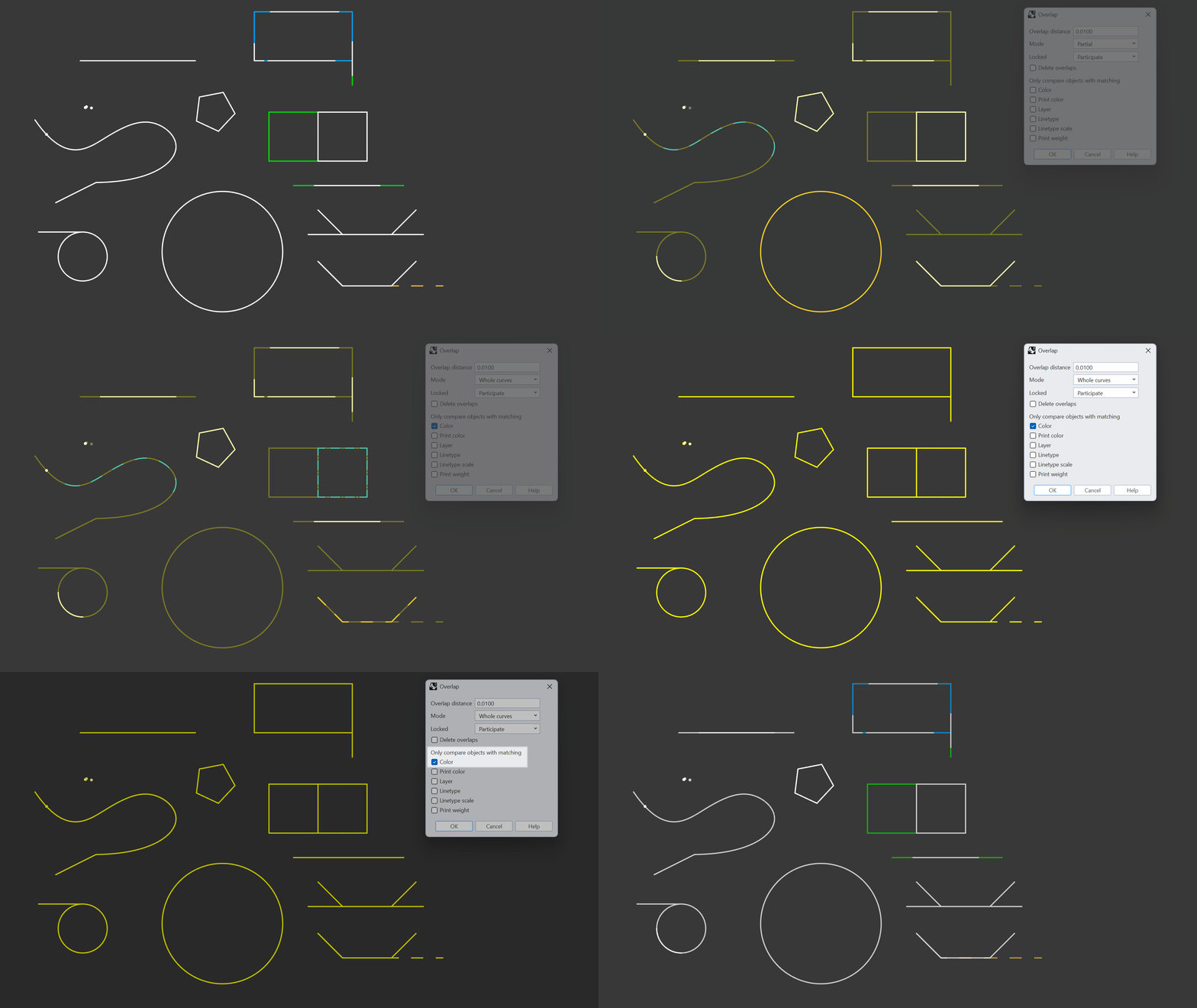
The new  Overlap
command is designed to help you clean up messy 2D drawings by finding and selecting duplicate and overlapping linework within a user-defined distance. The command detects whole and partial overlaps as well as linework with different properties. Making it easier to detect similar geometry as opposed to exact duplicates.
Overlap
command is designed to help you clean up messy 2D drawings by finding and selecting duplicate and overlapping linework within a user-defined distance. The command detects whole and partial overlaps as well as linework with different properties. Making it easier to detect similar geometry as opposed to exact duplicates.
Use-Cases:
- Clean large / heavy files from unnecesary, almost-duplicate geometry.
- Clean 2D drawings so you can more easily annotate, add hatches or change linetypes.
- Avoid issues with downstream operations selecting multiple or wrong geometry that can slow down your workflow.
- Improve toolpath creation (multiple passes over the same segment).
- Improve laser/plasma results (extra burn time, overcutting, inconsistent kerf).

