
Content Viewer
Visualize almost any type of Grasshopper content on the canvas! The Content Viewer lets you inspect both geometry and non-geometry data without leaving your definition.
Value Picker
The new Value Picker component helps  Grasshopper
users find, select, and filter values from long or variable lists. It supports single and multiple selection, making it easier to work with complex datasets and dynamic inputs in a more efficient and readable way.
Grasshopper
users find, select, and filter values from long or variable lists. It supports single and multiple selection, making it easier to work with complex datasets and dynamic inputs in a more efficient and readable way.
Viewport Widgets
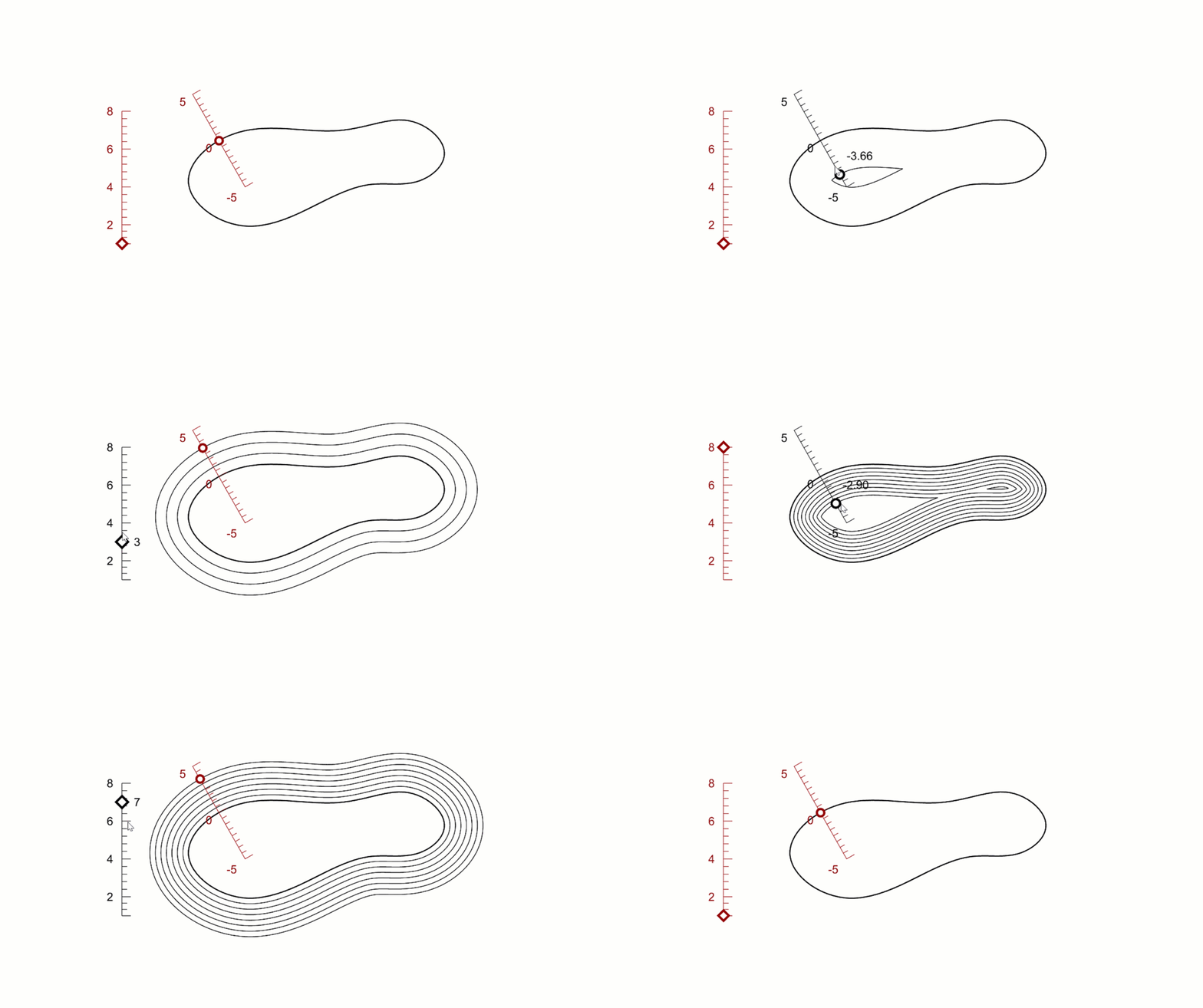
With the Interactive Viewport Widgets use any curve to control your Grasshopper
definitions in any
Rhino Viewport
. Enable more intuitive visual workflows that are easier to use and share, especially with non-expert users.
Textures
Texture Mapping
Texture mapping adjustments in Grasshopper
can be varied automatically to reduce or remove the need for manual editing. This can be especially useful for repetitive elements that should visually be distinct from one another in the model. Vary the mapping of multiple objects using a single definition!
Render Materials
The new  Material
components make it possible to create and edit materials directly in Grasshopper
. Seeing a material in its entirety on the canvas can make it easier to understand and edit. The cherry? Obtain multiple material variants from a single definition!
Material
components make it possible to create and edit materials directly in Grasshopper
. Seeing a material in its entirety on the canvas can make it easier to understand and edit. The cherry? Obtain multiple material variants from a single definition!
Hatch Patterns
Save time, maintain consistency, and keep your drawings flexible. Your hatches update automatically as your Grasshopper
model evolves. No manual rework needed.
Clip & Section
Grasshopper
now speaks Rhino’s drafting language: clipping planes, sections, and 2D drawings are now native, parametric objects. Place and drive real Rhino clipping planes parametrically, control exactly which objects and layers they clip.
Shape Map
ShapeMap is a Grasshopper add-on that maps 2D curves or image-based textures onto a complex 3D shape with minimal distortion. This makes texture design on models intuitive and efficient. Great for jewelers, industrial, and footwear designers who need to wrap and adjust textures and patterns on their designs, without the complexities of long-winded parametric definitions.

