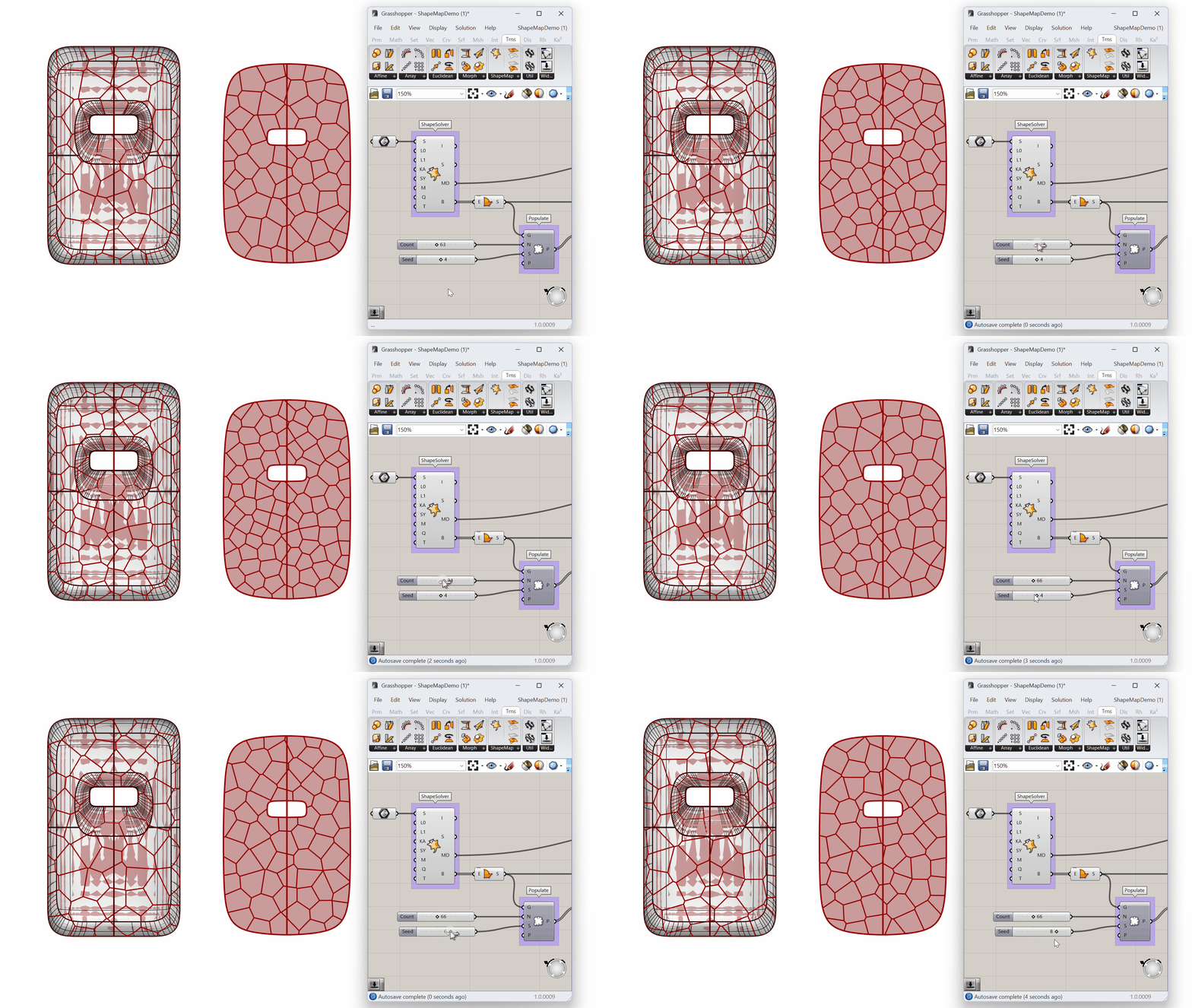
ShapeMap is a Grasshopper add-on that maps 2D curves or image-based textures onto a complex 3D shape with minimal distortion. This makes texture design on models intuitive and efficient. Great for jewelers, industrial, and footwear designers who need to wrap and adjust textures and patterns on their designs, without the complexities of long-winded parametric definitions.
Image Module
Apply a texture on a 3D shape using the bitmap module as the input.
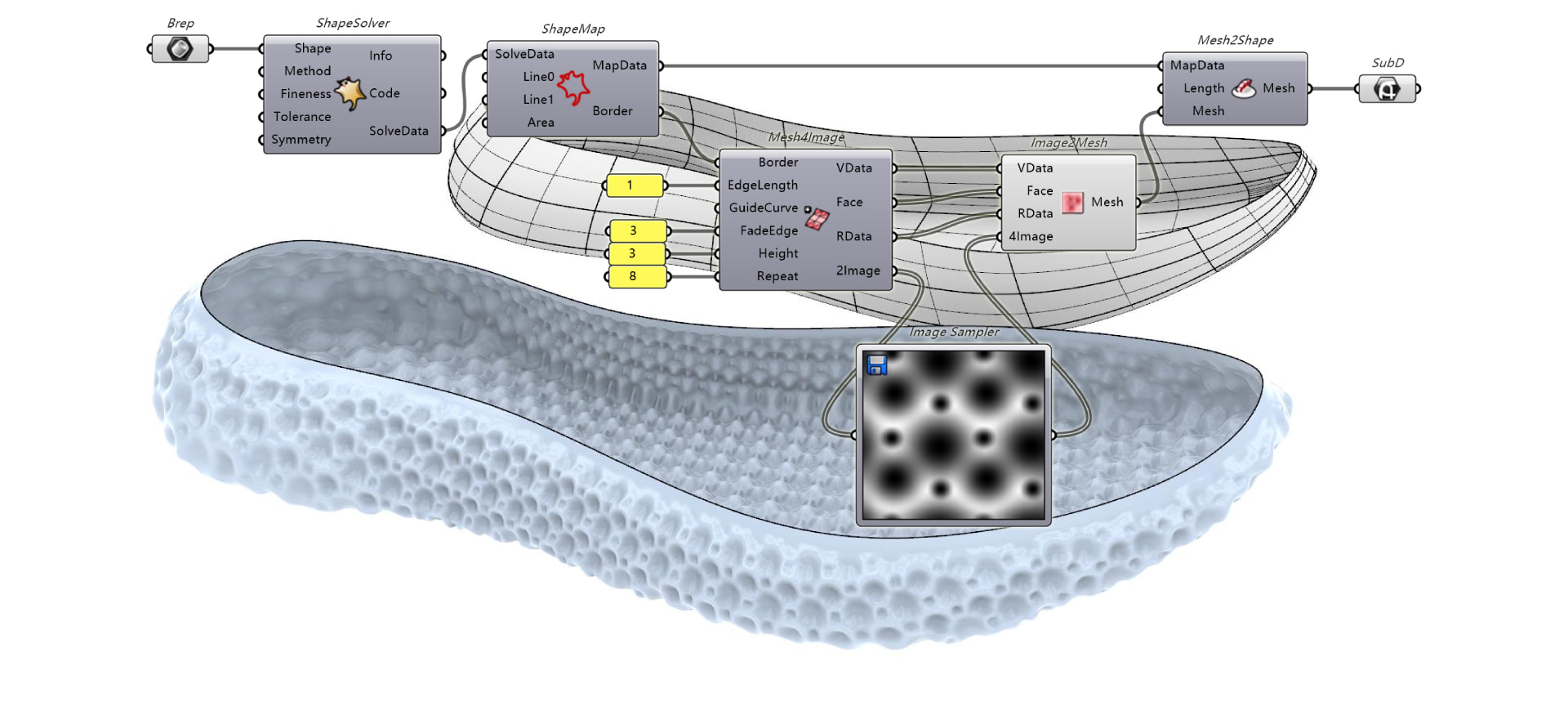
Surface, Mesh, or SubD Module
Use an untrimmed surface, a mesh, or SubD geometry as the input for ShapeMap.
Try It
- Download Rhino 9 WIP for Windows or Mac.
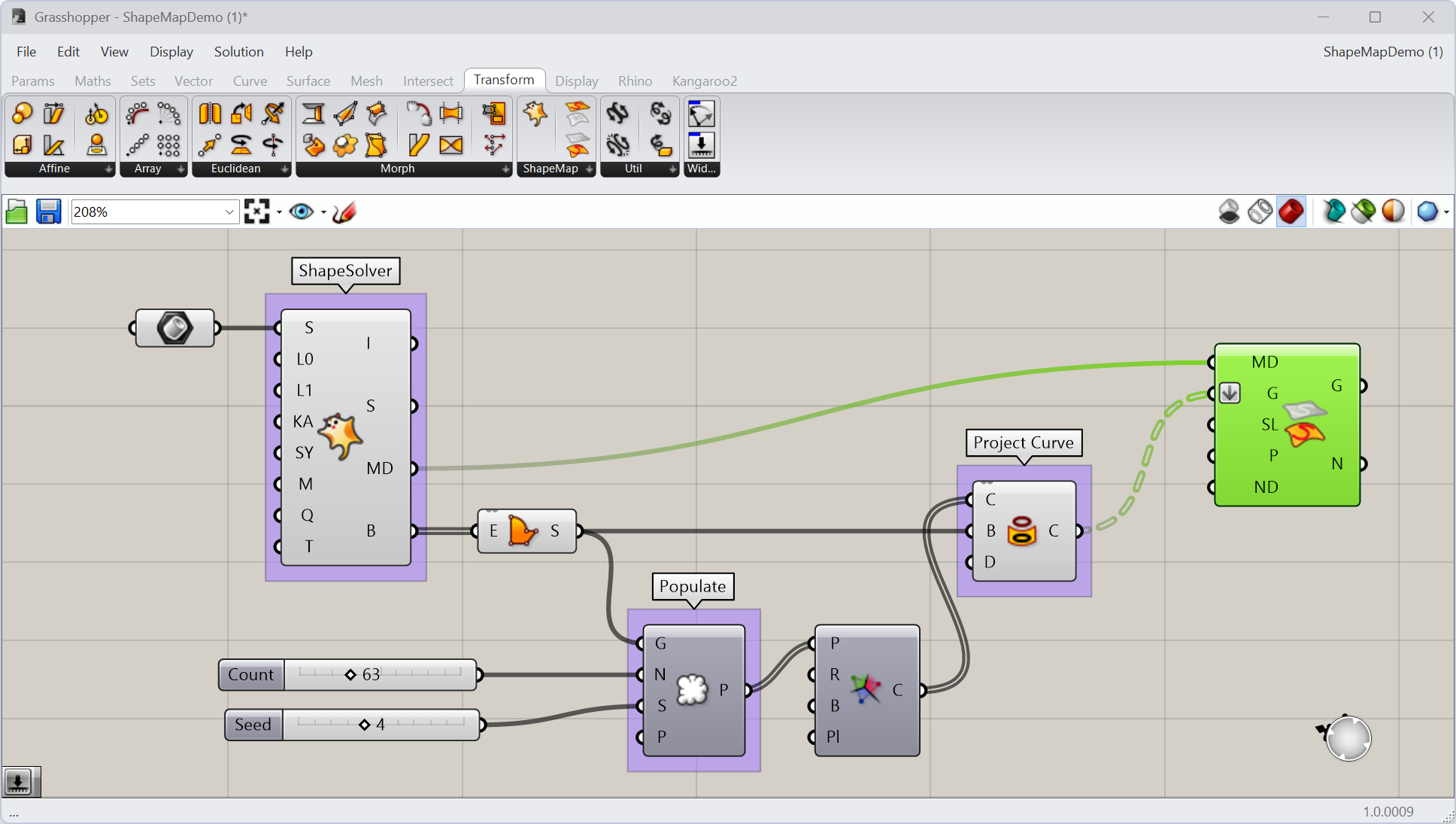
- Download and open the ShapeMapDemo_Step3.3dm file.
- Download and open the ShapeMapDemo.gh file in
 Grasshopper
definition. This definition already includes the ShapeSolver and
Grasshopper
definition. This definition already includes the ShapeSolver and  Project Curve
components used to unroll the 3D shape and prepare a 2D curve pattern.
Project Curve
components used to unroll the 3D shape and prepare a 2D curve pattern. - In Grasshopper:
- Add a MapToShape component to the canvas, found under Transform > ShapeMap.
- Connect the
MapDataoutput of the ShapeSolver component to the corresponding input on MapToShape. - Connect the
C(Curve) output of Project Curve
to the G(Geometry) input on MapToShape. - Right-click on this G input and select
Flatten. This will resolve the Data Matching error. - Adjust the
 Number Slider
connecting to the
Number Slider
connecting to the CandSinputs of the Populate Geometry
component.
Populate Geometry
component.
- Try it on your own shape! Please ask questions and give feedback on the Discourse Forum.