PushPull Multisurface
For Architecture
 PushPull
enables direct manipulation of multiple faces by pushing or pulling. For architects, extend roofs and walls, add sharp or rounded corners, and modify wall thicknesses in a single step! Supports flat and rounded faces. Great for early-stage design, concept modeling, or making final design edits.
PushPull
enables direct manipulation of multiple faces by pushing or pulling. For architects, extend roofs and walls, add sharp or rounded corners, and modify wall thicknesses in a single step! Supports flat and rounded faces. Great for early-stage design, concept modeling, or making final design edits.
For Consumer Products
For Industrial Designers, directly manipulate geometry without the need to think about constraints. Modify your geometry without breaking your model. Adjust holes, ribs, add recesses, and modify wall thicknesses.
Inset
For Architecture
The  Inset
Inset
Group option unifies adjacent polysurface faces into a single region, making it effortless to add precise architectural details such as window frames, façade panels, shadow gaps, and recessed elements. Instantly extrude or recess parts for faster, more intuitive direct modeling.
For Consumer Products
The Inset
Group option unifies adjacent polysurface faces into a single region, making it effortless to add precise details to your products: pockets, grooves, shutlines, and recesses, that can be instantly extruded or recessed for faster, more intuitive direct modeling.
Gumball Rotate / Extend
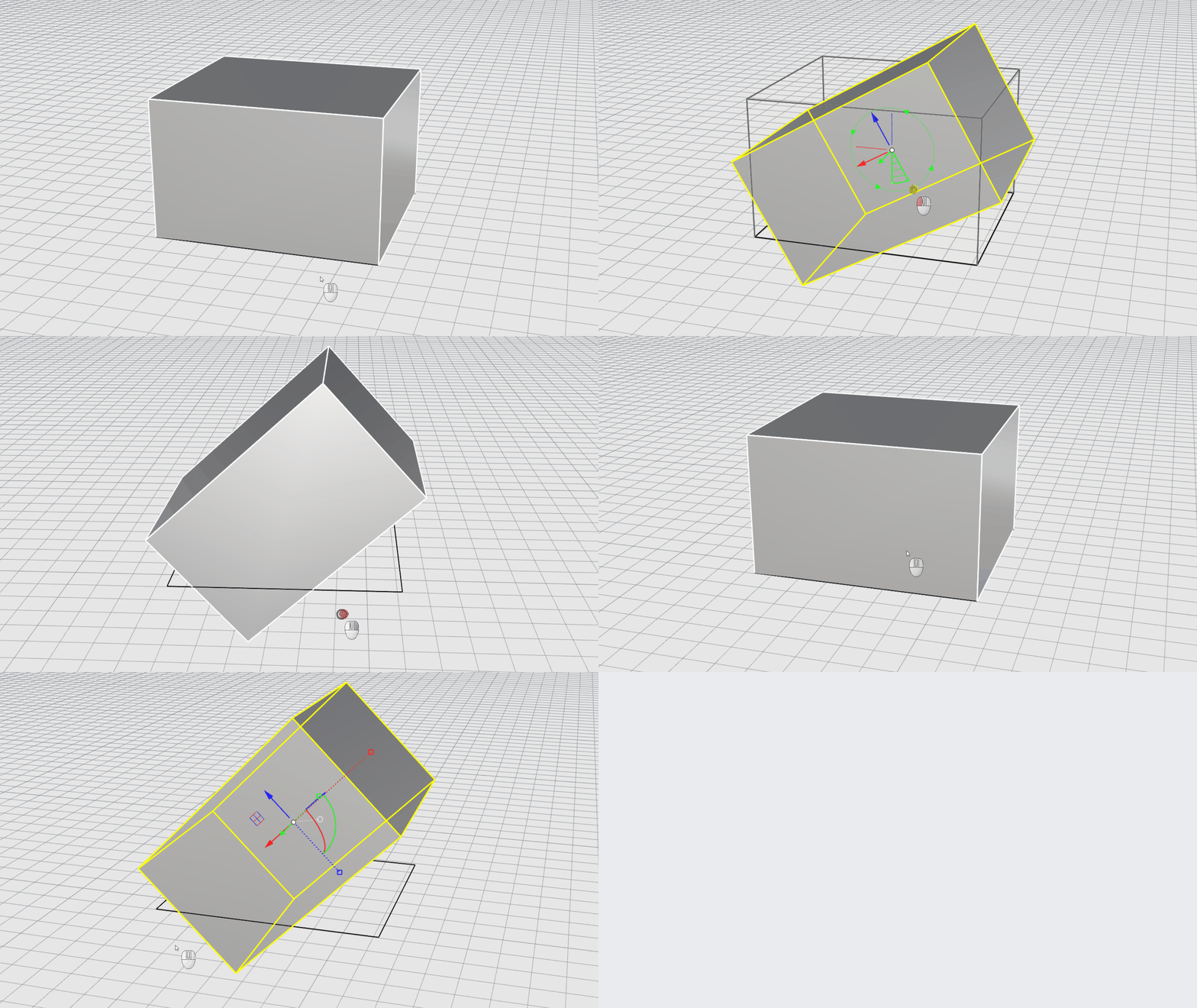
Enable Rotate-Extend by holding down ctrl + shift as you drag the
Rotate handle
. Rotate a face, and have adjacent faces extend in their natural directions.
Block Edit
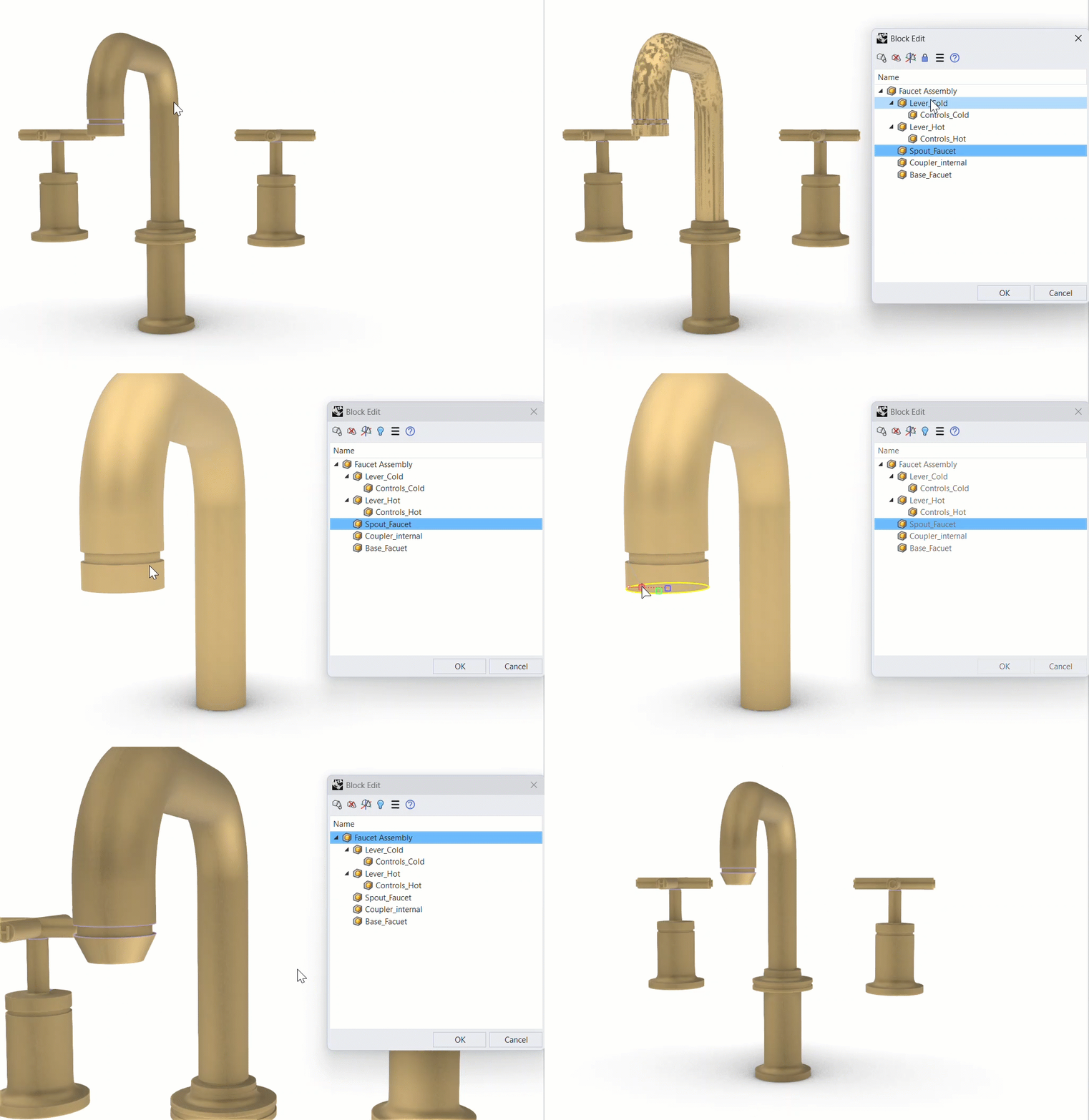
Blocks make large, repeated assemblies manageable. Now editing them is too. The refreshed  BlockEdit
workflow lets you access a nested sub-block inside a complex assembly to edit it in place, then step back out just as easily, keeping shared components consistent across the whole project.
BlockEdit
workflow lets you access a nested sub-block inside a complex assembly to edit it in place, then step back out just as easily, keeping shared components consistent across the whole project.