A constraint system becomes truly useful once its dimensions are controlled from the rest of a Grasshopper file. Any dimension and any fixed point in a constraint system can be given a name, and every name becomes an input on the Constraint System component. This topic explains how inputs are created, which kinds of data they accept, and what to expect when input values change.
For an overview of constraints and how they are implemented in Grasshopper 2, see the Constraint Systems topic.
Naming Dimensions
Every dimension has a value, which is shown on its tag. Double-clicking a tag opens a box in which either a new value can be typed, or the value can be replaced by a name. Names must start with a letter or an underscore, and may contain only letters, digits and underscores, so Width, r1 and slot_depth are all valid names, whereas 2nd and slot depth are not. Names are not case-sensitive: WIDTH and width are considered equivalent.
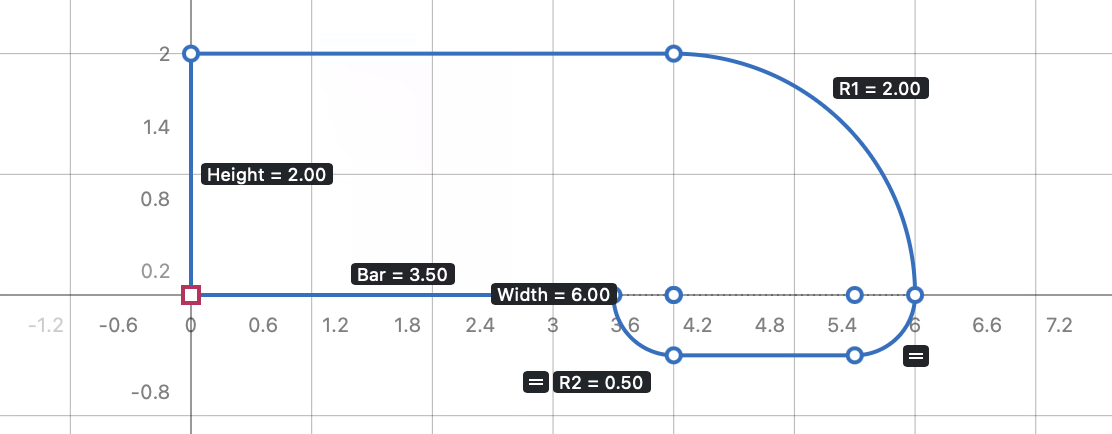
Once a dimension has a name, the component gets a new input with that same name. Distances, lengths, widths, heights and radii become number inputs, while angles and sweeps become angle inputs. Each dimension remembers the value it had when it was first named, so if nothing is plugged into the input, the dimension simply keeps the original value. Clearing the name, or typing a number in its stead, removes the input again.
The position of a fixed guide is held by a dimension as well, so guides can be driven by inputs in the same way.
Sharing Names
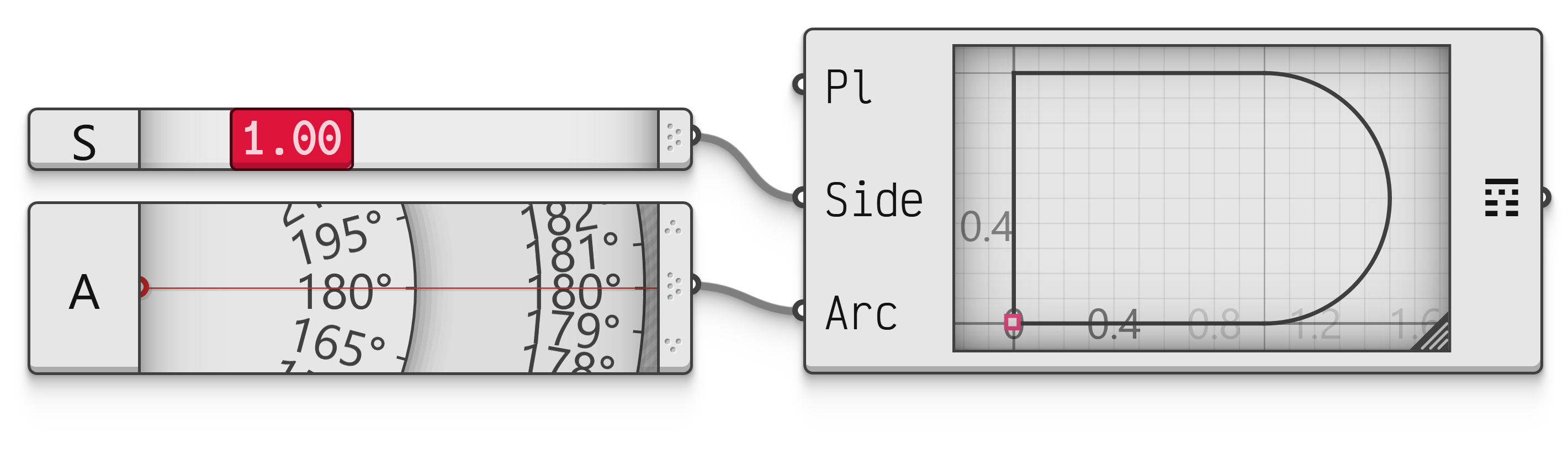
Several dimensions may be given the same name, in which case they are all driven by the same input. A symmetrical shape whose left and right sides have the same width, or a series of holes with the same radius, can be controlled by a single value this way.
A name can only be shared by dimensions of the same kind. Using the same name for a distance and an angle is an error, since a single input cannot be both a number and an angle, and the component reports a name conflict.
 Interactive in Grasshopper 2
Naming Fixed Points
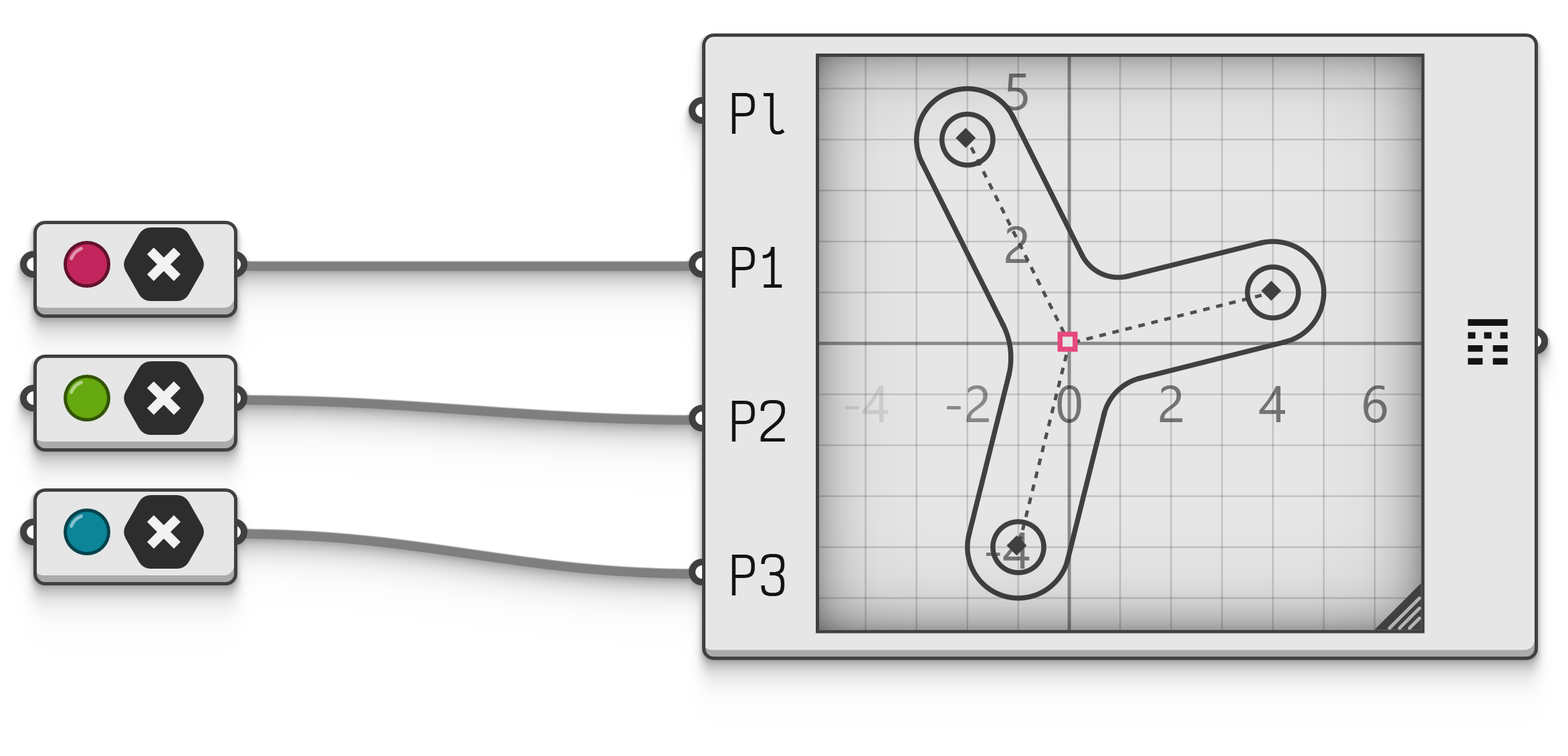
Fixed points can be named as well, after which their location is driven by an input.
 Interactive in Grasshopper 2
A point input accepts three kinds of data, as outlined in the table below.
| Type | Usage |
|---|---|
Point2 |
Two-dimensional points specify the location of the fixed points in drawing plane coordinates. |
Point3 |
Three-dimensional points specify the location of the fixed points in world coordinates, which are then projected back onto the drawing plane. |
Curve |
Curves specify the location of the fixed points at their intersection with the drawing plane. |
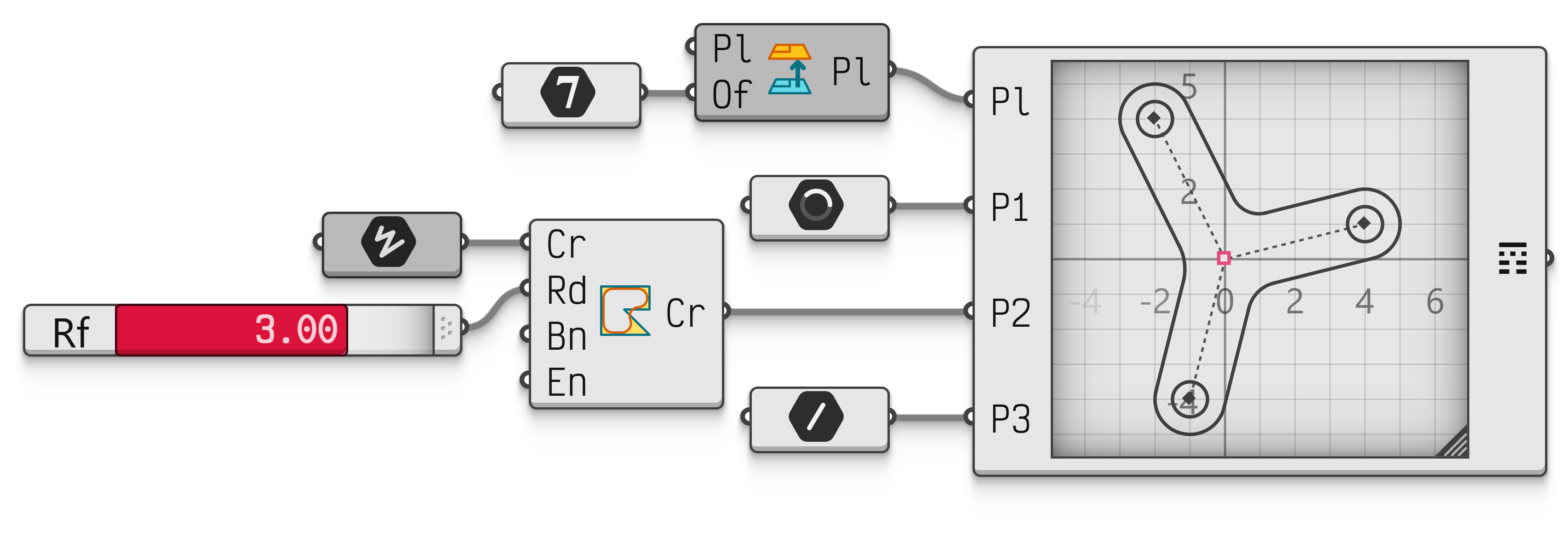 Interactive in Grasshopper 2
The Plane
Every Constraint System component has a Plane input, which determines where the drawing sits in space. The origin of the drawing is placed at the origin of the plane, and the horizontal and vertical directions of the drawing follow the and axes of the plane. The plane defaults to World XY.
All outputs are placed in this plane, and all point inputs are interpreted relative to it. As long as there are no point inputs, changing the plane only moves the result through space; the shape itself stays the same.
Changing Inputs
Every time an input changes, the constraint system is solved anew. As with dragging in the editor, the solver looks for the solution nearest to the current configuration. For small and moderate changes this tends to give smooth, predictable results.
Large changes are more complicated. When a dimension suddenly becomes many times bigger or smaller, the nearest solution may be a different configuration of the shape. The solver approaches large changes gradually to make this less likely, but it cannot be ruled out. A fully constrained drawing with sensible dimensions is the best protection.
When the values coming in are impossible, for instance a triangle whose sides are , and units long, the component reports that the constraints cannot all be met. When a named fixed point is moved somewhere the rest of the drawing cannot follow, and the Allow fix drift setting is enabled, the point moves as close as it can and the component adds a remark.
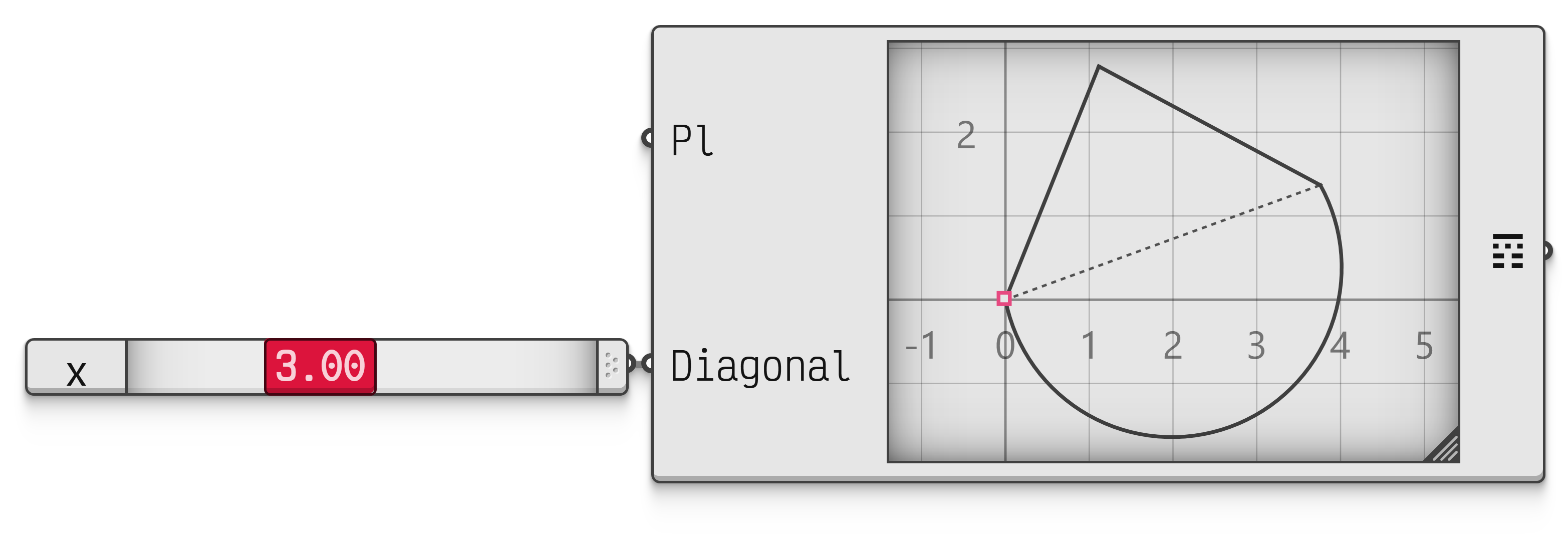 Interactive in Grasshopper 2
When a list of values is supplied to an input, the constraint system is solved once for each value, and every output receives one list of results per solution. The ability to easily generate a large number of different instances of the same underlying constraint system is one of the major benefits of this feature.