
Grasshopper: ShapeMap
Grasshopper add-on that maps 2D curves or image-based textures onto a complex 3D shape with minimal distortion.
ShapeMap is a Grasshopper add-on that maps 2D curves or image-based textures onto a complex 3D shape with minimal distortion. This makes texture design on models intuitive and efficient.
Image Module
Apply a texture on a 3D shape using the bitmap module as the input.
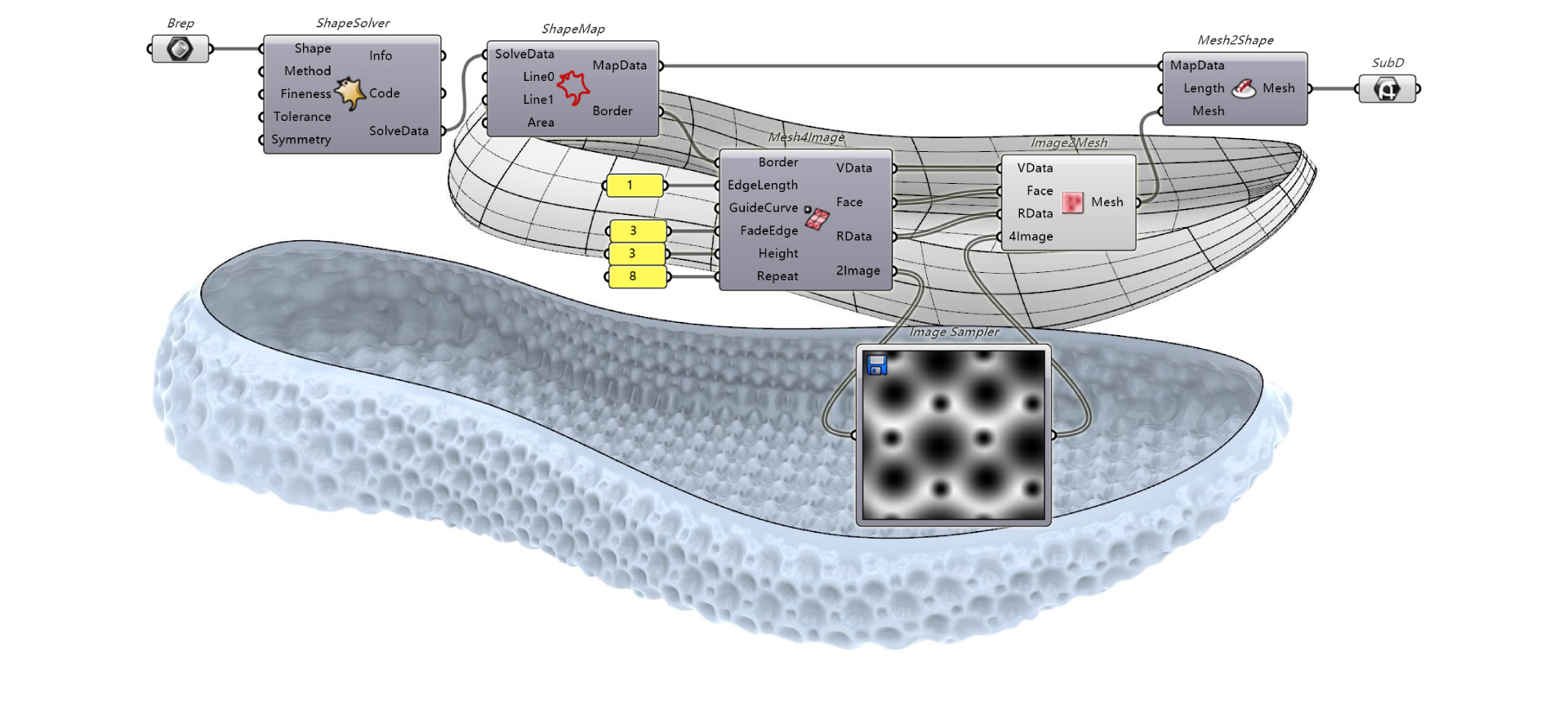
Surface, Mesh, or SubD Module
Use an untrimmed surface, a mesh, or SubD geometry as the input for ShapeMap.
Try It
- Download Rhino 9 WIP for Windows or Mac.
- Download and open the ShapeMapDemo_Step3.3dm file.
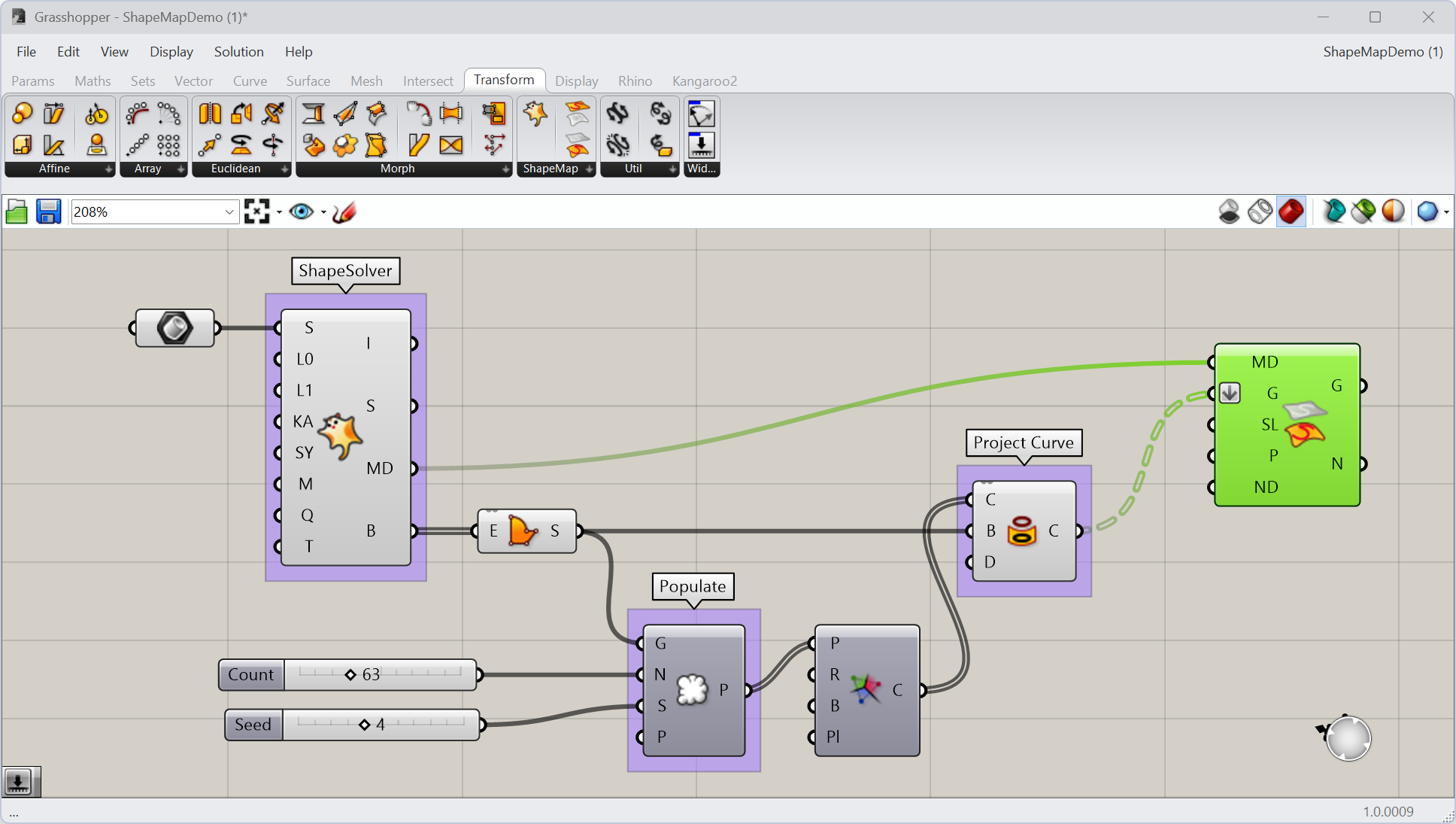
- Download and open the ShapeMapDemo.gh file in Grasshopper
definition. This definition already includes the ShapeSolver and
 Project Curve
components used to unroll the 3D shape and prepare a 2D curve pattern.
Project Curve
components used to unroll the 3D shape and prepare a 2D curve pattern. - in Grasshopper:
- Add a MapToShape component to the canvas, found under Transform > ShapeMap.
- Connect the
MapDataoutput of ShapeSolver component to the corresponding input on MapToShape. - Connect the
C(Curve) output of Project Curve
to the G(Geometry) input on MapToShape. - Right-click on this G input and select
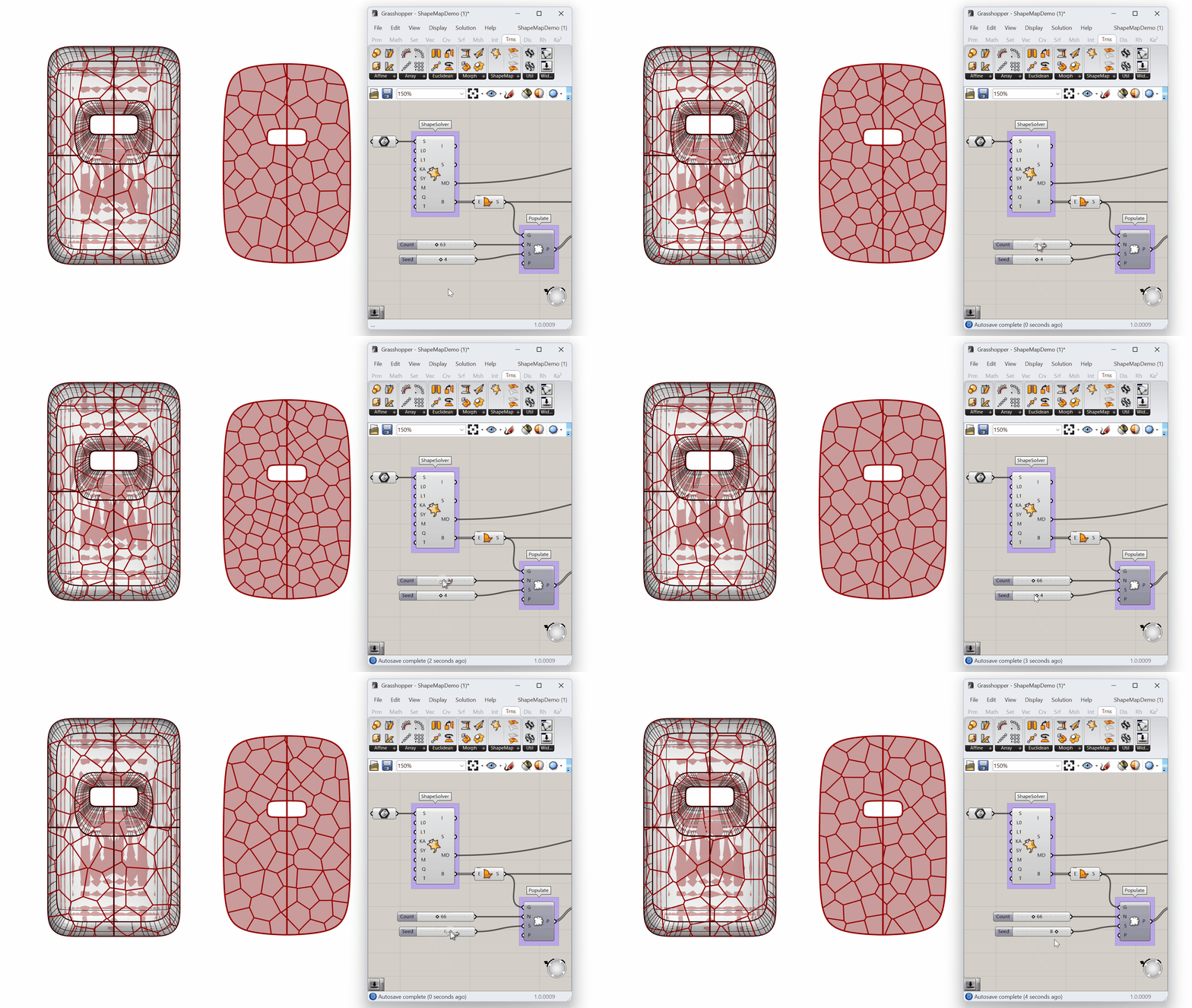
Flatten. This will resolve the Data Matching error. - Adjust the
 Number Slider
connecting to the
Number Slider
connecting to the CandSinputs of the Populate Geometry
component.
Populate Geometry
component.
- Try it on your own shape! Please ask questions and give feedback on the Discourse Forum.