
Rhino for Bridge Design
The demand for innovative, efficient, and sustainable infrastructure is driving a revolution in bridge engineering, with parametric design at its forefront. Rhino3D stands out as a versatile and precise solution, enabling efficient modeling of complex geometries and seamless integration with parametric tools like Grasshopper.

Rhino3D and Grasshopper’s compatibility with structural analysis and BIM software, such as SOFiSTiK, Tekla, and Rhino.Inside®.Revit, streamlines workflows from concept to construction, allowing engineers to design bridges that balance performance and aesthetics.
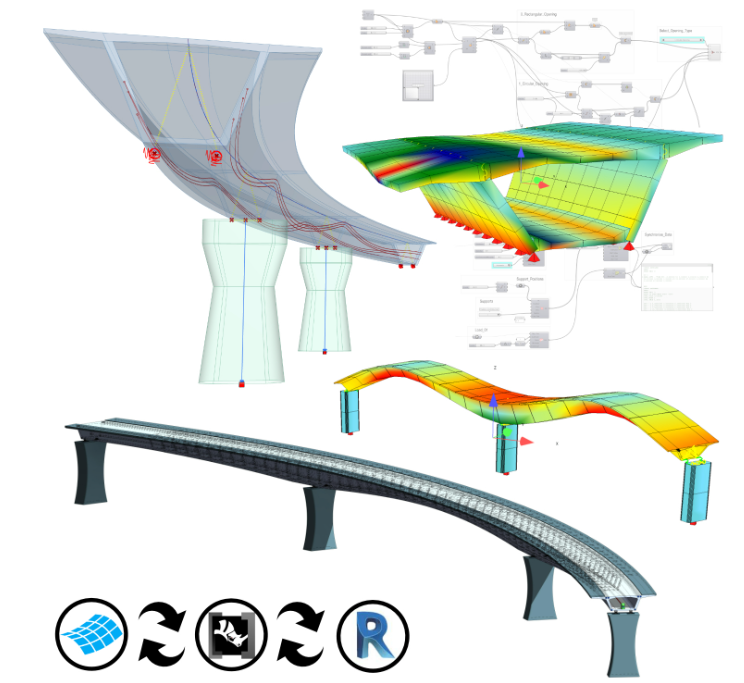
Parametric Design of Bridges
Rhino’s precision and flexibility in managing freeform geometries, combined with Grasshopper’s visual programming interface, enable parametric design workflows for engineers to develop dynamic, data-driven bridge models that seamlessly adapt to design changes in real time.
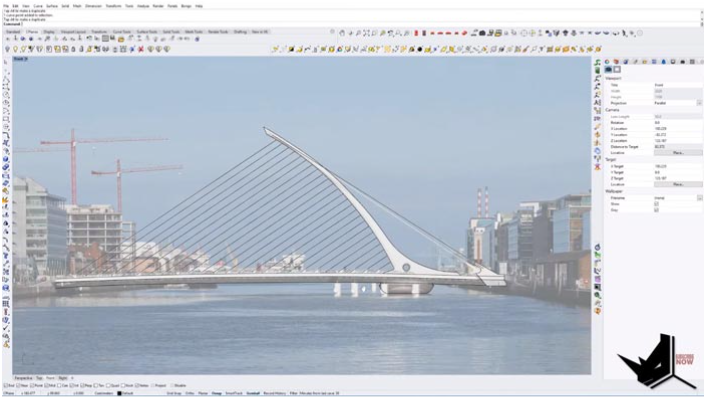
Parametric Analysis of Bridges
By integrating parametric design with advanced Finite Element Analysis (FEA) tools, engineers can evaluate structural performance and adapt bridge designs to meet specific project requirements.
SOFiSTiK Rhino/Grasshopper Interface
-
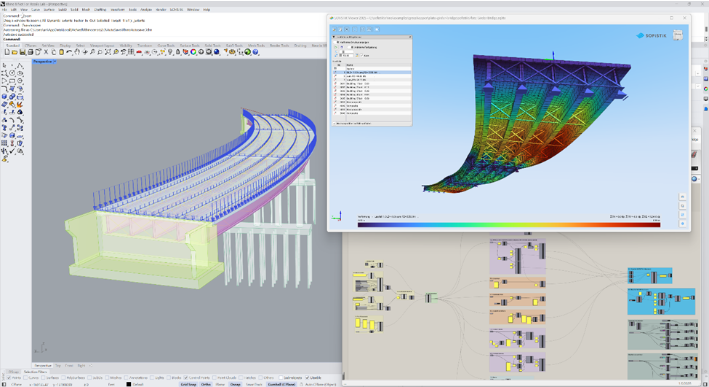
Rhino Integration: SOFiSTiK connects with Rhino through its Rhinoceros Interface, enabling fully parametric analysis models and integration with workflows like Rhino.Inside®.Revit.
-
Grasshopper Toolbox: SOFiSTiK’s Grasshopper Toolbox provides components for creating parametric structural models, including geometry, cross-sections, supports, loads, and tendons, with analysis in Grasshopper or SOFiSTiK.
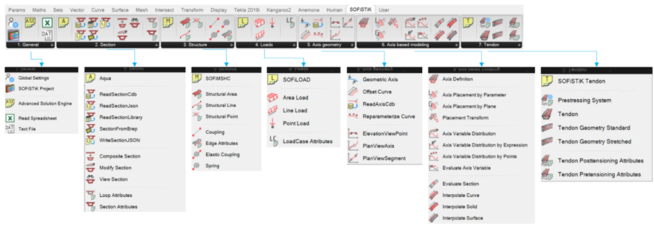
- SOFiSTiK CABD: Specialized components support axis-based modeling using SOFiSTiK’s CABD concept for fully parametric bridge analysis and BIM models.
Analysis with Tekla Structures
NEED TEXT FOR THIS SECTION
Combined approach SOFiSTiK & Tekla Structures
Create both, an analytical model in SOFiSTiK and a BIM model in TEKLA is created from one single parametric source in Grasshopper.
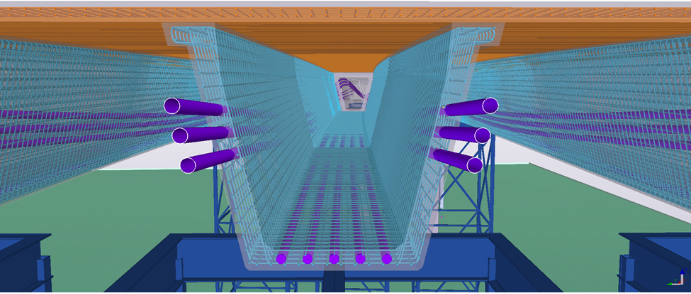
Parametric Bridge Information Model (BrIM)
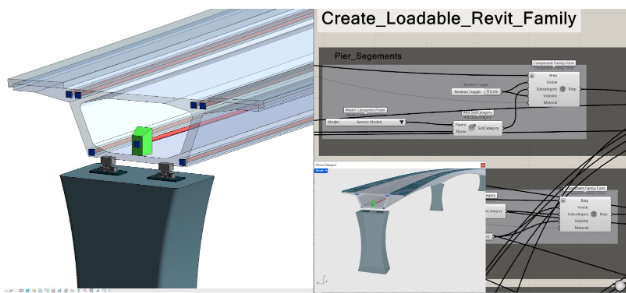
With Grasshopper, it is possible to integrate your bridge models into BrIM within both, Rhino.Inside.Revit and Tekla Structures.\
- Grasshopper models can be directly converted into Revit elements, ensuring a smooth transition from design to documentation.
- Consistent data sharing across platforms enhances communication between designers and engineers.
- Real-Time design changes are automatically reflected in Revit documentation, reducing errors and ensuring precision.
- Intricate forms and geometries can be accurately converted into Revit families and components, improving detail and constructability.
Rhino.Inside®.Revit
- Rhino.Inside®.Revit allows users to query, modify, analyze, and create native Revit elements.
- With the Rhino.Inside® toolkit providing an interface to Autodesk Revit®, a model defined in Grasshopper can seamlessly transfer to SOFiSTiK for analysis and to Revit for drawings and detailed development.
Tekla Structures
The Grasshopper-Tekla Live Link enables parametric and algorithmic modeling in Trimble’s Tekla Structures with Rhino and Grasshopper. The tool provides Grasshopper components to create and interact with Tekla Structures BIM objects in real-time.
With the complimentary Grasshopper-Tekla Drawing Link, it’s possible to create all your Tekla drawings from Grasshopper as well.
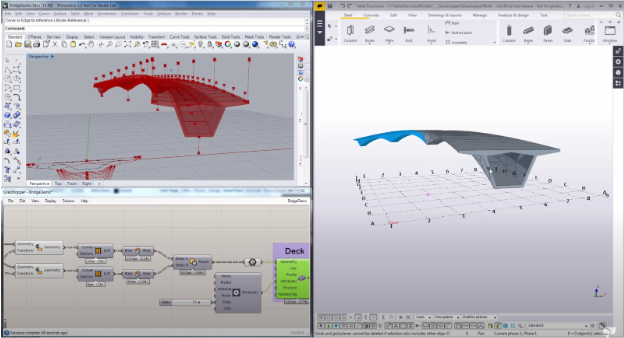
With the Grasshopper-Tekla live link you can create your structural BIM model and drive all the detailing, including steel connections, welding, bolts formwork, 3D rebar detailing, Tekla parametric components as well as the drawings in Tekla structures directly from Grasshopper.
Data Exchange
NEED TEXT FOR THIS SECTION
Learn Resources & More
Expand your skills and explore more about Rhino with the following resources. Whether you’re looking for plugins, tutorials, or videos, we’ve got you covered:
Tutorials
Visit our Learn page to access a suite of tutorials and guides that will improve your workflow.
Webinars
Watch some of our recorded Webinars tailored to your industry.
Case Studies
Read through some of the Rhino users stories and learn how Rhino / Grasshopper helped in the process.
Plugins
Visit food4Rhino to discover an array of powerful plugins for product and industrial design.

