
Keep Rolling: Continue Across Faces
 FilletSrf
suits a typical surface modeling workflow: Building fillets between non-connected (poly)surfaces. FilletSrf now automatically continues across tangent faces, saving you countless mouse clicks.
FilletSrf
suits a typical surface modeling workflow: Building fillets between non-connected (poly)surfaces. FilletSrf now automatically continues across tangent faces, saving you countless mouse clicks.
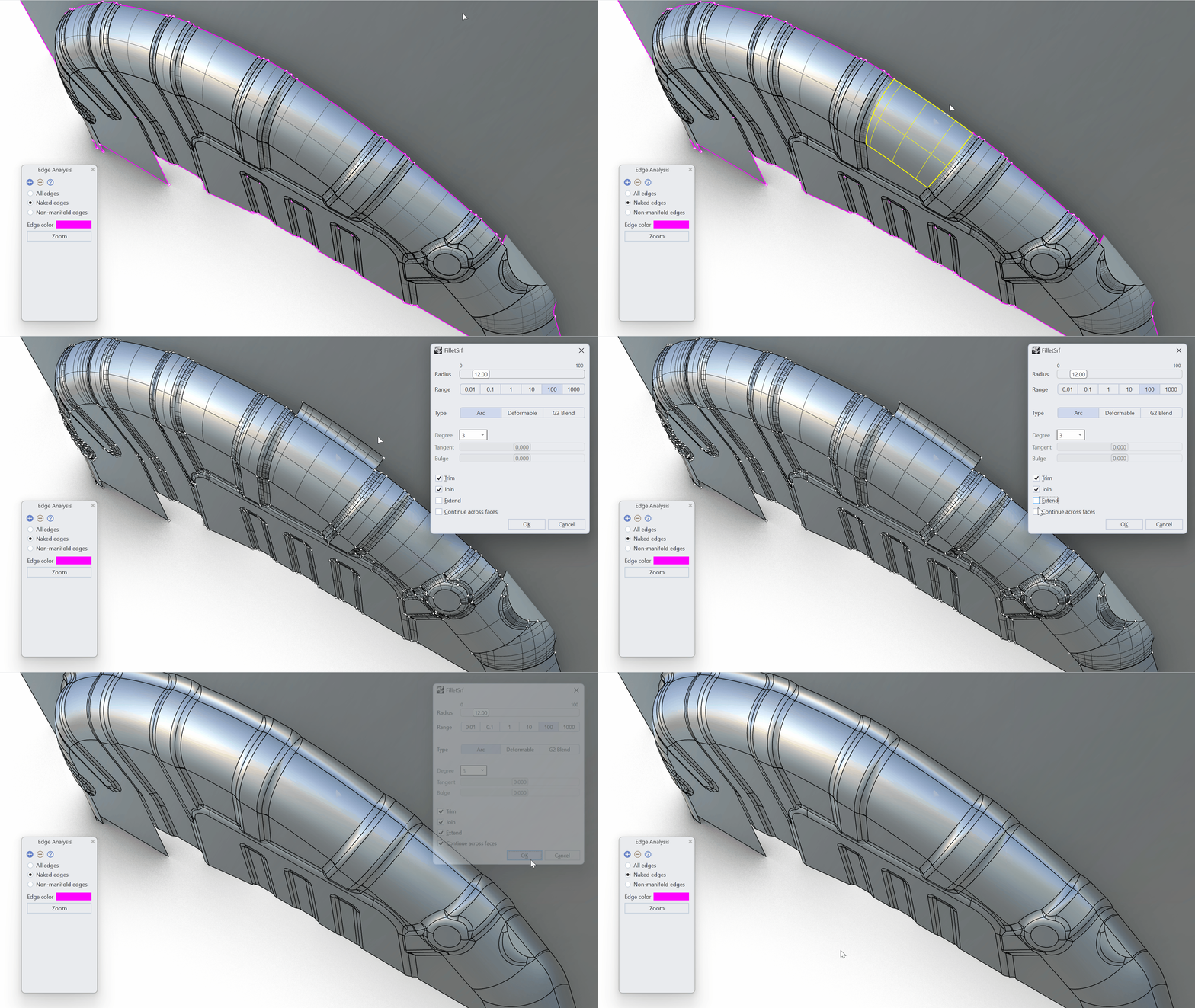
Keep Your Fillets Alive
FilletSrf
has history support when the input surfaces are not being trimmed. This allows you to make changes to the base objects and see the fillets update.
Fillet? Fill It!
FilletSrf
lets you easily bridge and clean up the gap between two (poly)surfaces. Automatically Trim and Join the result. From surface to solid was never this easy!
FilletSrfCrv with Polycurves
 FilletSrfCrv
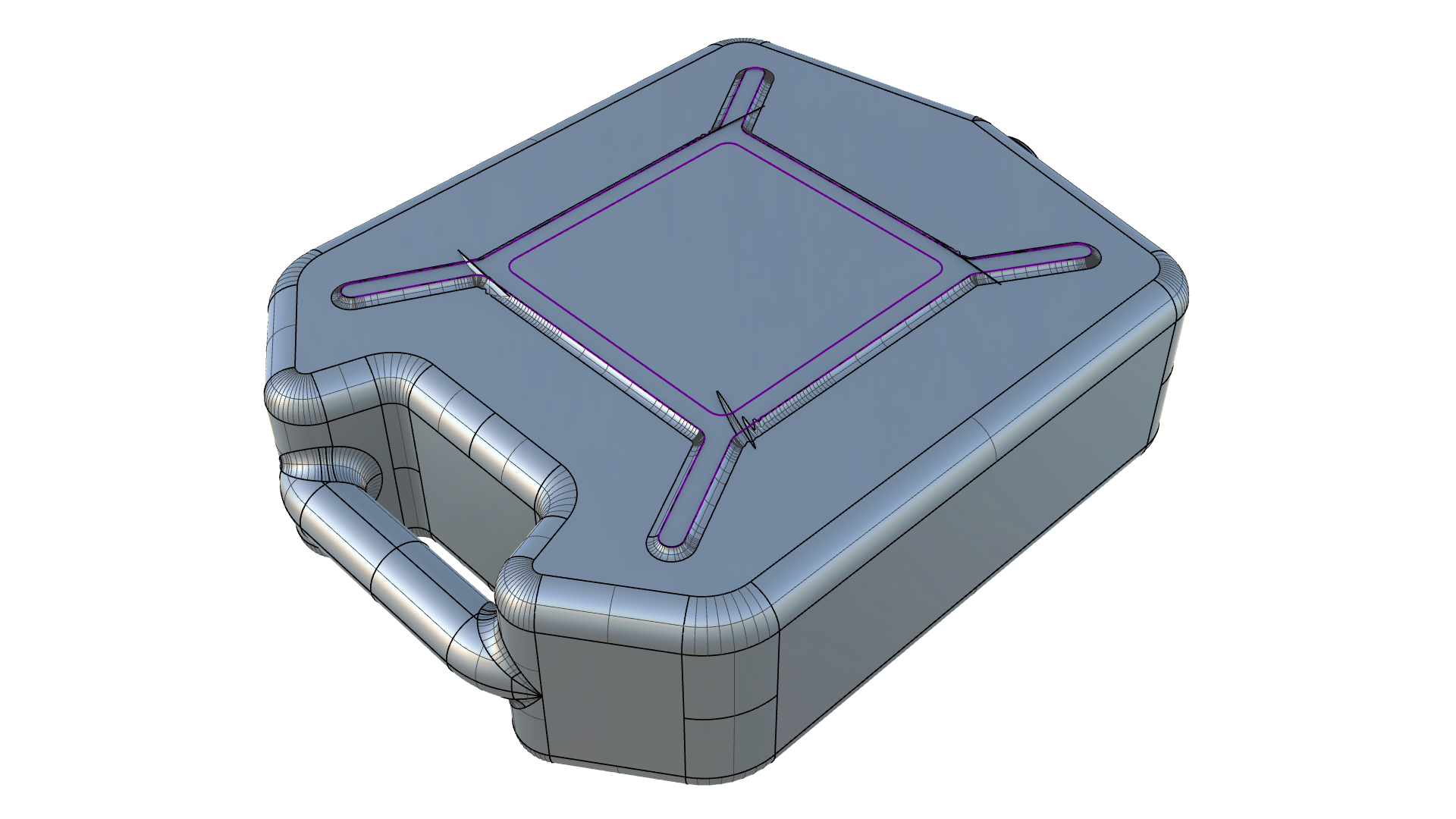
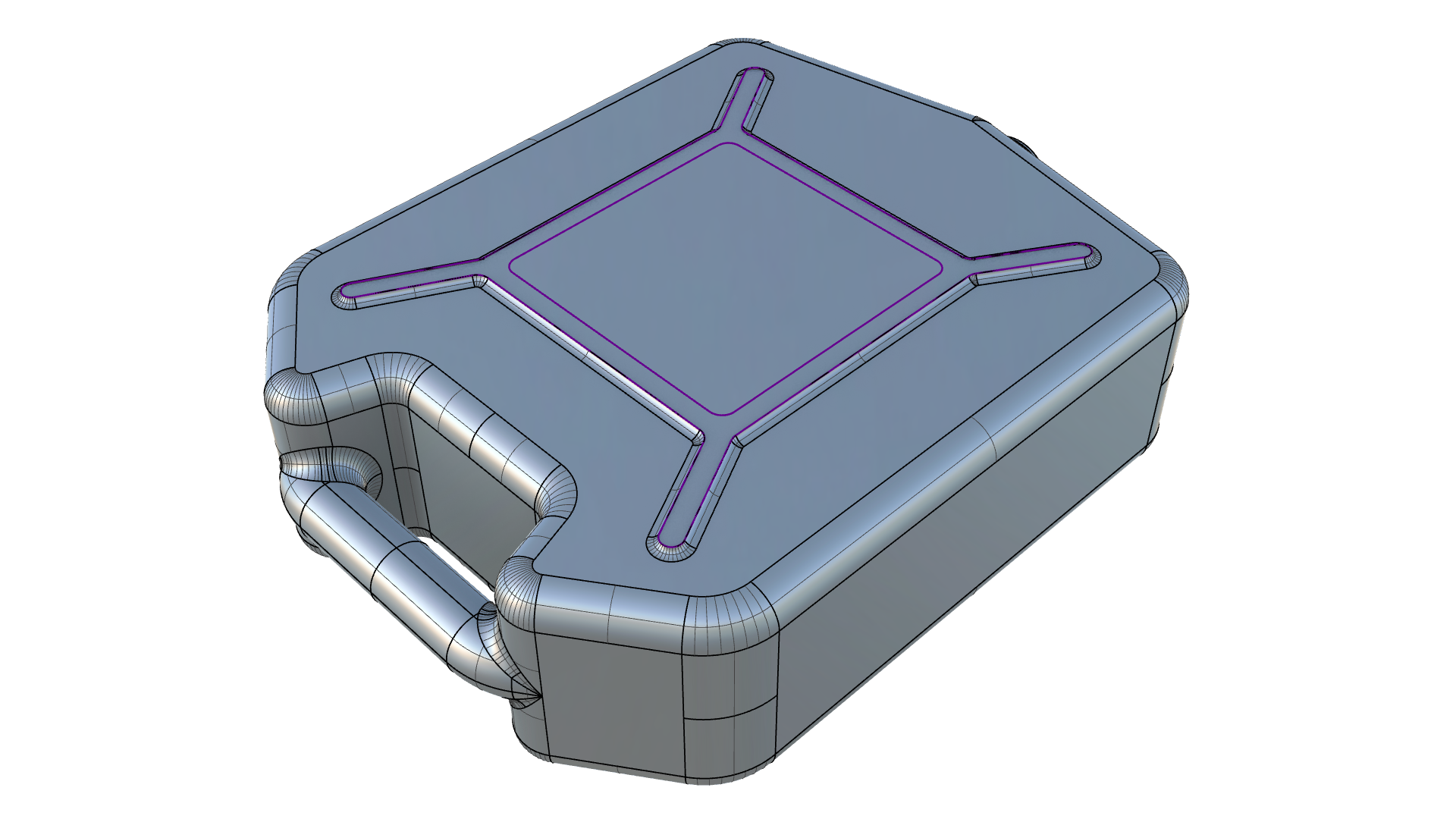
now generates cleaner fillets with polycurves. This saves you from having to explode the curve and manually fillet to each curve segment.
FilletSrfCrv
now generates cleaner fillets with polycurves. This saves you from having to explode the curve and manually fillet to each curve segment.
Other Improvements
 ChamferSrf
now has an interactive dialog like FilletSrf and supports chamfering across tangent faces.
ChamferSrf
now has an interactive dialog like FilletSrf and supports chamfering across tangent faces.
 FilletSrfToRail
has been rewritten and produces results where earlier versions would fail.
FilletSrfToRail
has been rewritten and produces results where earlier versions would fail.
FilletSrf
and ChamferSrf
will generate simple revolved surfaces when possible.
Try It
- Download Rhino 8 Evaluation for Windows or Mac.
- Download and open the filletsrf_chains.3dm model.
- Run the command FilletSrf
.
- At the
Select first surface to filletprompt , select the orange surface. - At the
Select second surface to filletprompt, select the wavy pink surface. - The FilletSrf dialog appears:
- Select the Continue across faces option.
- Select the Trim and Join options.
- Set a radius by moving the slider or double-clicking to type a value (3mm to 15mm).
- Press OK to close the dialog.
- Ask questions and give feedback on the Discourse Forum.

