
What is Rebuild?
 Rebuild
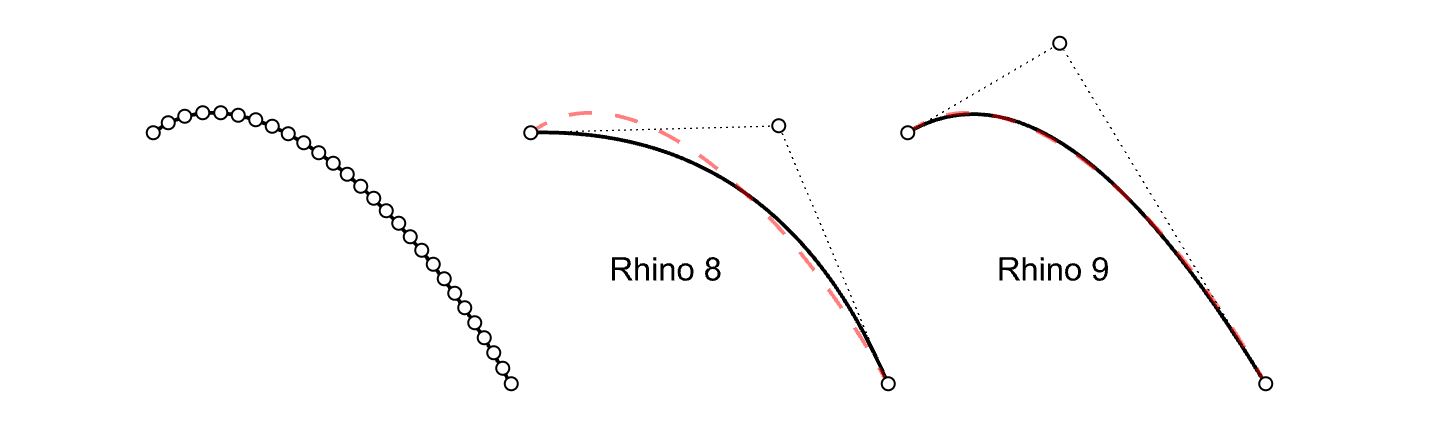
reconstructs selected curves or surfaces to a specified degree and control point number. New adaptive rebuild technology matches the shape of the input curve with higher accuracy. The adaptive rebuild technology only applies to curves.
Rebuild
reconstructs selected curves or surfaces to a specified degree and control point number. New adaptive rebuild technology matches the shape of the input curve with higher accuracy. The adaptive rebuild technology only applies to curves.
Why would you use it?
Curves with many control points generate complex surfaces which are difficult to edit downstream. Rebuilding curves to lower the point count, while maintaining the curve shape within tolerance, is key when modeling. Surfaces created from simple curves will be easy to use for form finding or manipulating with other commands.
Some examples where Rebuild is useful:
- Rebuild section curves made from scans (mesh objects)
- Rebuild curves to the same amount of control points (useful for Loft and Sweep commands)
- Rebuild curves that are a result from intersections of surfaces
Rebuild to tolerance
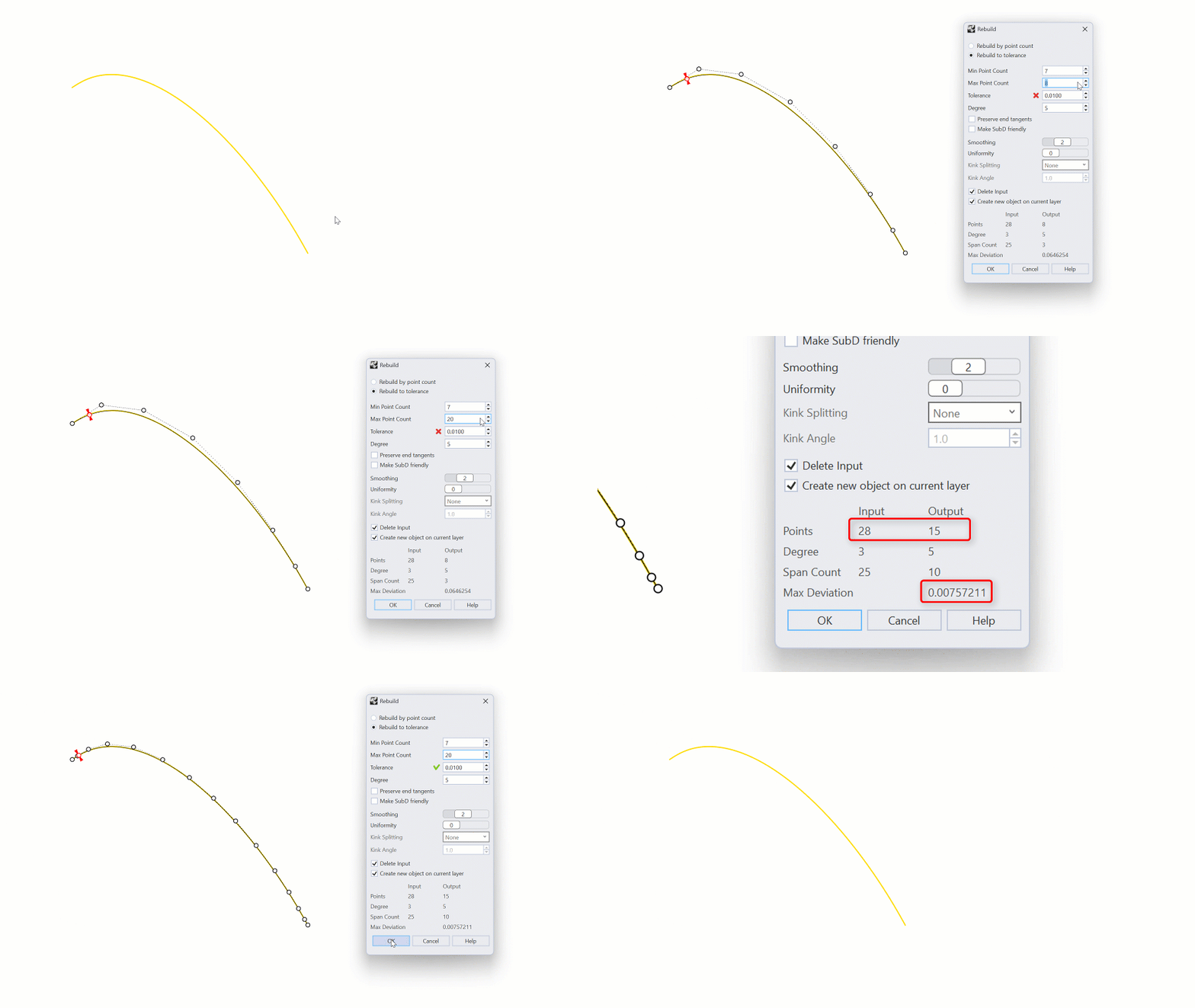
With Rebuild to tolerance, you can specify a minimum and maximum amount of control points. Rebuild
will refine the curve until it reaches the tolerance, or the maximum amount of control points, whichever comes first.
Kink Splitting
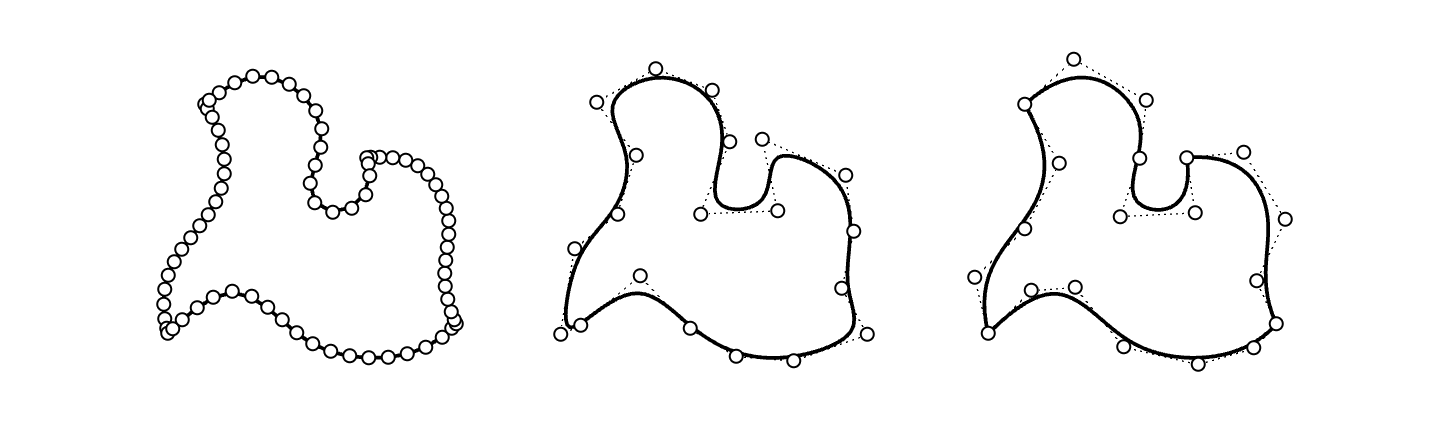
When rebuilding poly-curves or curves with curvature discontinuities, Rebuild
can split the rebuilt curve into segments with simplified point structure.
Smoothing
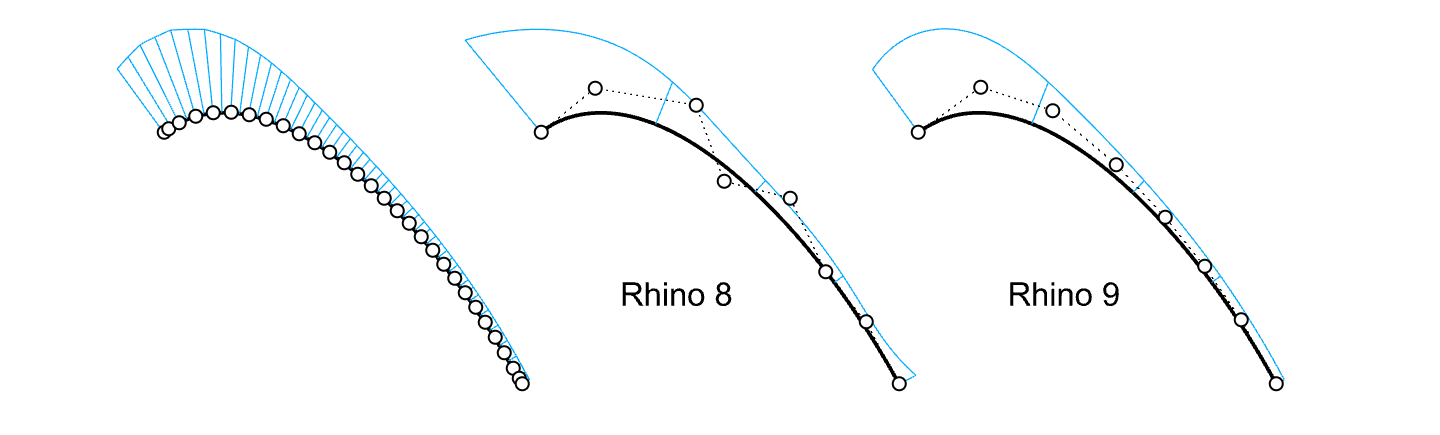
Especially for higher degree rebuilds, Smoothing can reduce control point oscillation significantly.
Symmetric rebuild
Creating symmetric designs from input curves is possible when the input is symmetric along the X or Y axis.
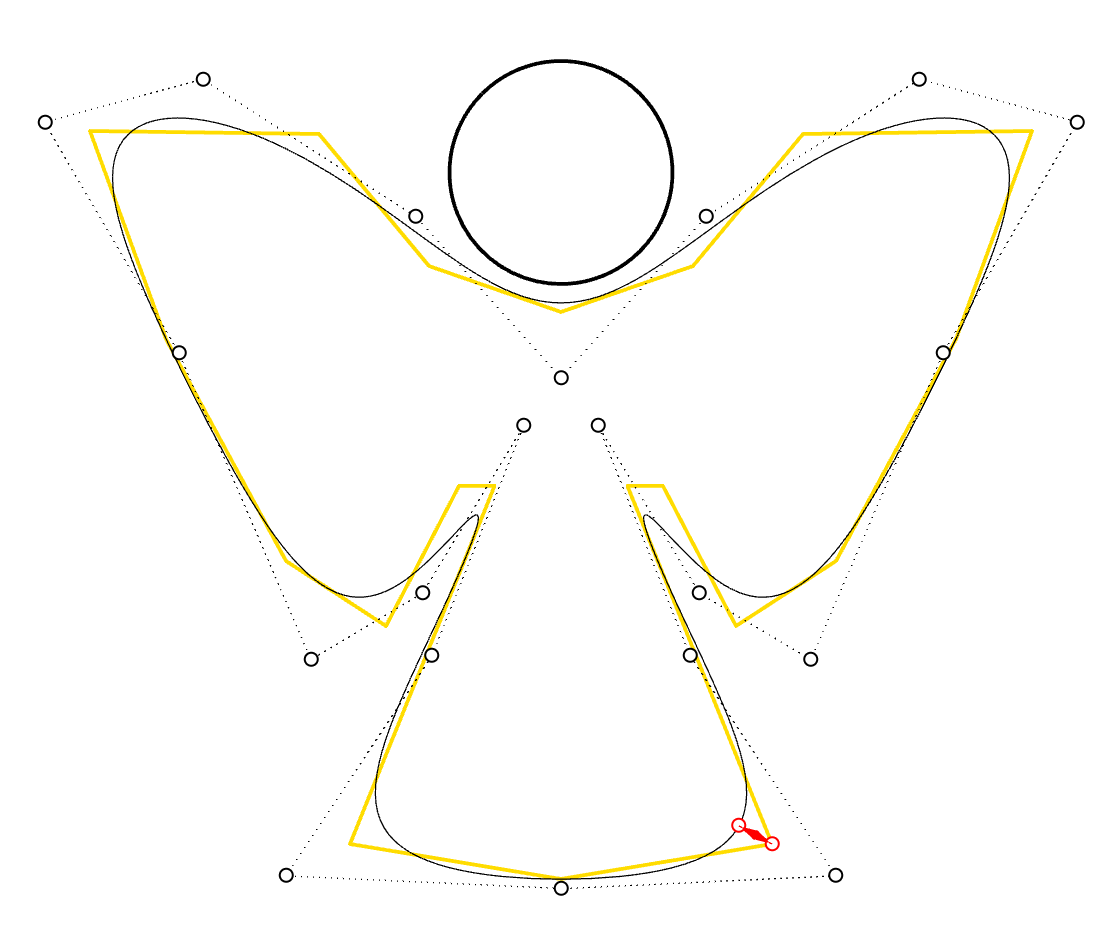
Try it
- Download Rhino 8 Evaluation for Windows or Mac.
- Download and open the rebuild-ex2.3dm model.
- Select the curve named Original.
- Run the Rebuild
command.
- In the Rebuild dialog:
- Select
Rebuild by point count. - Set
Point countto 7. - Set
Degreeto 5. - The
Max Deviationis around 0.1. - Select the
Cancelbutton.
- Select
- Now, run the
 RebuildOld
and press Enter.
RebuildOld
and press Enter.
- Follow steps 2 & 3 above.
- The
Max Deviationis around 1.2.
- Try it on your own! Experiment with your own models.
- Share comments and feedback on the Rhino Forum.

