
Missing Assets
TO BE DONE for V9 - Missing Assets / Pack and Go
Need to finish this original page as well
To Use:
- Create text and configure a Block Attribute Text field
- Include the Block Attribute Text in a block definition.
- Insert the block and update the values. Or you can change them in Properties at a later time.
- These values are displayed as text where the block is inserted.
Inserting blocks containing attribute text fields display a dialog prompting for customized values for each block instance. 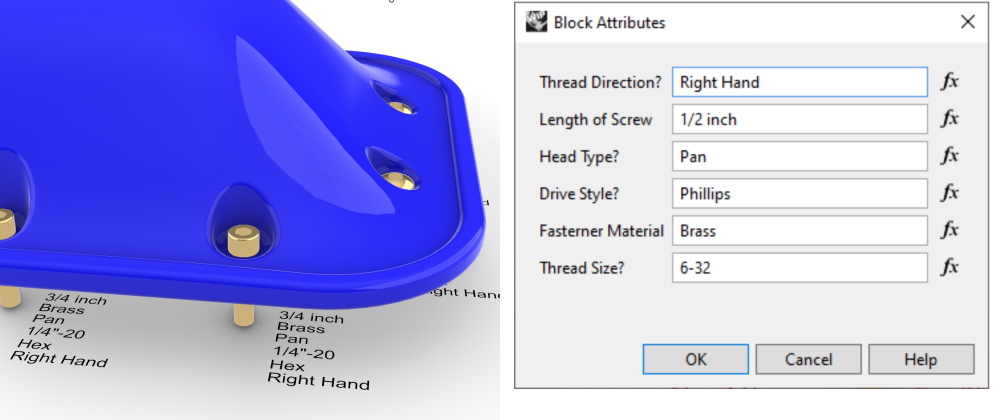
Next Steps:
- Download Rhino 8 Evaluation for Windows or Mac.
- Run the Text command, and click the fx button. Select the Block Attribute Text.
- Fill out the Key, Prompt and Default Value.
- Create a block which includes that text block.
- When inserted the block will prompt for the values included in the definition.
- Watch a Tutorial video on block attributes
- Ask questions and give feedback
- Developers: Values for attribute keys available as Runtime TextFields value on the block instance.
Additional Commands:
- Existing Attribute Text methods work on these values.
- Convert standard Block Text to Attribute : Use the ConvertTextToBlockAttribute command to convert existing text in blocks to prompting attributes.
- Add Missing Block Attributes Command: Add block attribute values back on a block that they have been removed from by running the AddMissingBlockAttributeKeys command.

