

What is Rebuild?
 Rebuild
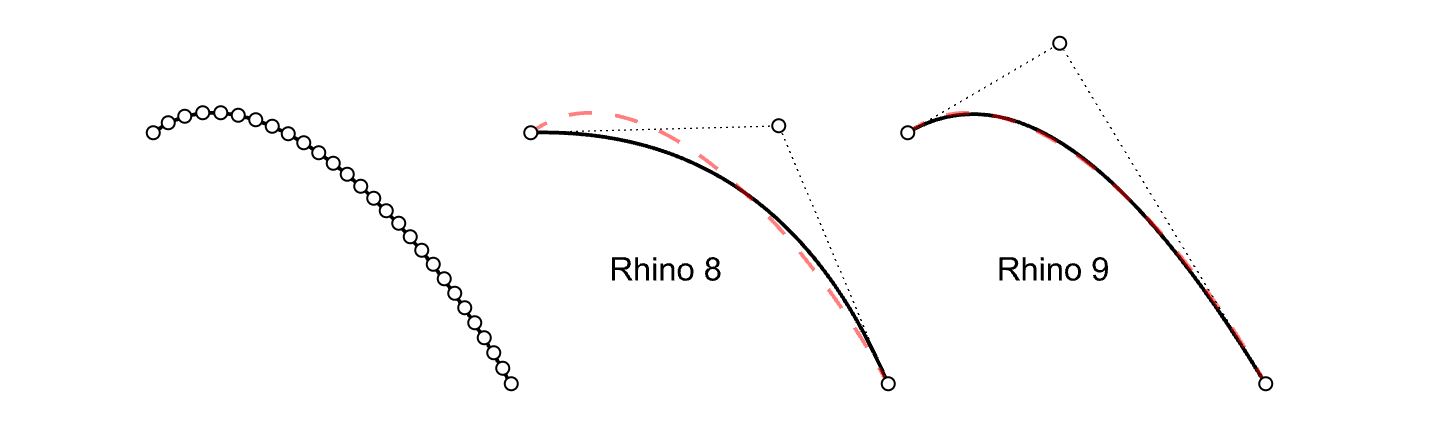
reconstructs selected curves or surfaces to a specified degree and control point number. New adaptive rebuild technology matches the shape of the input curve with higher accuracy. The adaptive rebuild technology only applies to curves.
Rebuild
reconstructs selected curves or surfaces to a specified degree and control point number. New adaptive rebuild technology matches the shape of the input curve with higher accuracy. The adaptive rebuild technology only applies to curves.
Por qué usarlo
Curves with many control points generate complex surfaces which are difficult to edit downstream. Rebuilding curves to lower the point count, while maintaining the curve shape within tolerance, is key when modeling. Surfaces created from simple curves will be easy to use for form finding or manipulating with other commands.
Algunos ejemplos en los que Reconstruir es útil:
- Rebuild section curves made from scans (mesh objects)
- Rebuild curves to the same amount of control points (useful for Loft and Sweep commands)
- Reconstruir curvas que son el resultado de intersecciones de superficies
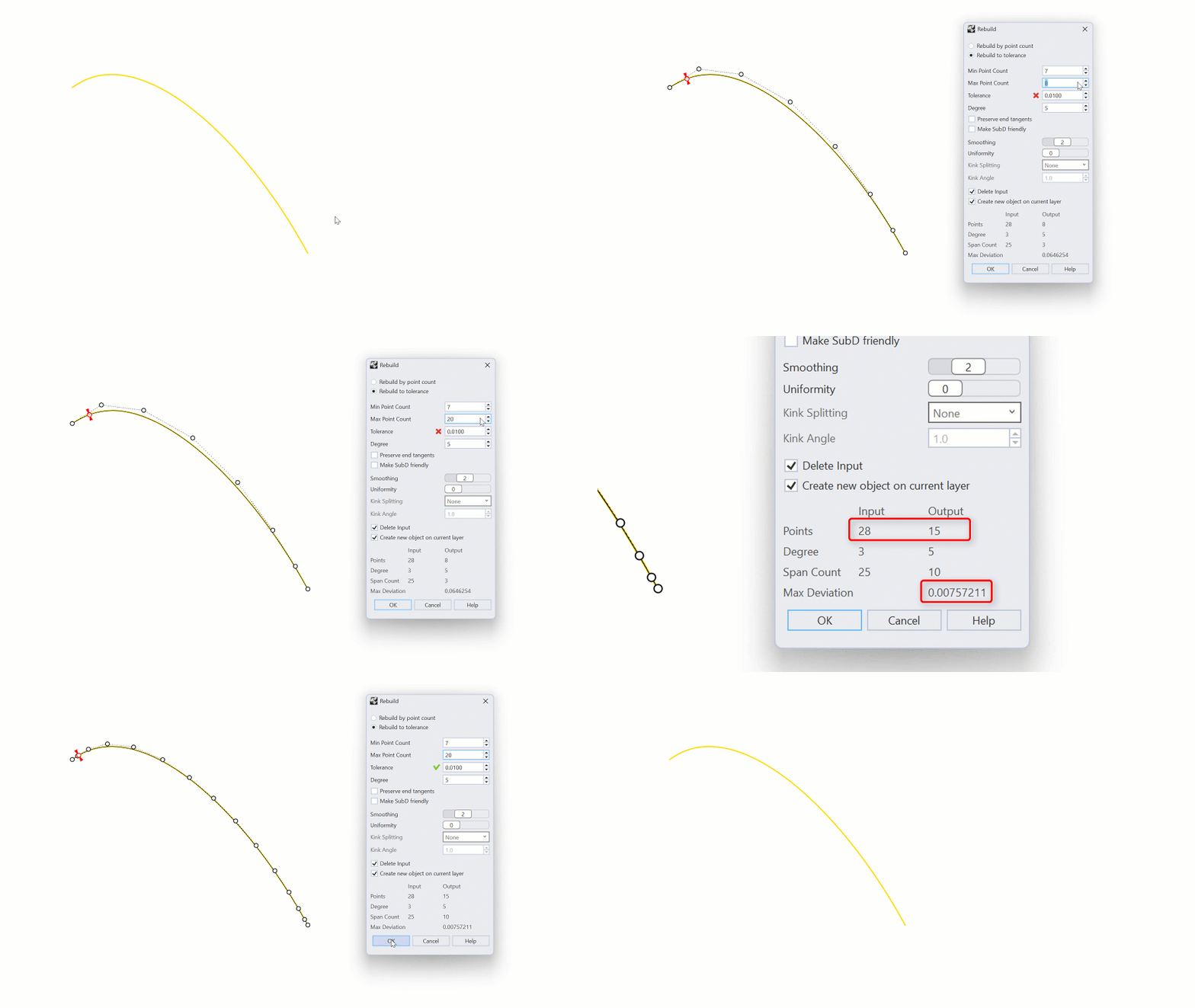
Reconstruir en tolerancia
With Rebuild to tolerance, you can specify a minimum and maximum amount of control points. Rebuild
will refine the curve until it reaches the tolerance, or the maximum amount of control points, whichever comes first.
Kink Splitting
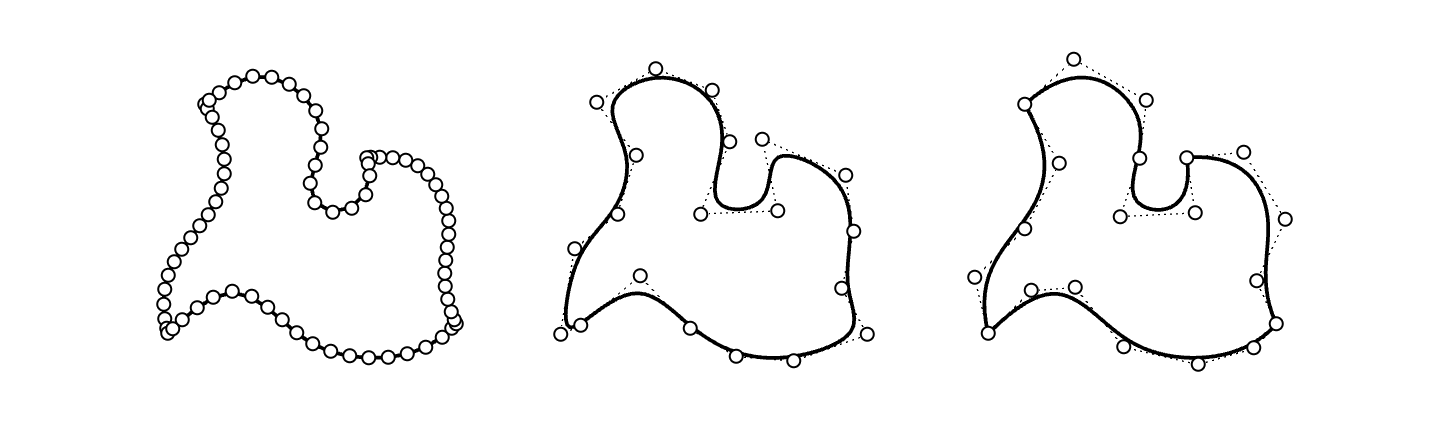
Cuando se reconstruyen policurvas o curvas con discontinuidades de curvatura, Reconstruir
puede dividir la curva reconstruida en segmentos con una estructura de puntos simplificada.
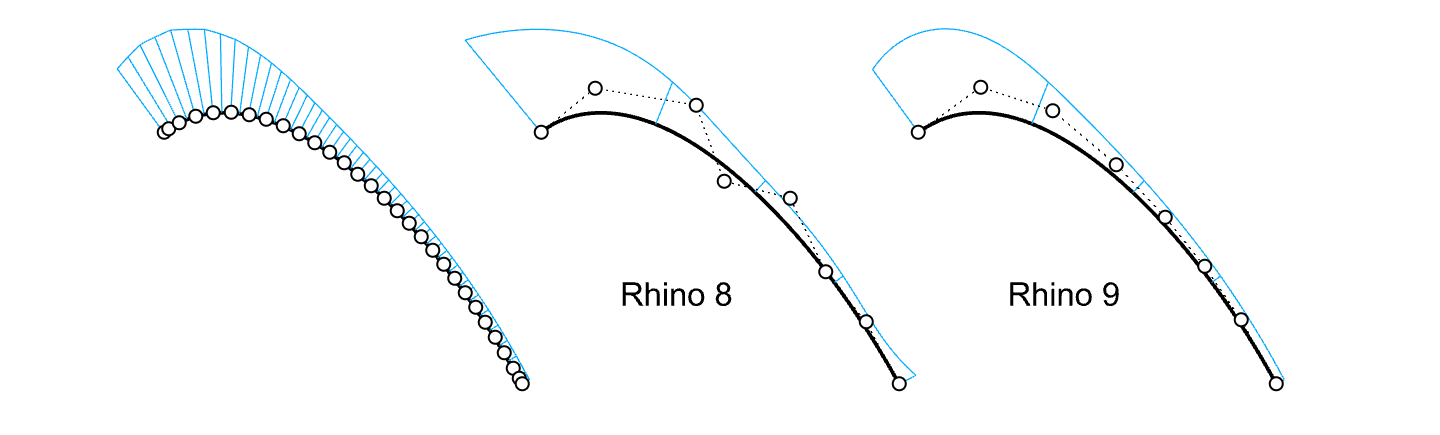
Smoothing
Especialmente para las reconstrucciones de mayor grado, la opción Suavizado puede reducir significativamente la oscilación del punto de control.
Symmetric rebuild
La creación de diseños simétricos a partir de curvas de entrada es posible cuando la entrada es simétrica a lo largo de los ejes X o Y.
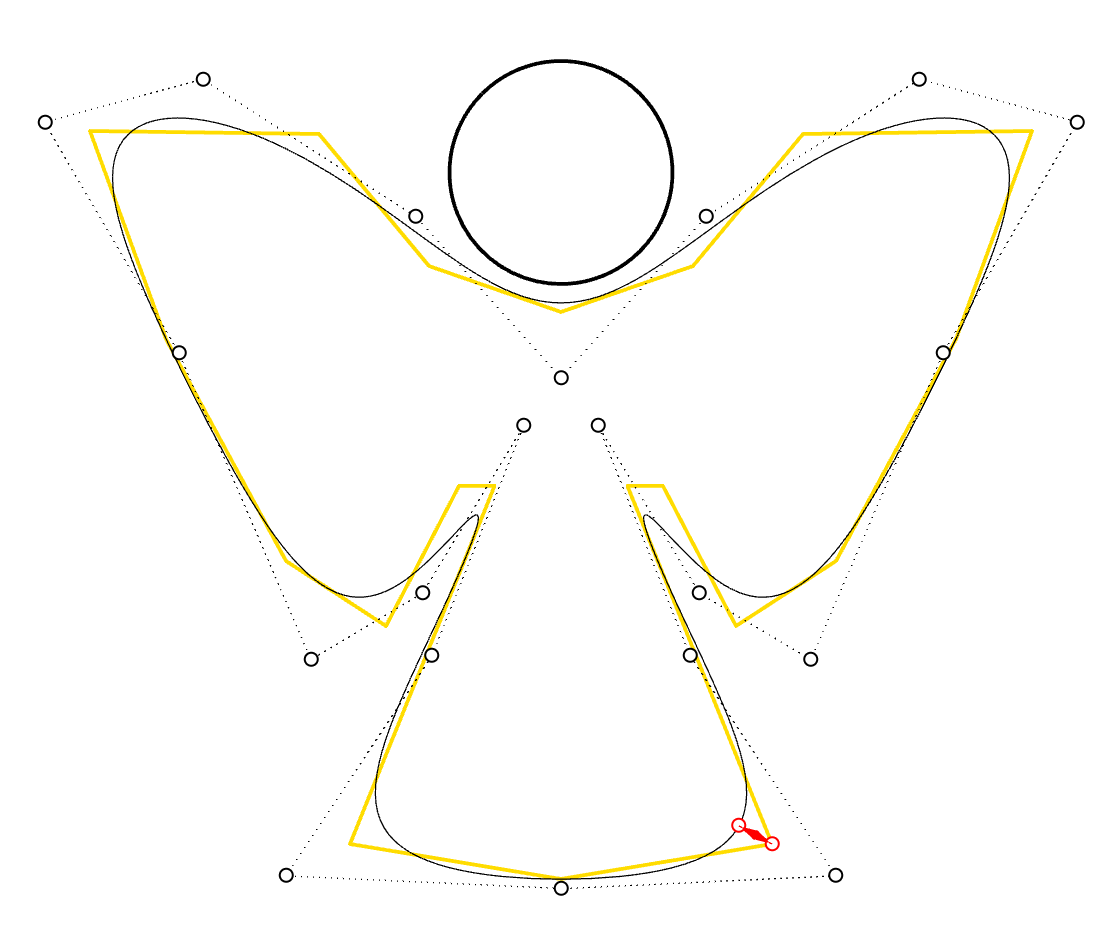
Try it
- Descargue Rhino 8 Evaluation para Windows o Mac.
- Descargue y abra el modelo rebuild-ex2.3dm.
- Seleccione la curva denominada Original.
- Ejecute el comando Reconstruir
.
- En el cuadro de diálogo Reconstruir:
- Seleccione
Reconstruir por número de puntos. - Defina el
Número de puntosa 7. - Defina el Grado a 5.
- La
Desviación máximaes alrededor de 0.1. - Seleccione el botón
Cancelar.
- Seleccione
- Ahora, ejecute el comando
 ReconstruirAntiguo
y pulse Intro.
ReconstruirAntiguo
y pulse Intro.
- Siga los pasos 2 y 3 anteriores.
- La
Desviación máximaes alrededor de 1.2.
- Pruébelo por su cuenta. Experimente con sus propios modelos.
- Envíe sus comentarios y opiniones en el foro de Rhino en Discourse.

