
Rhinoceros with Grasshopper is a robust 3D modeler for architecture, engineering, fabrication, and construction. Rhino enhances a team’s ability to execute creative building form. Rhino is heavily used for freeform roofs, parametric facades, repetitive components, versatile shapes, or complex structures. Rhino is one of the best tools to explore and develop a wide range of solutions for each stage of the process.

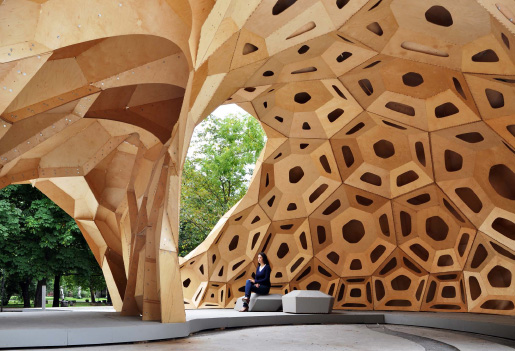
“A requirement for the design, development and realization of the complex morphology of the pavilion is a closed, digital information loop between the project’s model, finite element simulations and computer numeric machine control. Form-finding and structural design are closely interlinked.” -University of Stuttgart
Download a fully functioning 90-day evaluation…
Dynamic Design Tools
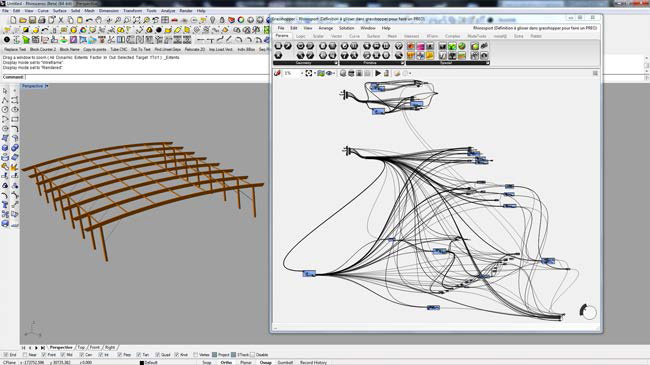
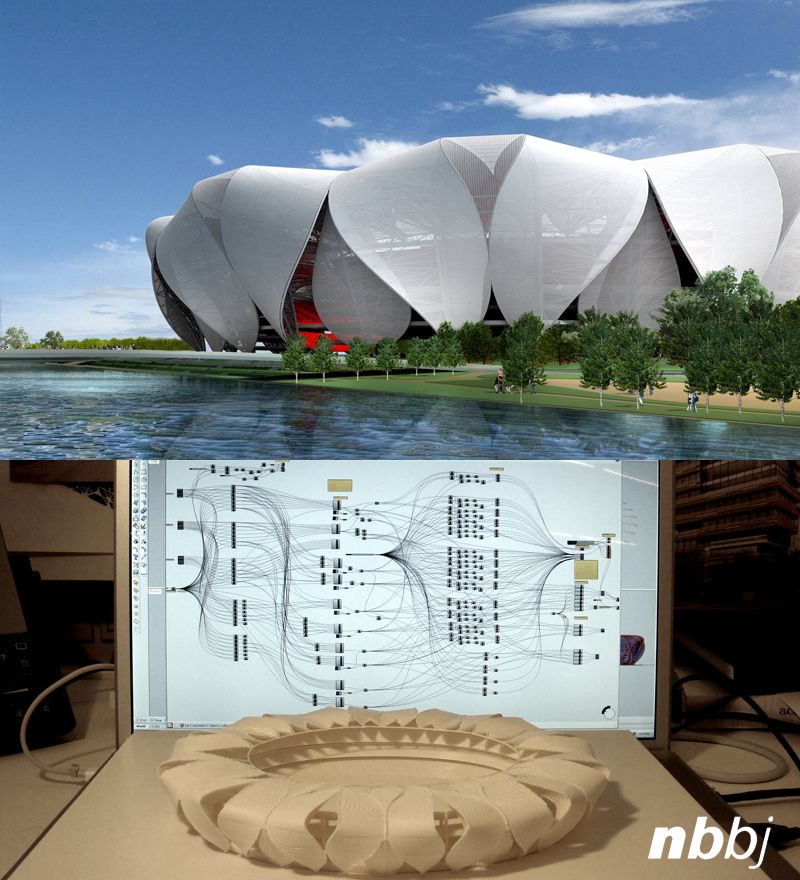
Rhino is one of the best tools to explore and develop a wide range of solutions. Rhino combined with Grasshopper is an ideal toolset to generate dynamic associated geometries such as NURBS surfaces, meshes and solid models. Grasshopper can support sophisticated dynamic models used to explore design solutions. Go far beyond what has been previously possible to design or fabricate with the additional information Grasshopper can generate.
- Create parametric systems to explore the design solution.
- Visualize changes realtime.
- Integrate intelligent data sets within the design process.
- Optimization of form and organizational topologies with analytics.
- Filter and configure a wide range of information to inform the design.
- Enable the integration of various file formats in a coordinated process.
See all the ways Grasshopper can open up possibilities…
Computational and Parametric Design
Rhino and Grasshopper put visual programming at the center of the design process. Describe a design as a set of relationships rather than fixed geometry, then explore many variations without rebuilding the model by hand.
- Drive geometry from parameters, rules, and external data.
- Explore large option sets quickly and compare them side by side.
- Encode repeatable design logic that survives late-stage changes.
- Move between sketch-level studies and construction-level detail in one model.
Optimization
Once a design is described parametrically, it can be improved against measurable goals. Rhino and Grasshopper support goal-driven search across structural, material, and geometric criteria.
- Topological optimization to remove material where it does no work.
- Lattice and space-frame structural optimization.
- Evolutionary and genetic algorithms for problems with many competing objectives.
- Gridshell layouts derived from stress and curvature fields.
Machine Learning and AI
Machine learning techniques run inside the Grasshopper environment, letting designers train on their own project data and apply the results to live geometry.
- Neural networks trained with gradient descent and stochastic gradient descent.
- Swarm and population-based optimization methods.
- Scalar, vector, and tensor field manipulation with isosurface visualization.
- Applied cases such as predicting steel connection behavior.
Analysis and Simulations
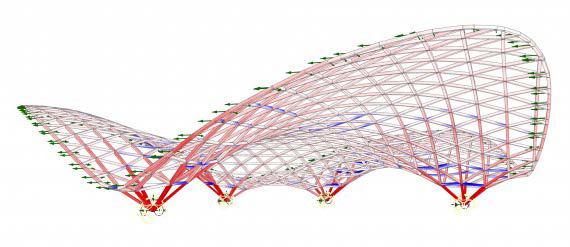
Rhino and Grasshopper have a rich ecosystem of plugins that run inside Rhino to allow for early analysis and simulation of your designs. Use integrated plugins or scripts to quickly analyze the ideas. As the design progresses, use the geometry to drive more traditional analysis tools that you already use.
- Site-specific weather, environment, and energy analysis.
- Daylighting analysis of exteriors and interior spaces.
- Structural analysis compatible with many popular packages.
- Pedestrian path and egress analysis.
- Space configurations and scale.
- 3-dimensional view analysis.
- Distinguish luminance from illuminance when evaluating daylight.
- Wind flow and computational fluid dynamics simulation.
- Isogeometric analysis, bringing finite element analysis directly into NURBS design.
- Form-finding driven by structural and material behavior.
See some of the most popular analysis tools…
Topography
Site terrain arrives in many forms, and the work is usually in turning what you were given into a usable surface. Rhino builds topography from most common source data.
- Terrain from elevation and satellite sources.
- Surfaces interpolated from survey point data.
- Terrain from contour curves.
- Cleanup and rebuilding of imported terrain meshes.
- Draping, cut-and-fill, and grading studies on the resulting surface.
Urban Planning and Landscape
At the district and city scale, the same parametric workflows apply to massing, circulation, and landscape. Rhino handles large site models while keeping individual buildings editable.
- Massing studies across whole blocks and districts.
- Zoning envelope and setback testing.
- Circulation, access, and pedestrian network studies.
- Landscape grading and planting layout.
- Solar access and shadow studies at neighborhood scale.
BIM and Documentation
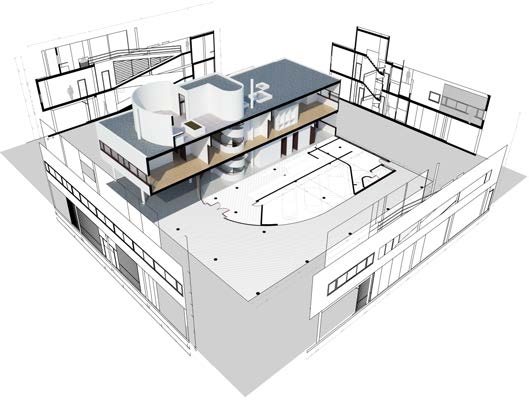
Along with various plugins, Rhino integrates with BIM (Building Information Modeling) workflow. Use Rhino features to link geometry and object data with BIM models. Plugins also support import and export with the IFC file format to exchange Rhino models with other AEC applications.
- Rhino.Inside.Revit brings the power of Rhino and Grasshopper to the Autodesk Revit® environment.
- Direct integration with ArchiCAD through the Rhino-Archicad Toolset.
- Use VisualARQ’s FlexibleBIM® features to link geometry and object data.
- Use plugins to exchange BIM objects directly into the workflow.
- Integrate intelligent data sets with BIM models.
- Drive other BIM applications with Grasshopper definitions.
- Manipulate data to translate BIM data from one product to another.
- Cloud-based connections to keep BIM models synchronized across teams.
- Live links to structural engineering software, so analysis and design stay in step.
Visualization and Animation
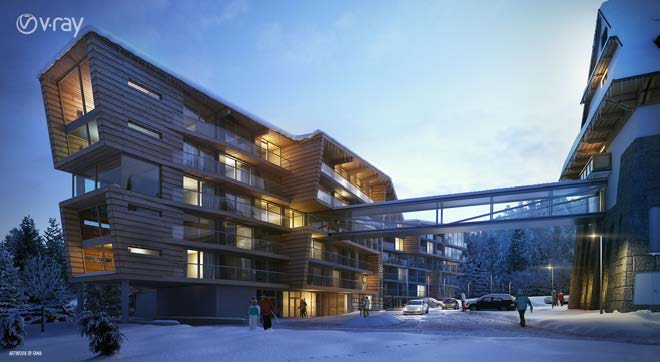
Rhino is a great tool to visualize designs, from illustrations to photorealistic renderings. Rhino serves as a host to many popular rendering and animation plugins. Rhino models may also be used with augmented reality setups.
- Worldclass V-Ray rendering through an integrated plugin.
- Advanced OpenGL display for realtime rendering.
- Multiple illustrative display modes.
- Integrated plugins for popular augmented reality systems.
- Make images 3D for illustrated graphics.
- Multiple view layouts.
- Works with popular graphics products for output.
- Virtual-reality walkthroughs and mixed-reality headset review.
- Author materials and build reusable material libraries.
- Populate scenes with people, vegetation, and furnishing assets.
- High-dynamic-range skies and physically based lighting setups.
- Architectural presentation drawings, including axonometrics and vector line work.
- Sections, elevations, and drawing layouts straight from the model.
Download a fully functioning 90-day evaluation…
Fabrication and Construction
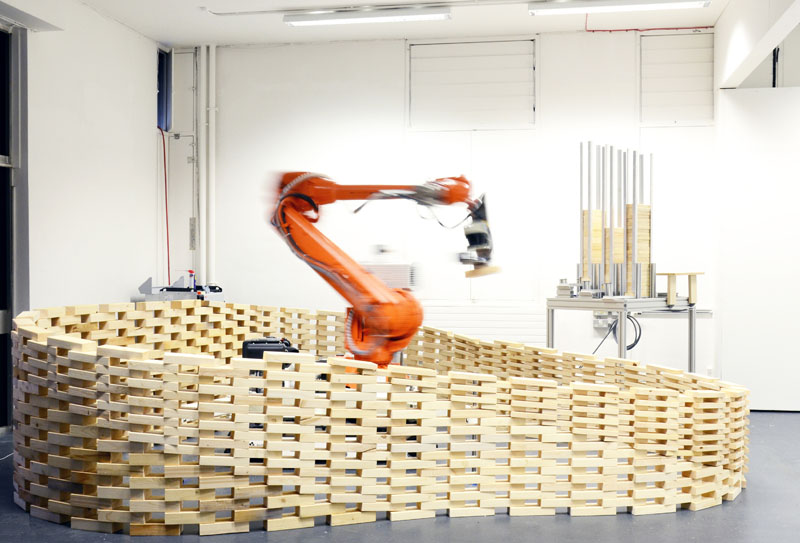
Rhino and Grasshopper can be tightly integrated with any step of the manufacturing process, including robotic and digital fabrication, 3D printing, and rapid prototyping.
- Output accurate geometry for fabrication.
- Export accurate 2D Drawings.
- Prepare files for CNC cutting.
- Use scaling tools to help build design models and mockups.
- Rationalize geometry for efficient fabrication.
- Drive advanced robots for custom automated fabrication.
- Nesting parts for efficient sheet material use.
- Unrolling and flattening curved surfaces for fabrication.
- Paneling complex surfaces into buildable components.
- Physical topography and massing models.
- Preparing watertight geometry for 3D printing.
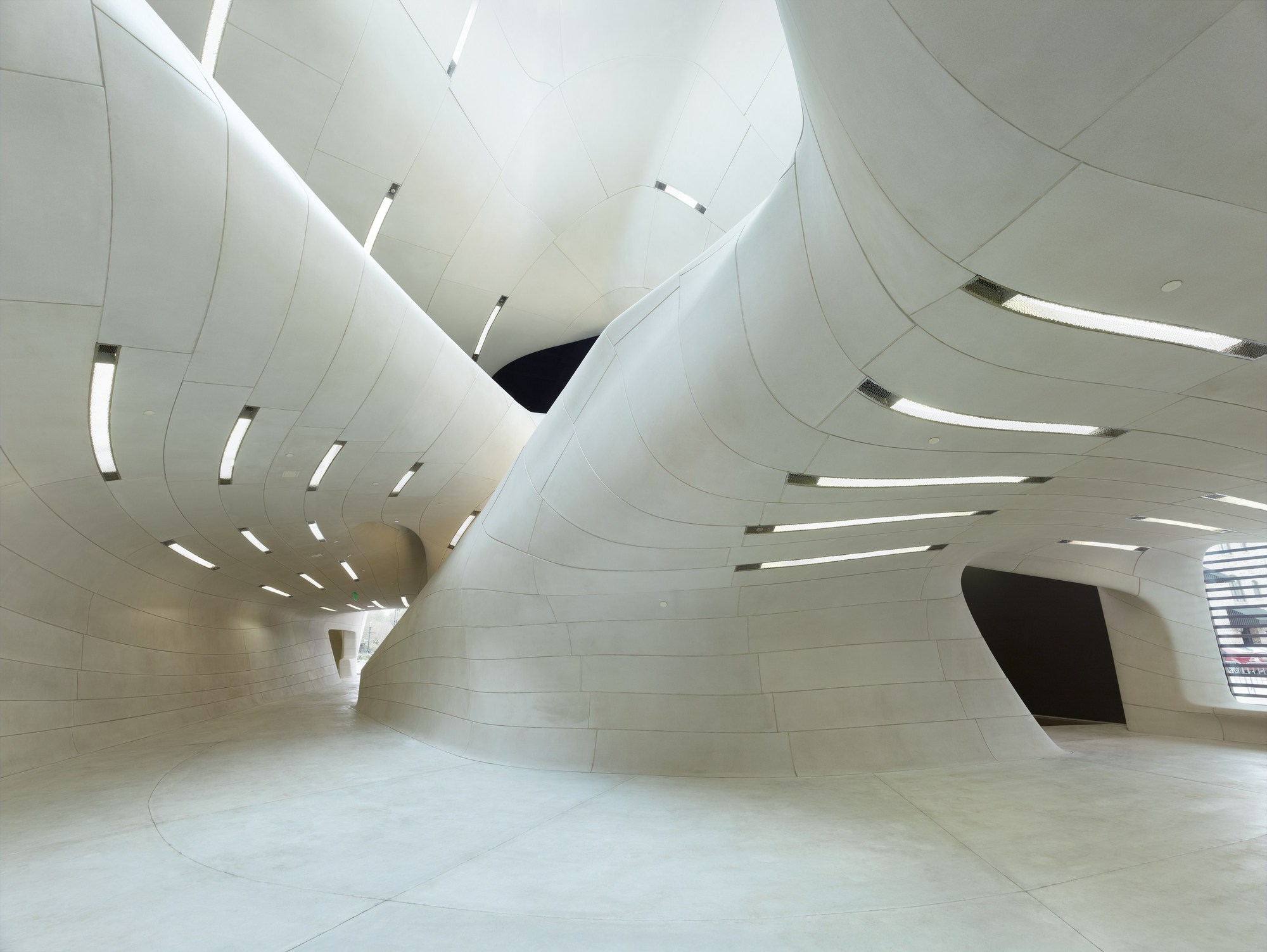
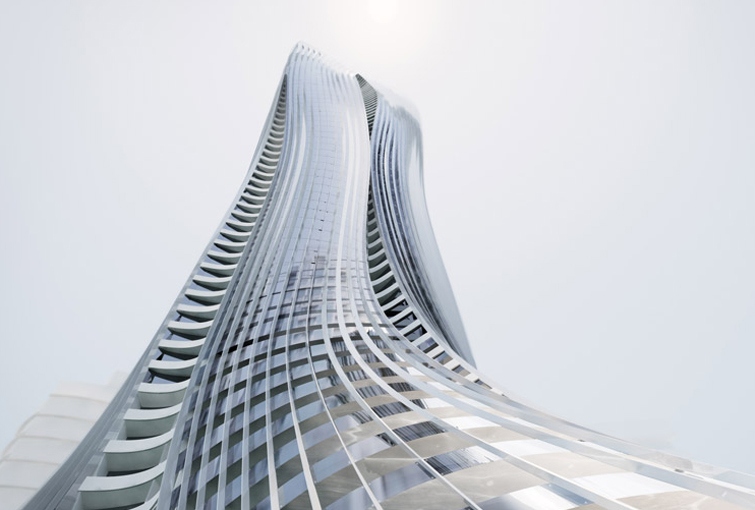
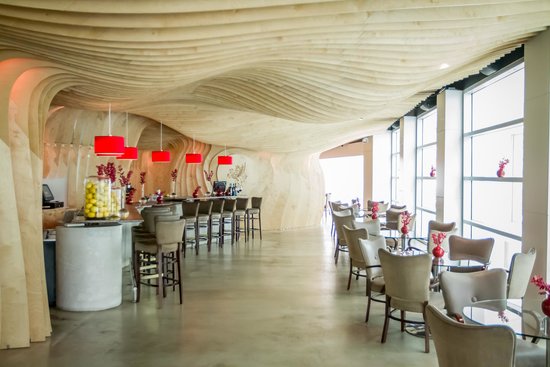
See how Rhino was used to help design and build the Morpheus Hotel…
Books and Theory
The computational turn in architecture has a substantial literature behind it, spanning practice, fabrication, and the theory of algorithmic form.
- Accounts of digitally driven practice and design-to-assembly workflows.
- Digital fabrication methods and material technique.
- Theory of algorithmic and generative form.
- Practical guides to parametric modeling and computational strategy.
- Growth, structure, and organic form in nature as a source of design logic.
Learn Resources & More
Expand your skills and explore more about Rhino with the following resources. Whether you’re looking for plugins, tutorials, or videos, we’ve got you covered:
Tutorials
Visit our Learn page to access a suite of tutorials and guides that will improve your workflow.
Courses
University and professional course material covering computational design for architecture is widely available, including graduate-level design computation and parametric modeling curricula, along with beginner course series aimed specifically at architects.
Webinars
Watch some of our recorded Webinars tailored to your industry.
Case Studies
Read through some of Rhino user stories and learn how Rhino / Grasshopper helped in the process.
Plugins
Visit food4Rhino to discover an array of powerful plugins for AEC.

