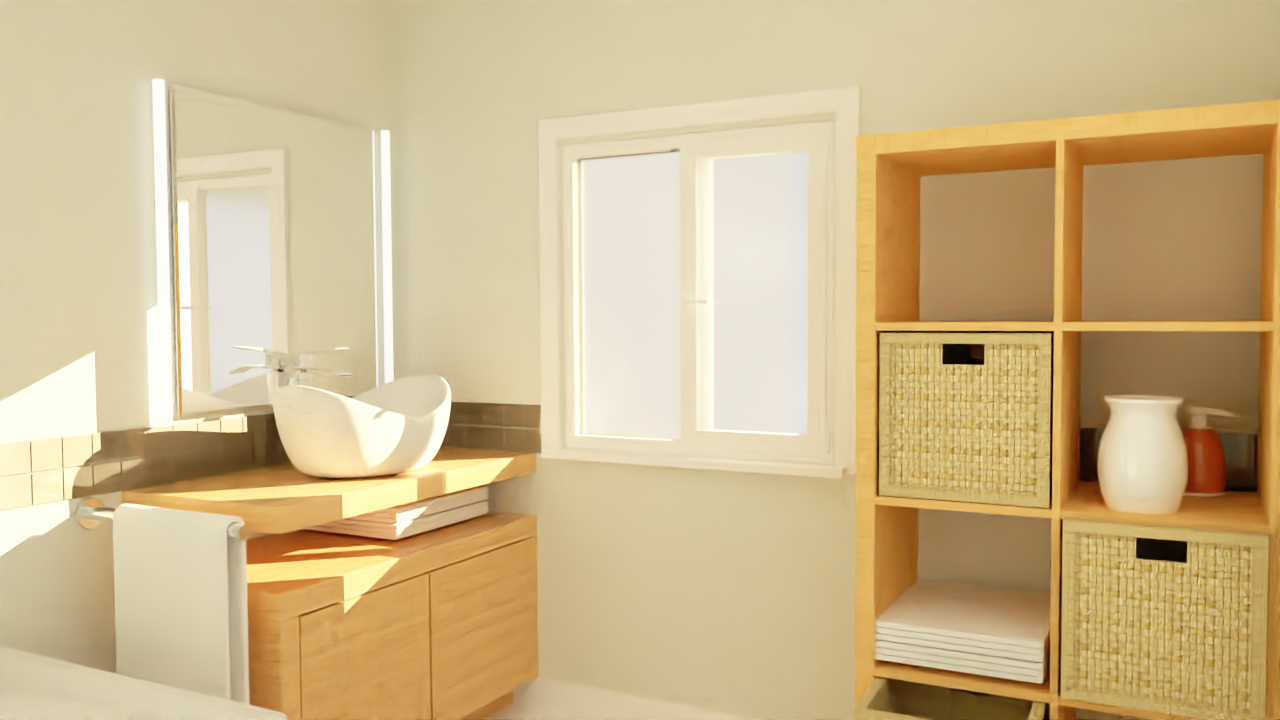
This image took about 10 seconds to render on modern hardware:
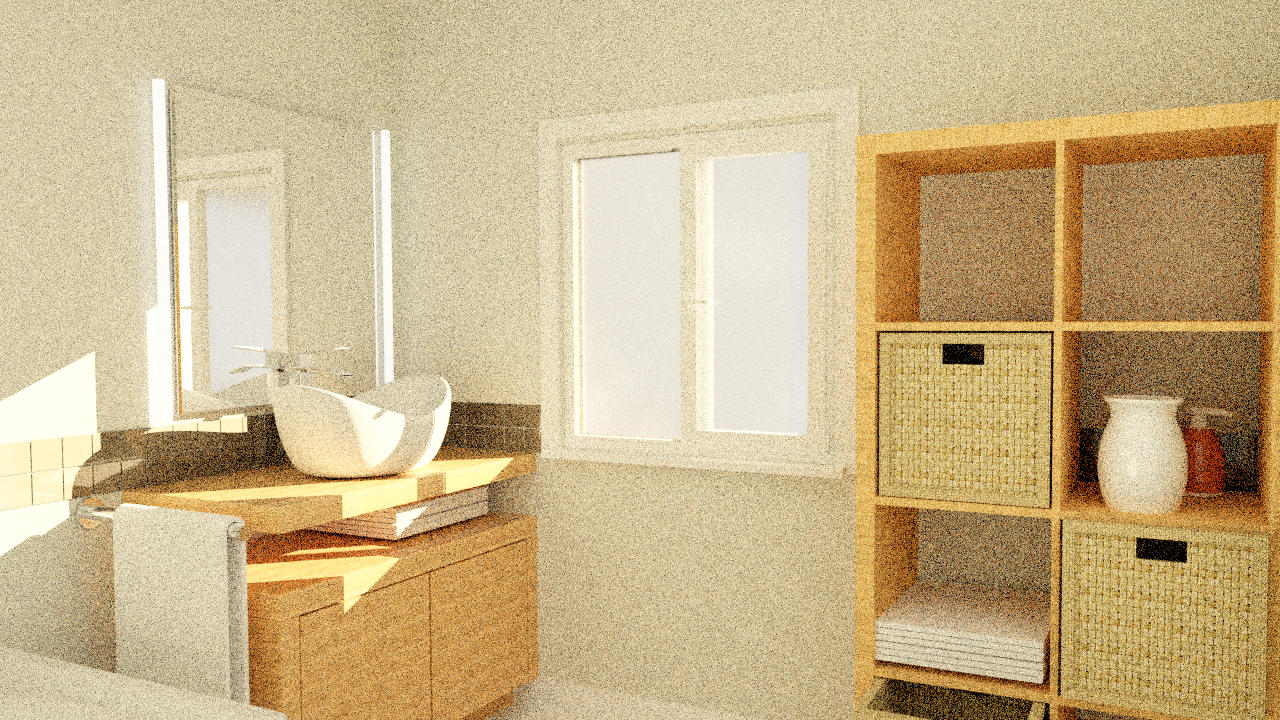
Before applying denoiser filters.
After applying denoiser filters.
Try It
- Download Rhino 9 Evaluation for Windows or Mac.
- Run the
PackageManagercommand. - Search for the denoiser you want to install. Available denoisers are:
- Intel denoiser (Works on most systems, recommended for Rhino for Mac)
- NVIDIA denoiser (For Windows computers with modern NVIDIA GPUs)
- AMD denoiser (For systems with modern AMD GPUs)
- Select a denoiser and click Download and Install.
- When the installation finishes, restart Rhino.
- Render your image and in the Post Effects tab, add and check the Denoiser checkbox once the rendering has finished.
- Ask questions and give feedback on the Discourse Forum.