
Big Models. Back to Work Sooner.
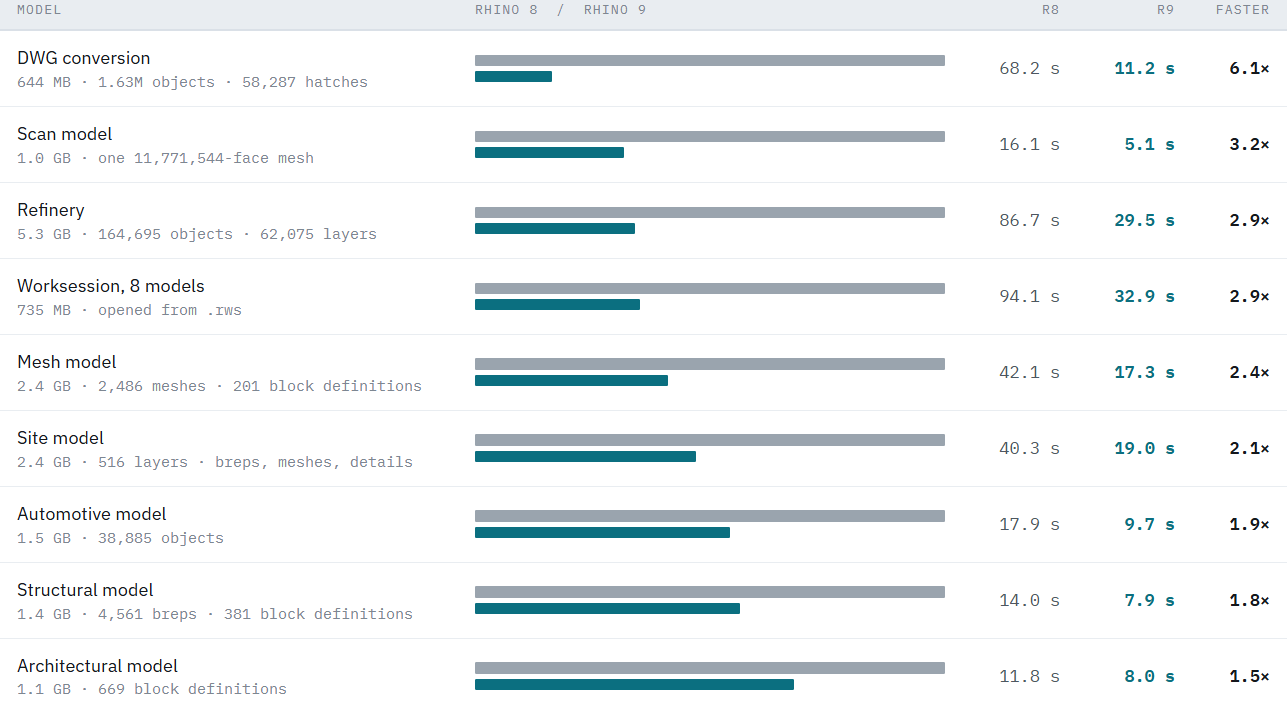
Large files shouldn’t mean long waits. Rhino 9 hands your model back as soon as it can and finishes the remaining display work on background threads, so you can start working while the rest fills in.
Select. Hide. Isolate. Done.
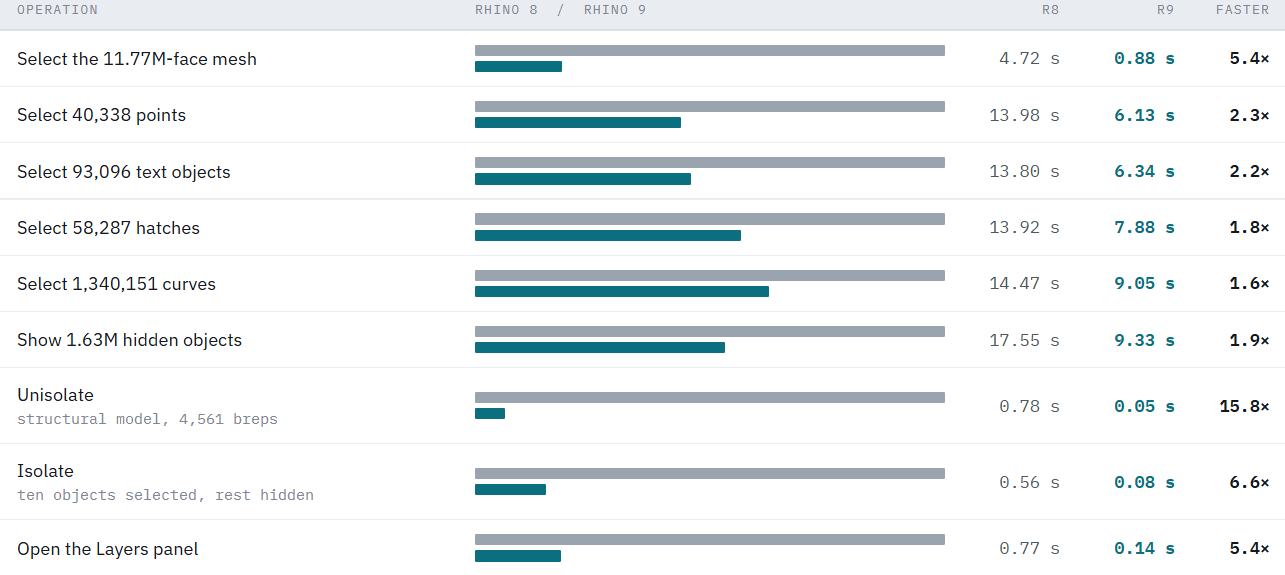
Selection is what you do most, so it has to feel immediate. Rhino 9 tracks selected objects directly instead of scanning the whole document. That speeds up selecting by type, showing hidden objects, and the Isolate and Unisolate commands that go with them.
Switch Models in a Worksession in Seconds
When you change the active model in a worksession, Rhino 9 updates the open document in place. Rhino 8 closed the document and rebuilt it from disk, which meant re-reading every attached model each time. This results in a substantial time savings when utilizing worksessions in Rhino 9.

Edit Huge Meshes Without the Wait
Scans and other dense meshes used to make every move a pause. Rhino 9 carries a mesh’s edges, topology, and selection data along with it when you transform it, instead of rebuilding them each time. The Gumball also no longer recalculates its plane over and over on very dense meshes.


