

Fillet and Blend Edge
Soften sharp edges on solids or polysurfaces in one go. Create beautiful transitions for your high-end consumer products.
Improvements for FilletEdge | BlendEdge
Smooth corners, precise design!
FilletEdge
’s Setback corners deliver better performance for molding and provide an elegant visual flow.
Complex Transitions
FilletEdge
and
 BlendEdge
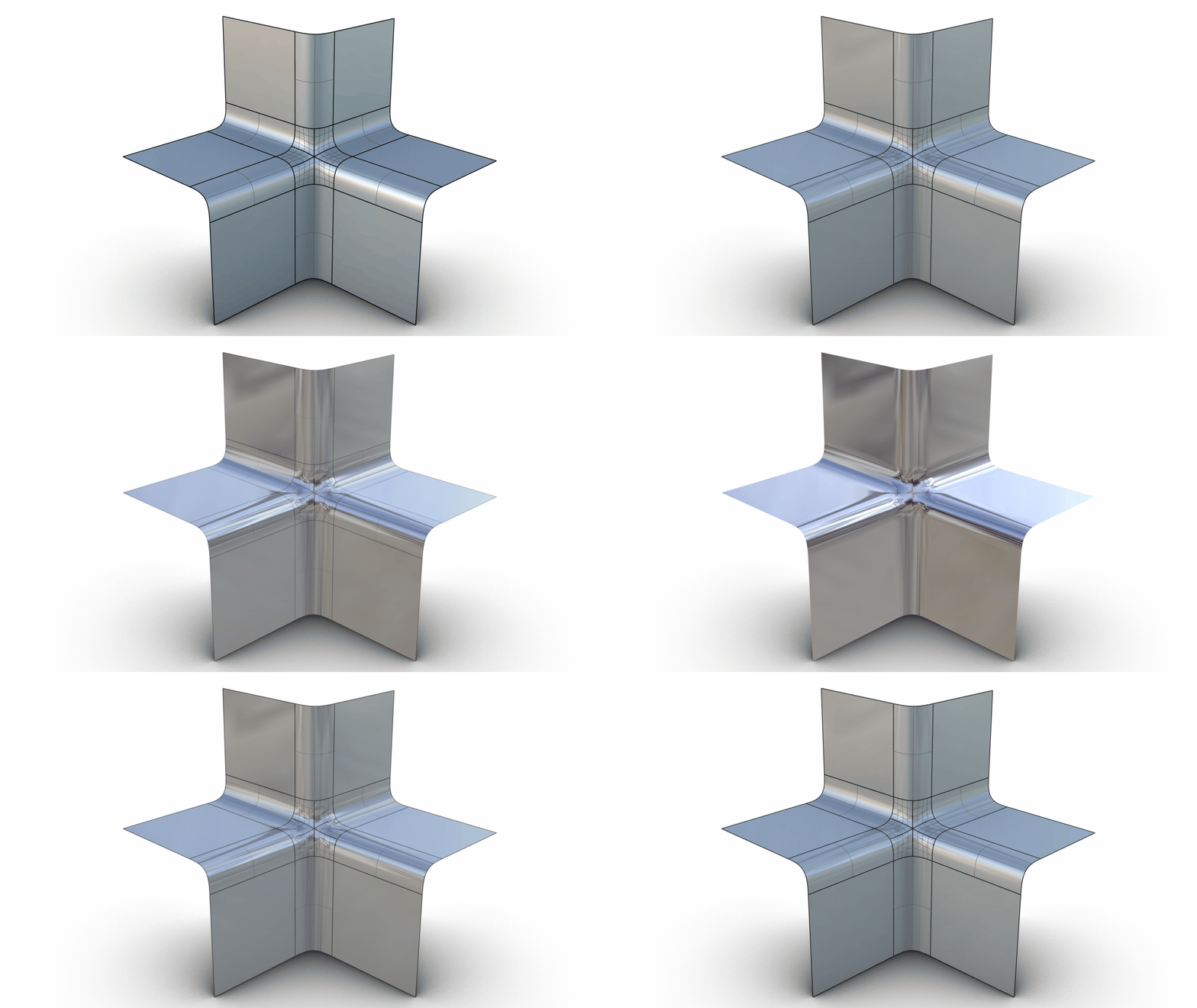
handle more corner cases. No pun intended! Many improvements to acute and concave corners, as well as better solutions for 4 and 6-sided corners, using the new multiblend technology.
BlendEdge
handle more corner cases. No pun intended! Many improvements to acute and concave corners, as well as better solutions for 4 and 6-sided corners, using the new multiblend technology.
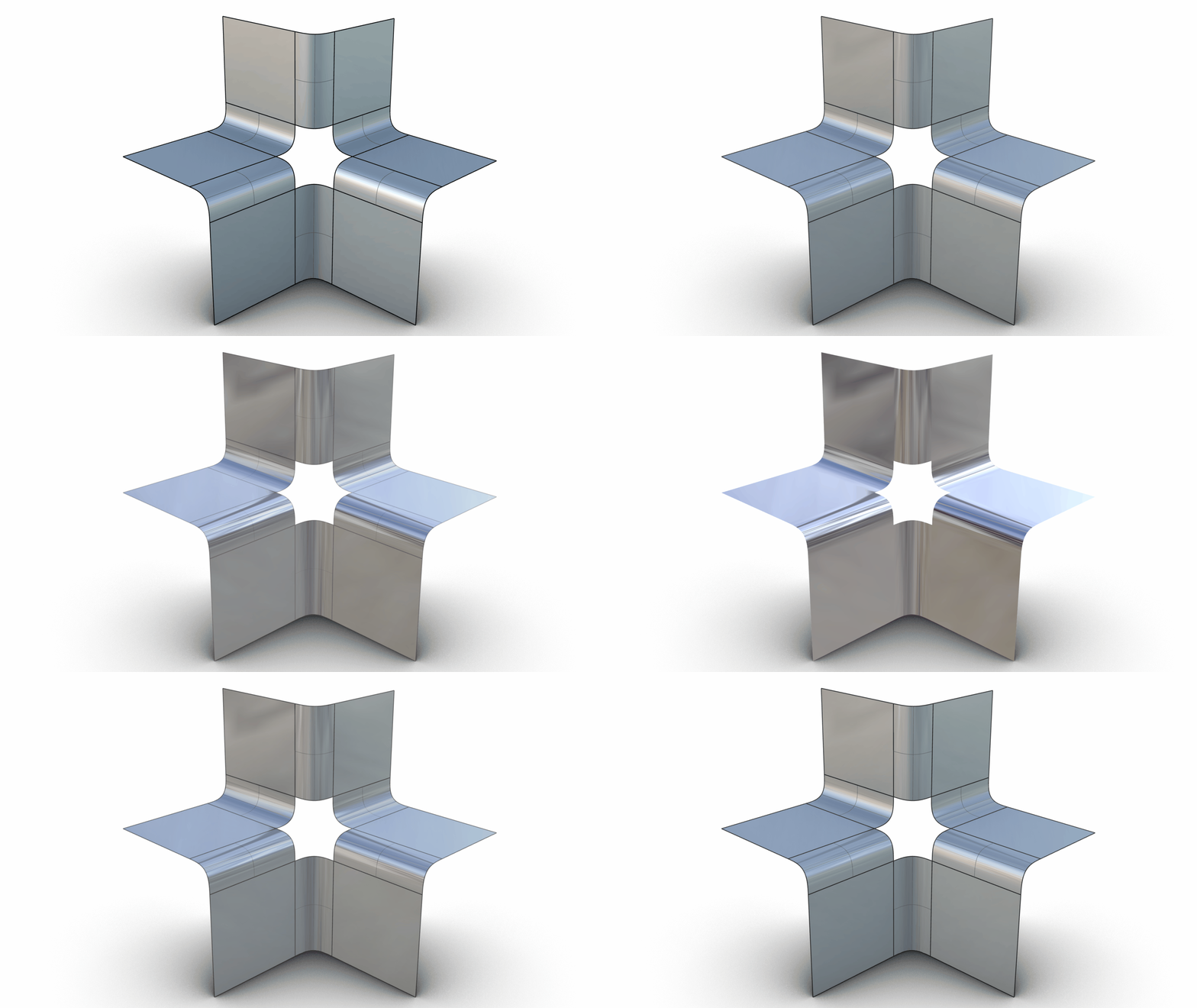
Results in Rhino 8
Results in Rhino 9
Try It
- Download Rhino 8 Evaluation for Windows or Mac.
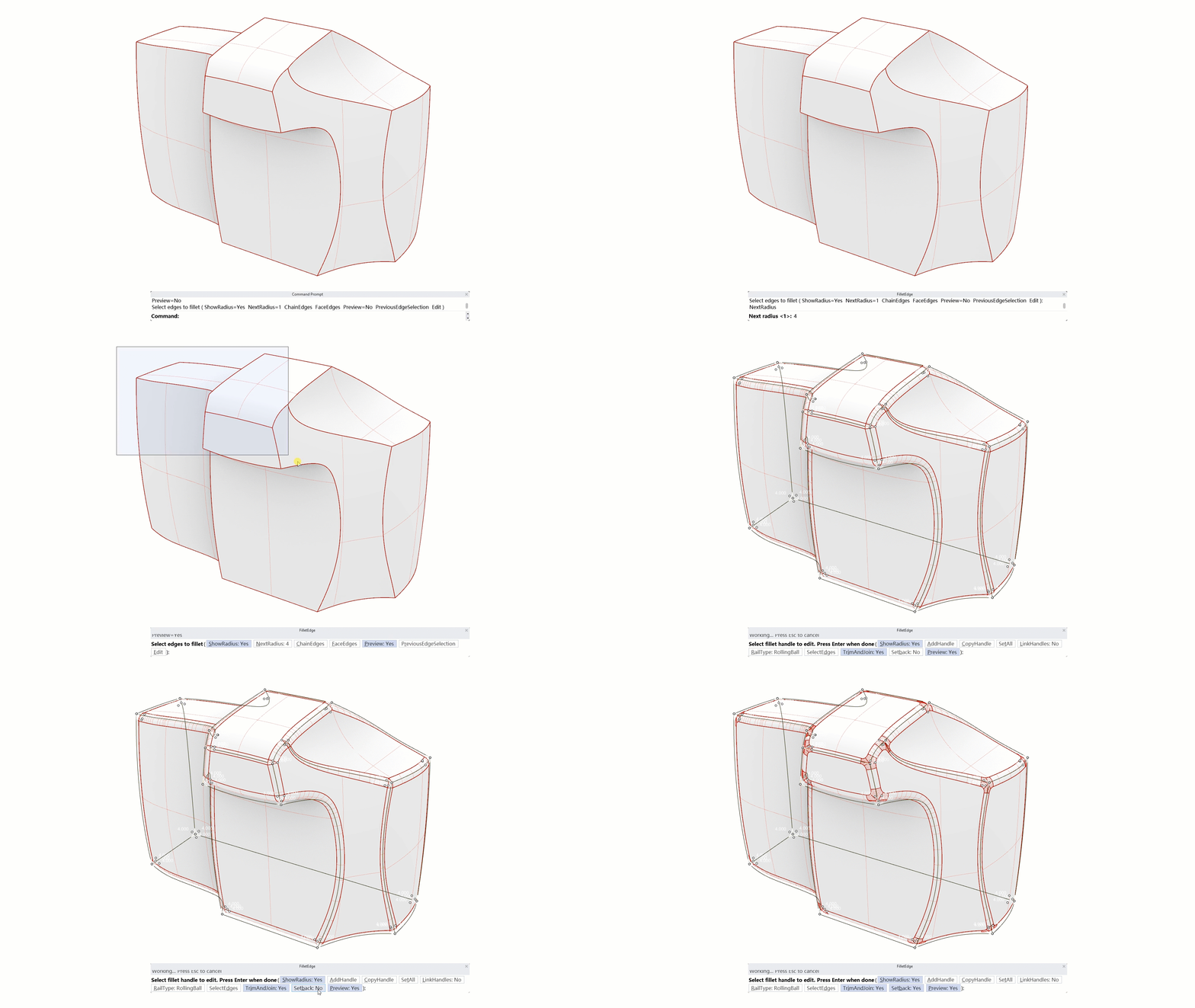
- Download and open the FilletEdge_Setback.3dm model.
- Run the command
FilletEdge
and press Enter.
- In the
Command prompt
, select
NextRadius. - At the
NextRadiusprompt, type 4. - Select
Previewto set toYes. You’ll notice a live preview of the fillets in the Viewport viewport. - Window select the entire camera model. Notice that a triangular surface has been created for each corner.
- In the
prompt
, select the
Setbackoption to set toYes. Now, all the triangular surfaces have been replaced with 4-sided multiblend transitions. - Press Enter to complete the command.
- Try it on your own! Experiment with your own models.
- Share comments and feedback on the Rhino Forum.

