Parallel Lines: Drafting Simplified
The new Offset option in the  Polyline
command enables parallel drafting. Architects and drafters can draw walls, pipes, streets, and other paired-line elements in one step.
Polyline
command enables parallel drafting. Architects and drafters can draw walls, pipes, streets, and other paired-line elements in one step.
Offset While You Draw
Choose Left, Right, or Both, set an Offset distance, and place points as usual. Rhino creates the parallel line in real time, so you do not need to offset or redraw the geometry after the polyline is finished.
Corner Styles Built In
Set corner styles such as Sharp, Round or Smooth while creating the line. Corners update as you add segments, reducing the cleanup usually needed after offsetting.
Try It
- Download Rhino 9 WIP for Windows or Mac.
- Download and open the Try-It-Parallel-Lines.3dm model.
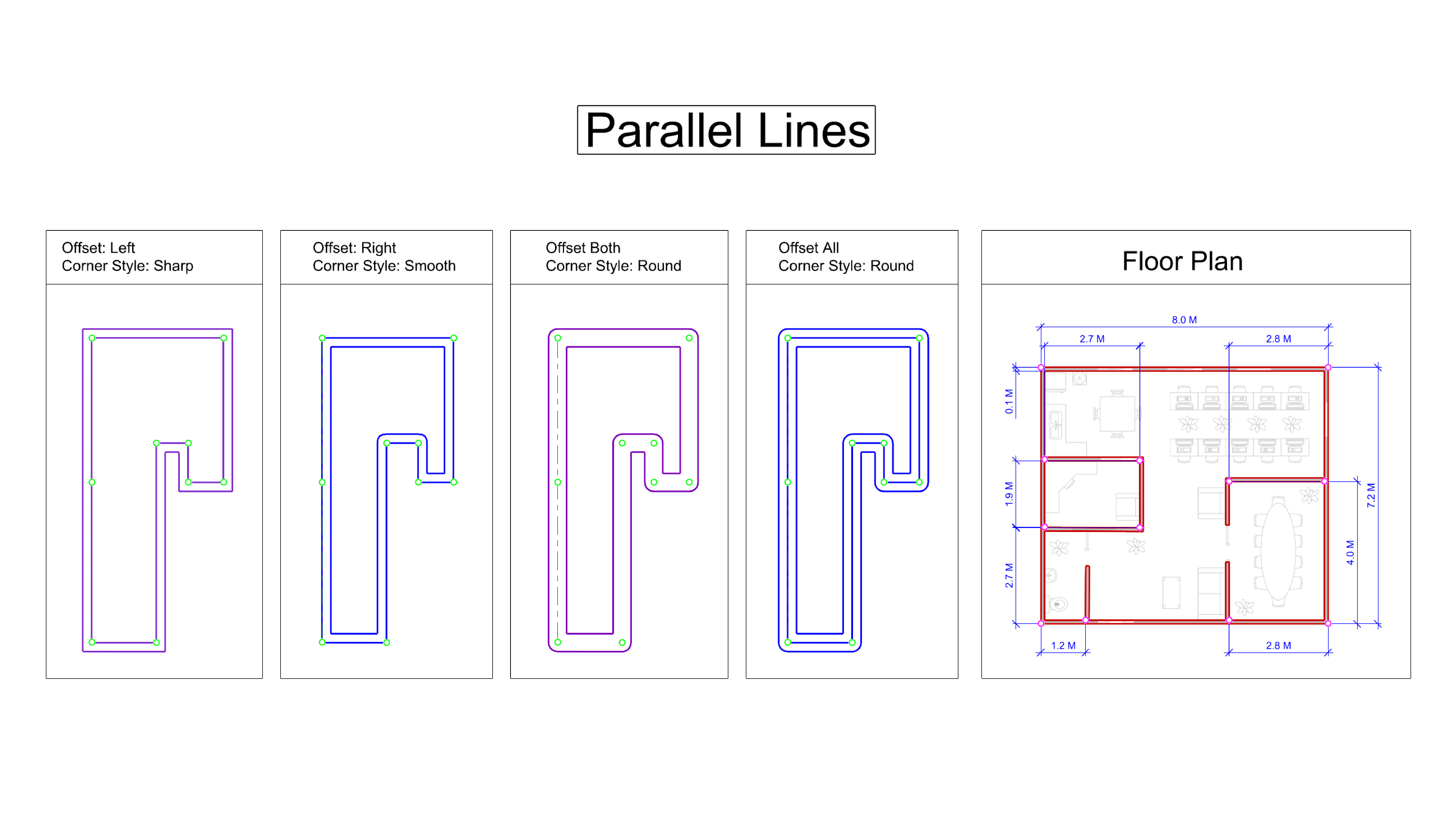
- Zoom in to the
Offset: Leftframe. - Turn the
PointOsnap on. - Run the Polyline
command.
- Set the following options in the
Command Prompt
:
- Set
Offsetto Left. - Set
OffsetDistanceto 0.25. - Set
CornerStyleto Sharp. - Set
CapStyleto Flat. - Pick the points as shown.
- Set
- Zoom in to the
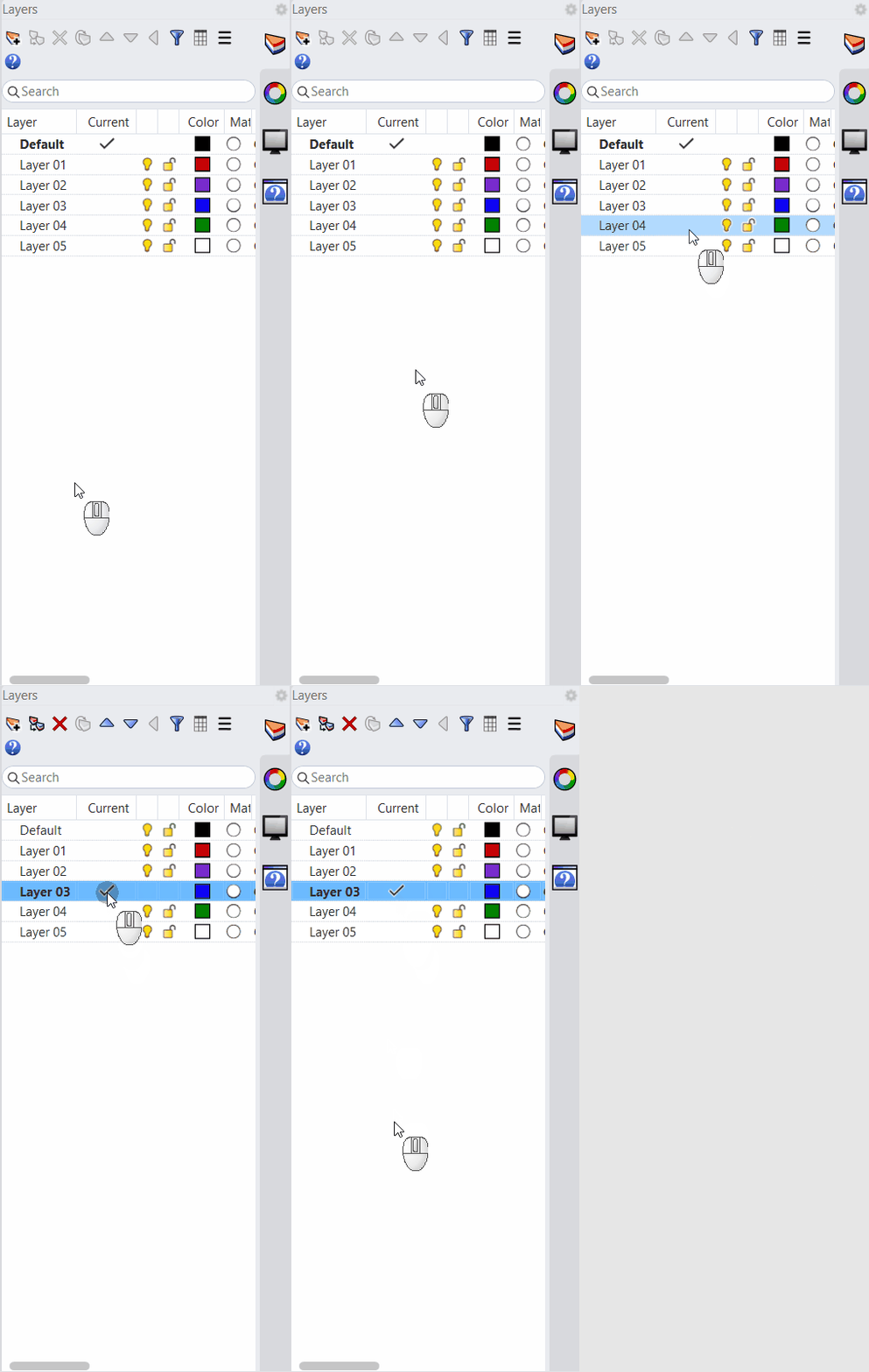
Offset: Rightframe and make theOffset Rightlayer current . - Run the Polyline
command and set the following options:
- Set
Offsetto Right. - Set
Offset Distanceto 0.25. - Set
Corner Styleto Smooth. - Pick the points as shown.
- Set
- Zoom in to the
Offset: Bothframe and make theOffset Bothlayer current. - Run the Polyline
command and set the following options:
- Set
Offsetto Both. - Set
Offset Distanceto 0.25. - Set
Corner Styleto Round. - Pick the points as shown.
- Set
- Zoom in to the
Offset: Allframe and make theOffset Alllayer current. - Run the Polyline
command and set the following options.
- Set
Offsetto All. - Set
Corner Styleto Round. - Pick the points as shown.
- Set
- Zoom in to the
Floor Planframe and make theWallslayer active. - Run the Polyline
command and set the following options:
- Set
Offsetto Right. - Set
Offset Distanceto 0.1. - Set
Corner Styleto Sharp. - Set
Capto Flat. - Pick the points as shown.
- Set
- Turn off the
Image and Pointslayers. - Use
 Trim
to complete any additional cleanup.
Trim
to complete any additional cleanup. - Try it on your own! Experiment with the different
Offset,Corner Style,Offset Distance, andCap optionsto create your own parallel-line conditions. - Share comments and feedback on the Rhino Forum.