
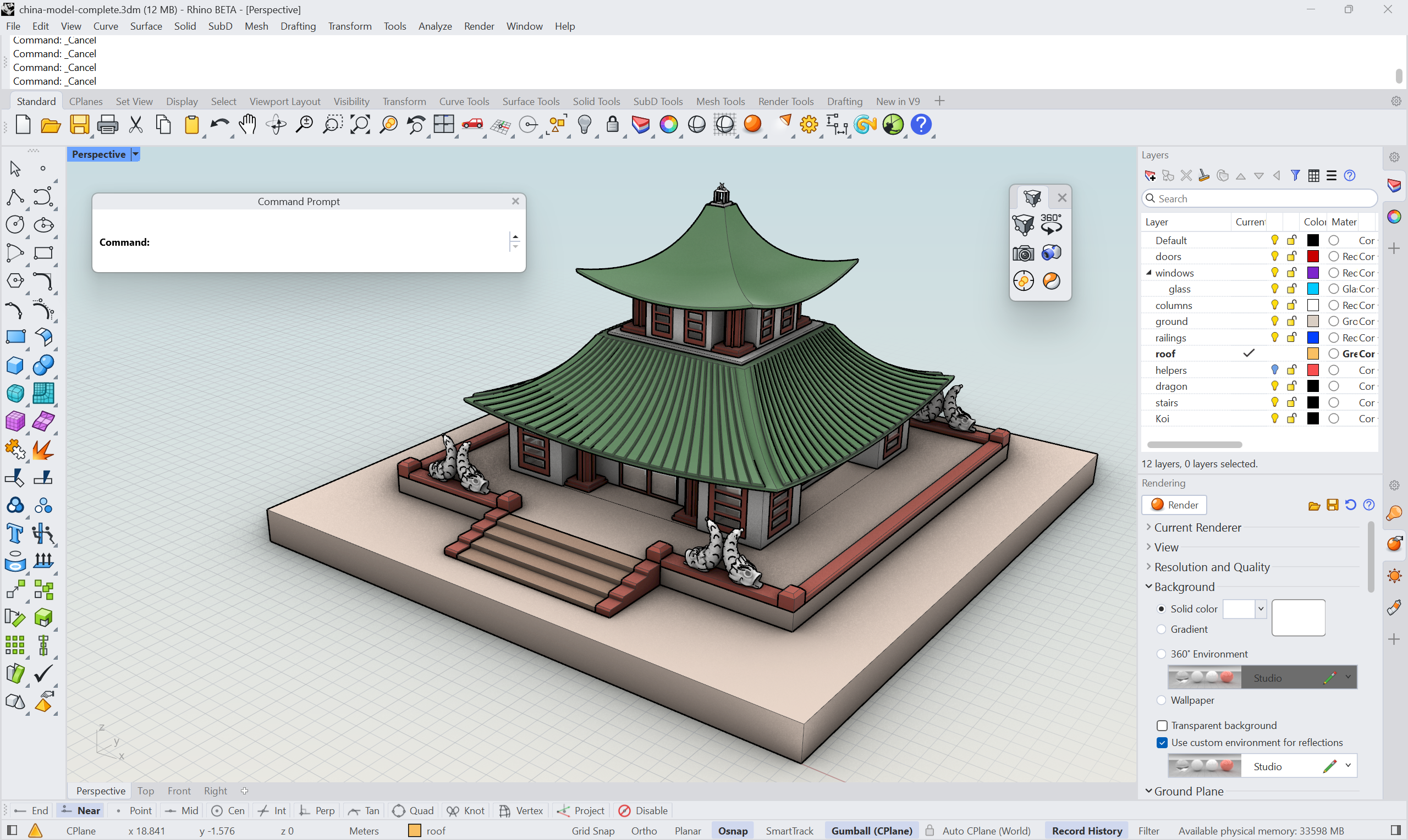
In this tutorial, we’ll customize the Rhino 9 User Interface for a team focused on visualization and presentation. Along the way, you’ll see the many ways the UI can be reshaped to suit a specific discipline, so the tools you use most are always within reach. Finally, we’ll cover how to save your custom UI and share it with colleagues, across a lab, or between your computers.
What you'll learn
- Understand the logic behind new icons
- Create hot keys in Rhino, called Instant Aliases
- Find the Command Line style that best suits your working method
- Create an icon and toolbar
- Position and rearrange panels to suit your needs
- Modify an existing Display Mode to fine-tune the look and feel of your visuals
- Share the custom user interface
Understand the New Icons
Rhino 9’s toolbar icons have been redesigned around a consistent color-coding system, grouping tools by object type and task so they’re easier to recognize at a glance. Read more about the logic behind the redesign on the feature page.
Create Instant Aliases (Hot Keys)
An Alias is a keyboard shortcut configured to run a Rhino command or macro. Up through Rhino 8, running an alias meant typing it and then pressing Enter, an extra step that adds up over a long modeling session. Rhino 9 introduces Instant Aliases, which run the moment you finish typing the letters. No Enter required.
Let’s add a few aliases to help you move around in the viewport faster.
- Open
 Options
and go to the Aliases page.
Options
and go to the Aliases page. - Turn on Instant for
ZEto runZoom Extents.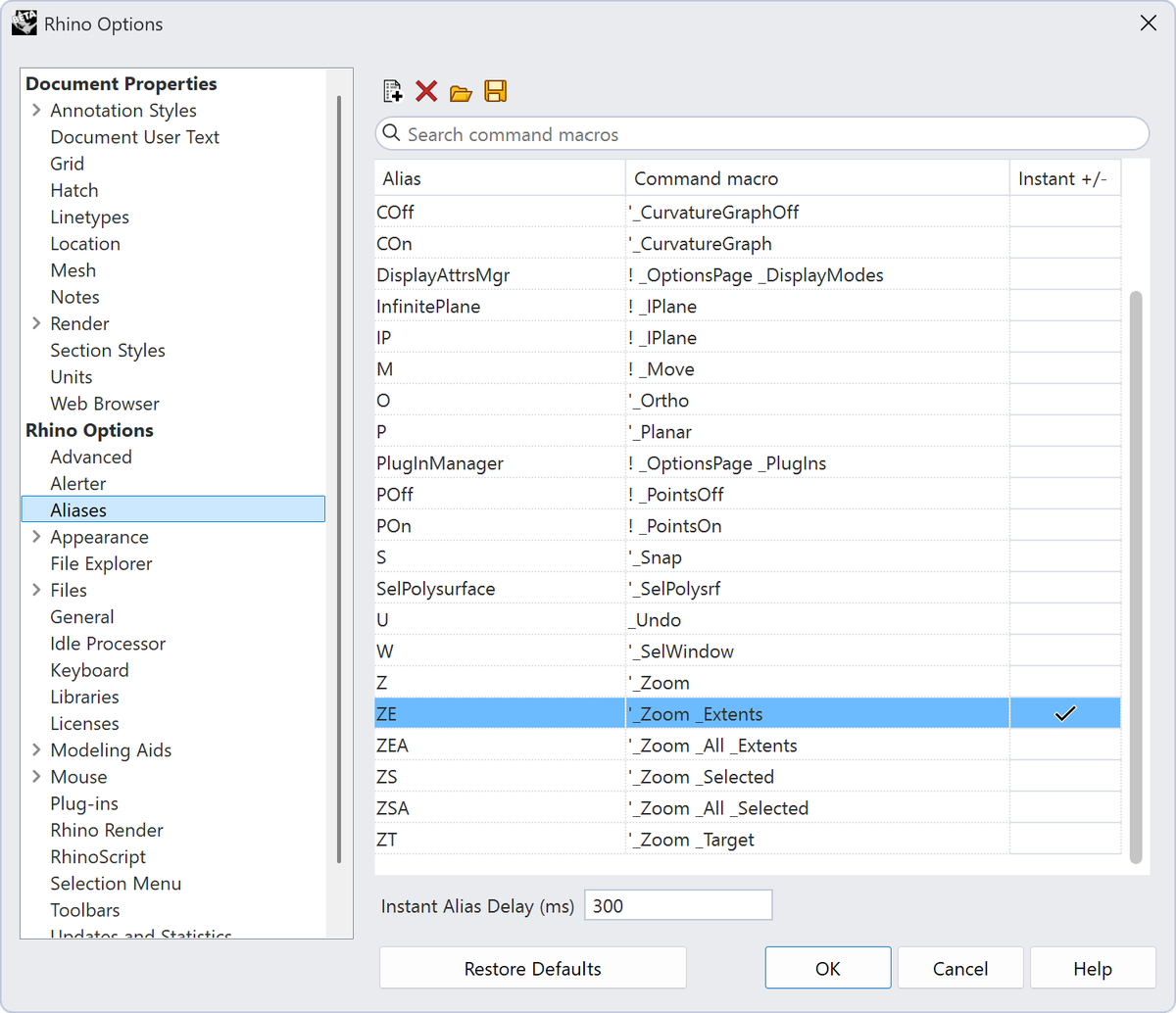
- Try typing a longer alias that starts with the same letters as one of your Instant Aliases, such as
zeaforZebra. Sincezeis instant, it will fire before you can finish typing. Hold Shift while typing to bypass instant aliases when you need the longer one. - Add a new one for maximizing and minimizing the viewport:
- Select the + New button in the upper left corner.
- For the Alias, type the shortcut to be
Max - For the Command macro, type:
! _MaxViewport. - Select the Instant checkbox next to it.
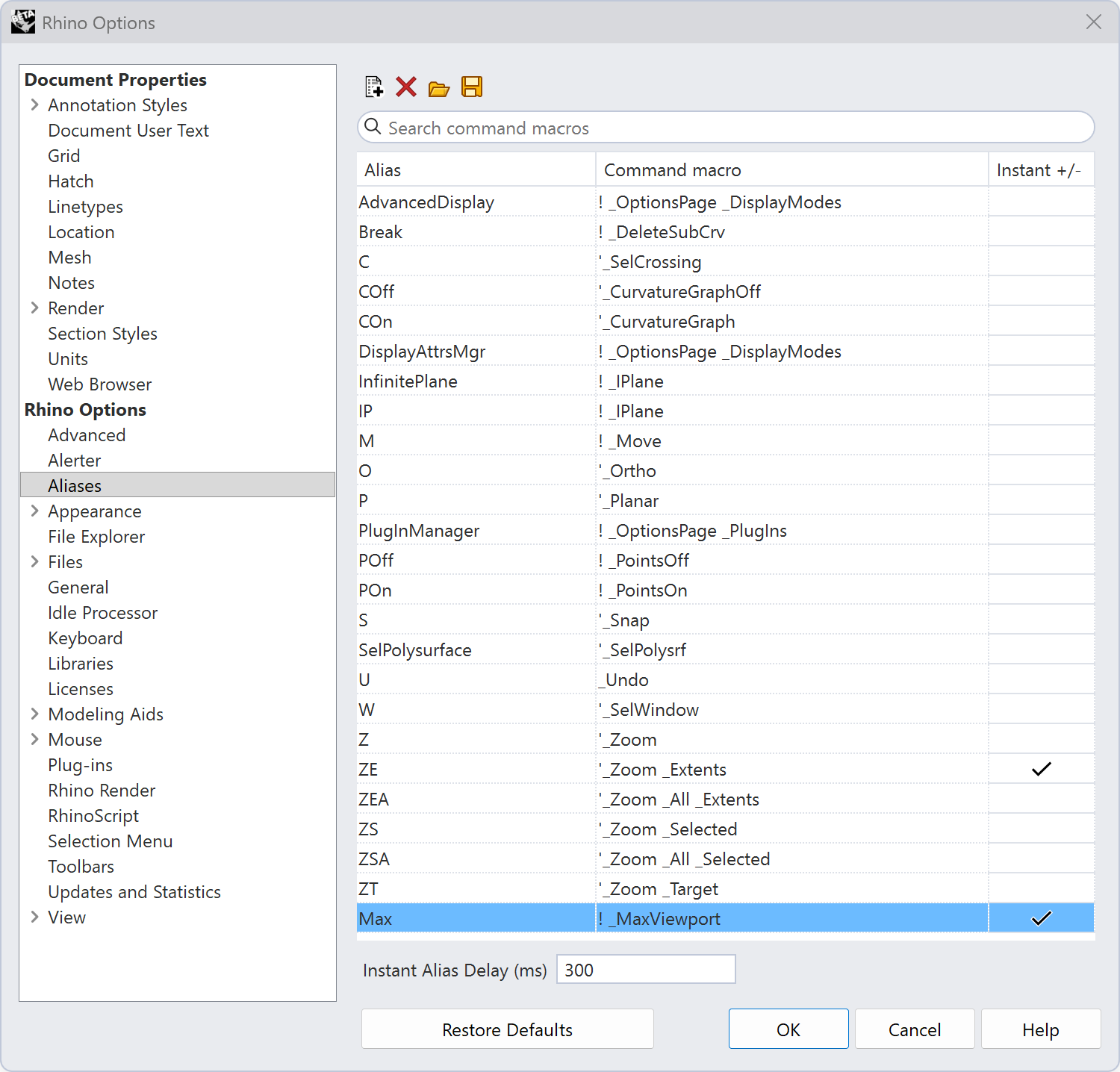
- Press OK.
- In one of the viewports, type
max. Notice the command runs immediately, without pressing Enter, and your viewport maximizes and restores when you run the alias.
Choose Your Command Line Style
The command line has always been central to how Rhino works, but Windows and Mac have historically offered very different experiences: Windows leaned on a persistent, text-heavy history, while Mac favored a graphical sidebar with popups for options. Rhino 9 unifies this, and every command line style is now available on both platforms.
Let’s change the command line to use a simpler style, like a search bar.
-
Run the
 CommandMode
command.
CommandMode
command. -
Select the:
- Location to be
SeparatePanel - Style to be
Buttons - Press Enter.
- Location to be
-
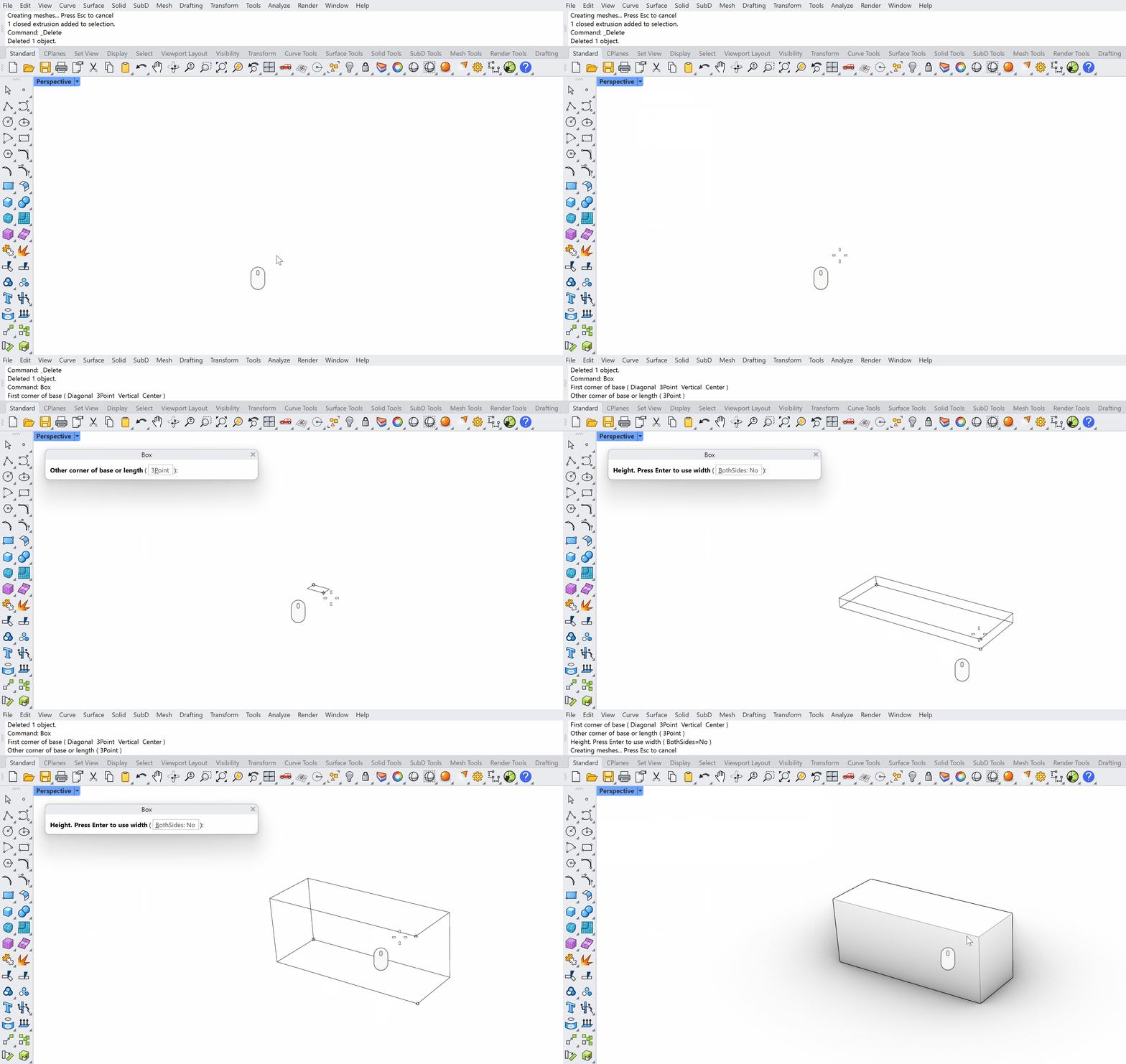
The command line is now in a separate container you can move around. Move it on top of the viewport to be floating, then press Enter to end the command.
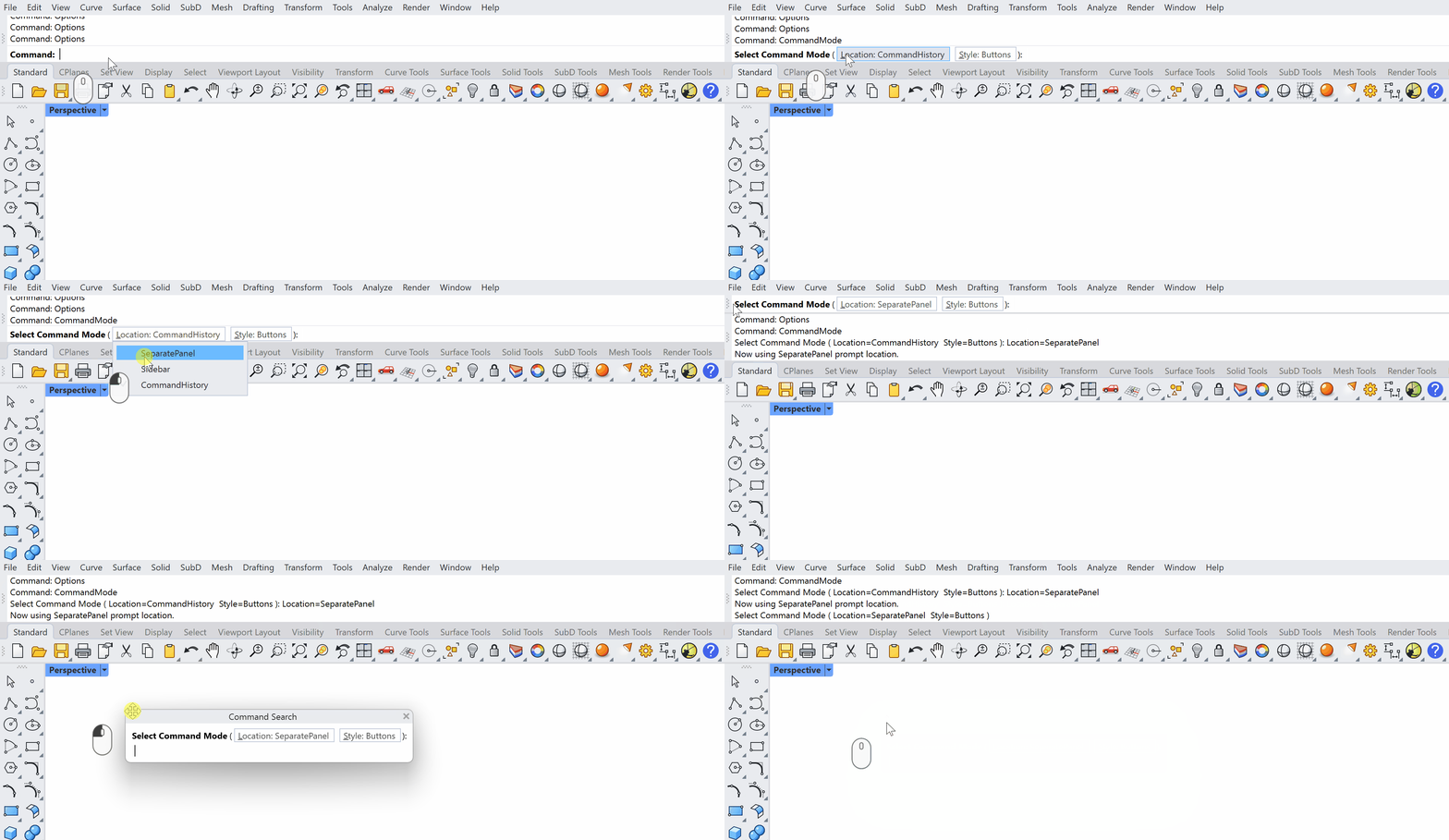
-
Now the command line is gone from the UI, but if you start typing, it will show up.
Customize Your Toolbars
Toolbars are the clickable icon groups that surround the Rhino interface. They’re the primary way most people interact with commands beyond typing. In Rhino 9, the toolbar system has been substantially reworked: The old “diff” file mechanism is gone, a proper default.rui is back, and nearly all toolbar editing now lives in a single dialog.
Create a Toolbar
Let’s create a Toolbar called My Viz Toolsso we can add our most-used tools, as well as new tools we create.
-
Run the
 Toolbar
command to open the consolidated Toolbar dialog:
Toolbar
command to open the consolidated Toolbar dialog:- Go to File → New RUI file.
- Select a folder you’d like to save it in.
- Name the file Project Viz.
- Press Save.
-
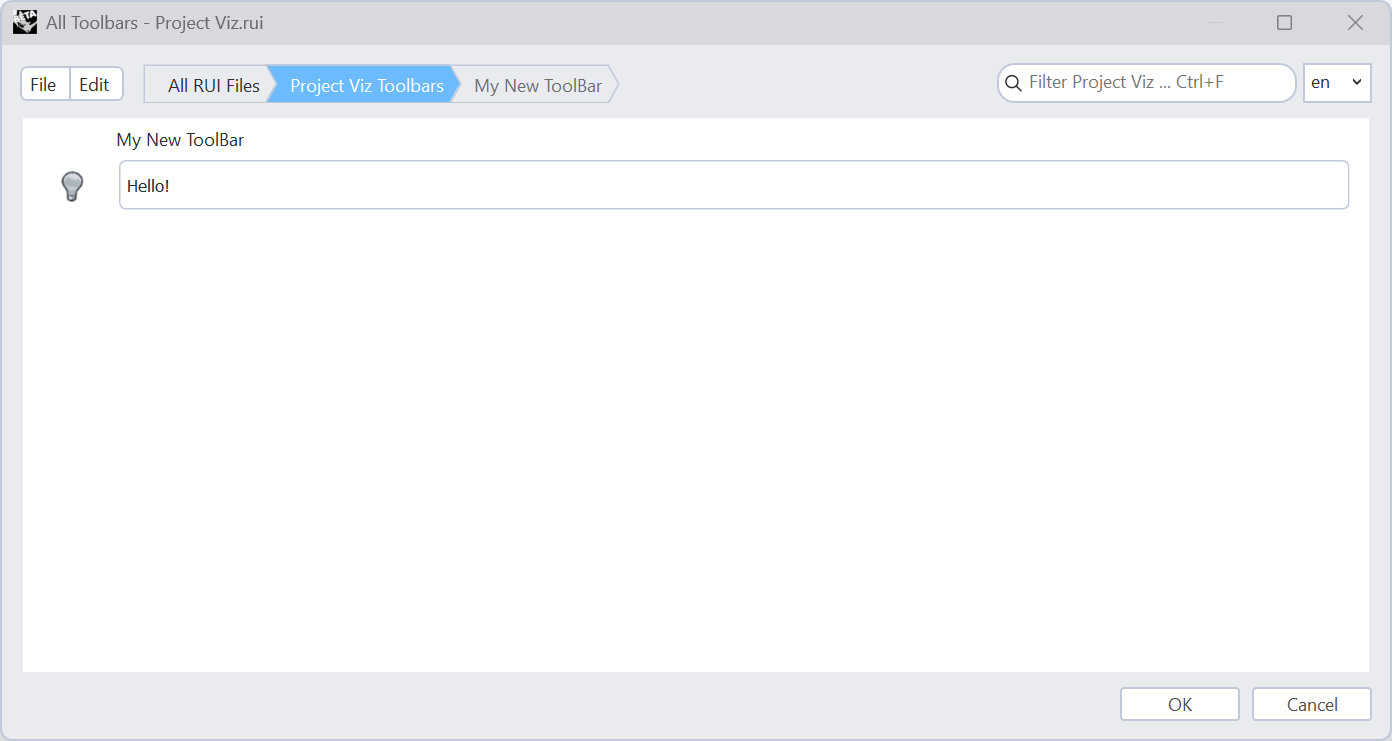
You’ve now created a Toolbar Collection.
-
To edit the toolbar collection, double-click on Project Viz. It contains one toolbar: My New Toolbar.
-
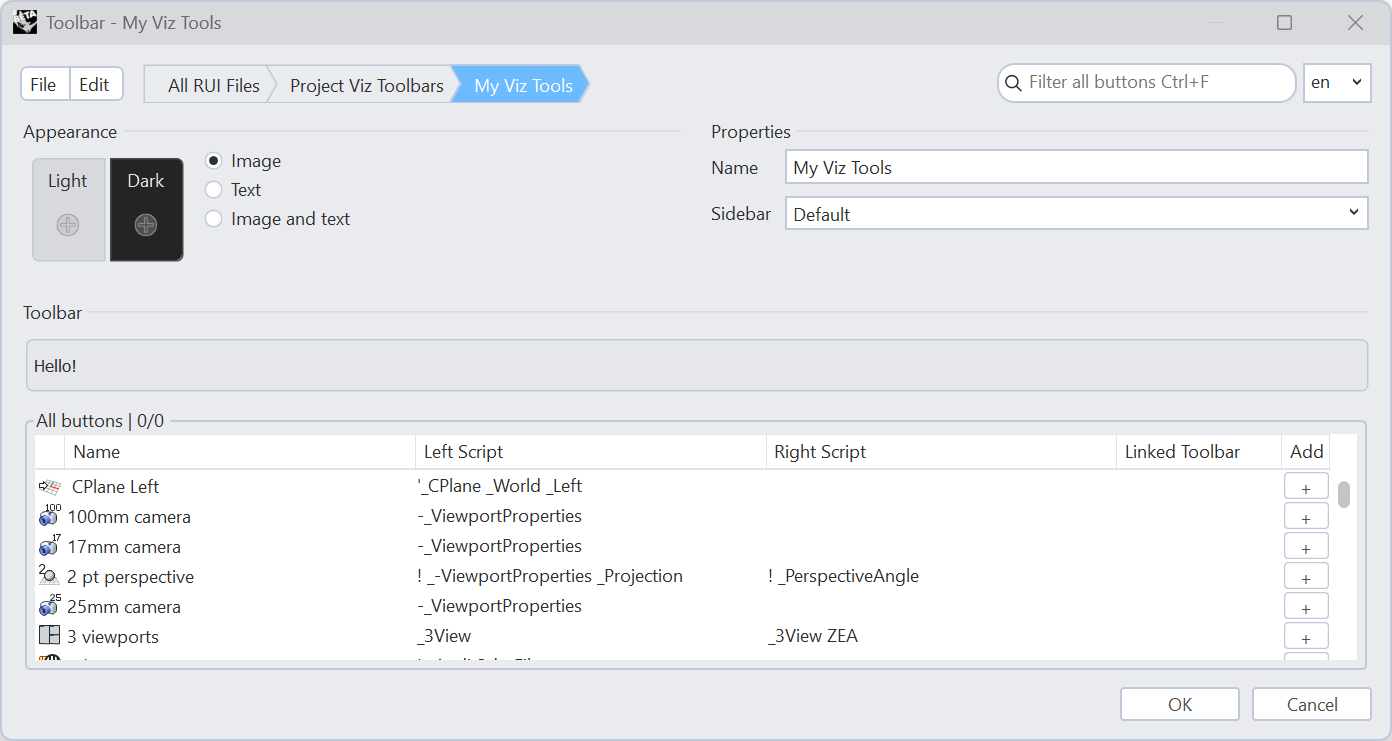
Double-click it again to edit the My New Toolbar.
-
Change the name of your Toolbar under Properties to My Viz Tools.
-
You can search for specific buttons in the search bar in the upper right corner, and when you find the one you’re looking for, double-click on the button you want to add, or press the + sign under Add to add it to your toolbar. Start by searching for
 PerspectiveMatch
and adding it.
PerspectiveMatch
and adding it.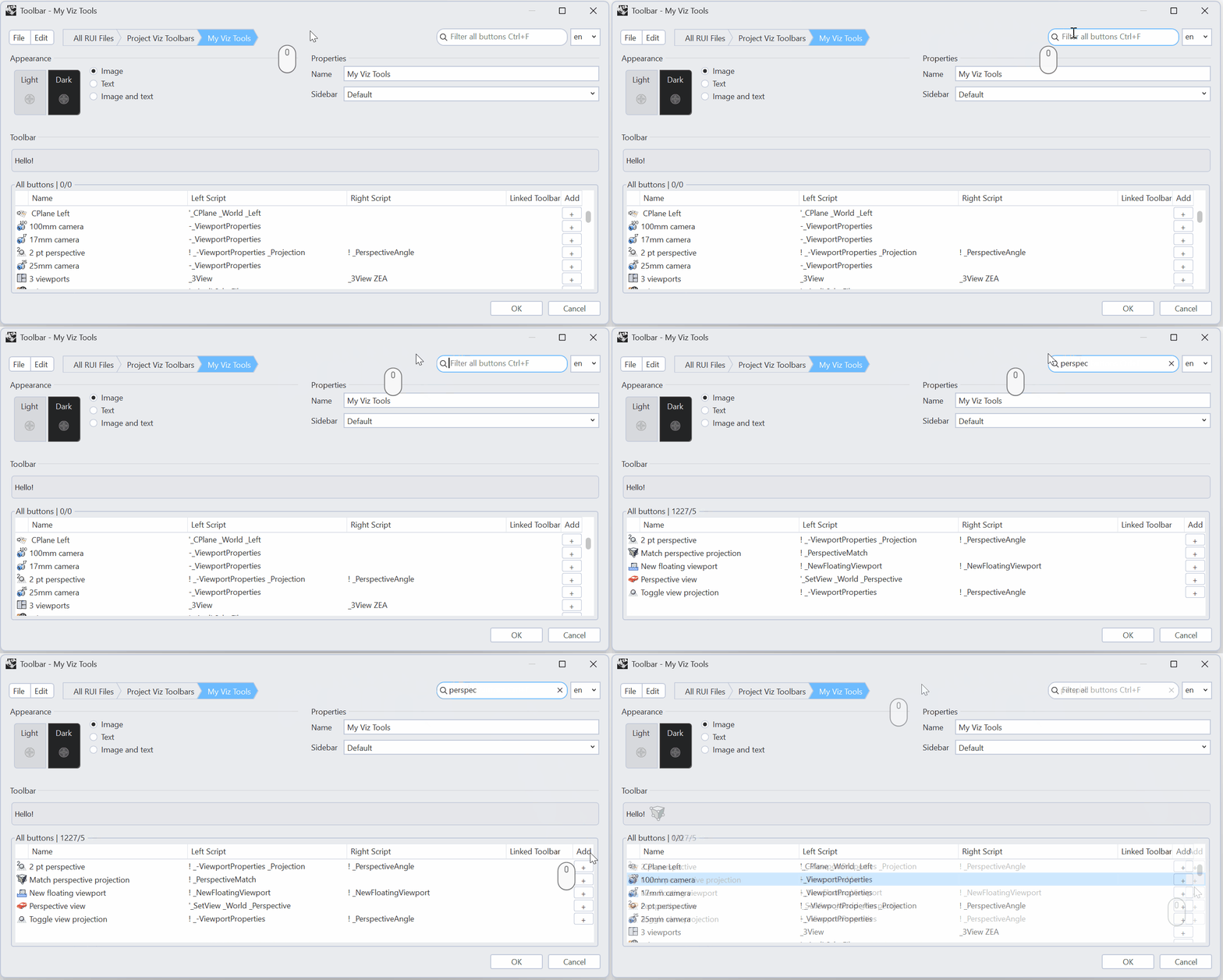
-
Next add the following buttons the same way:
 Turntable
 NamedView
 ViewportCaptureToFile
 MoveTargetToObjects
- Concept viewport
-
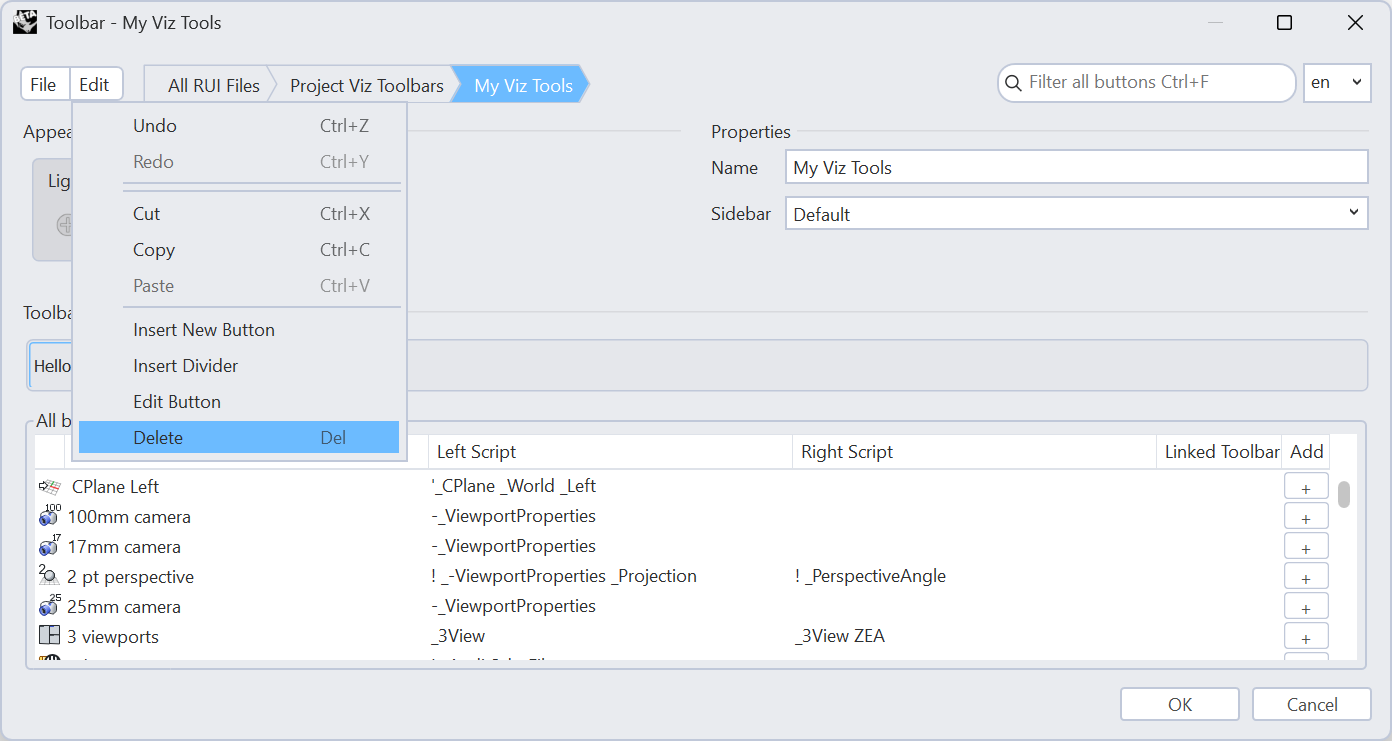
From the Edit menu, you can undo/redo, copy/cut/paste or delete toolbar items to rearrange things without starting over. Select the default Hello! button, then from the Edit menu choose to Delete it.
-
When you’re done editing your toolbar, press OK to save your changes.
-
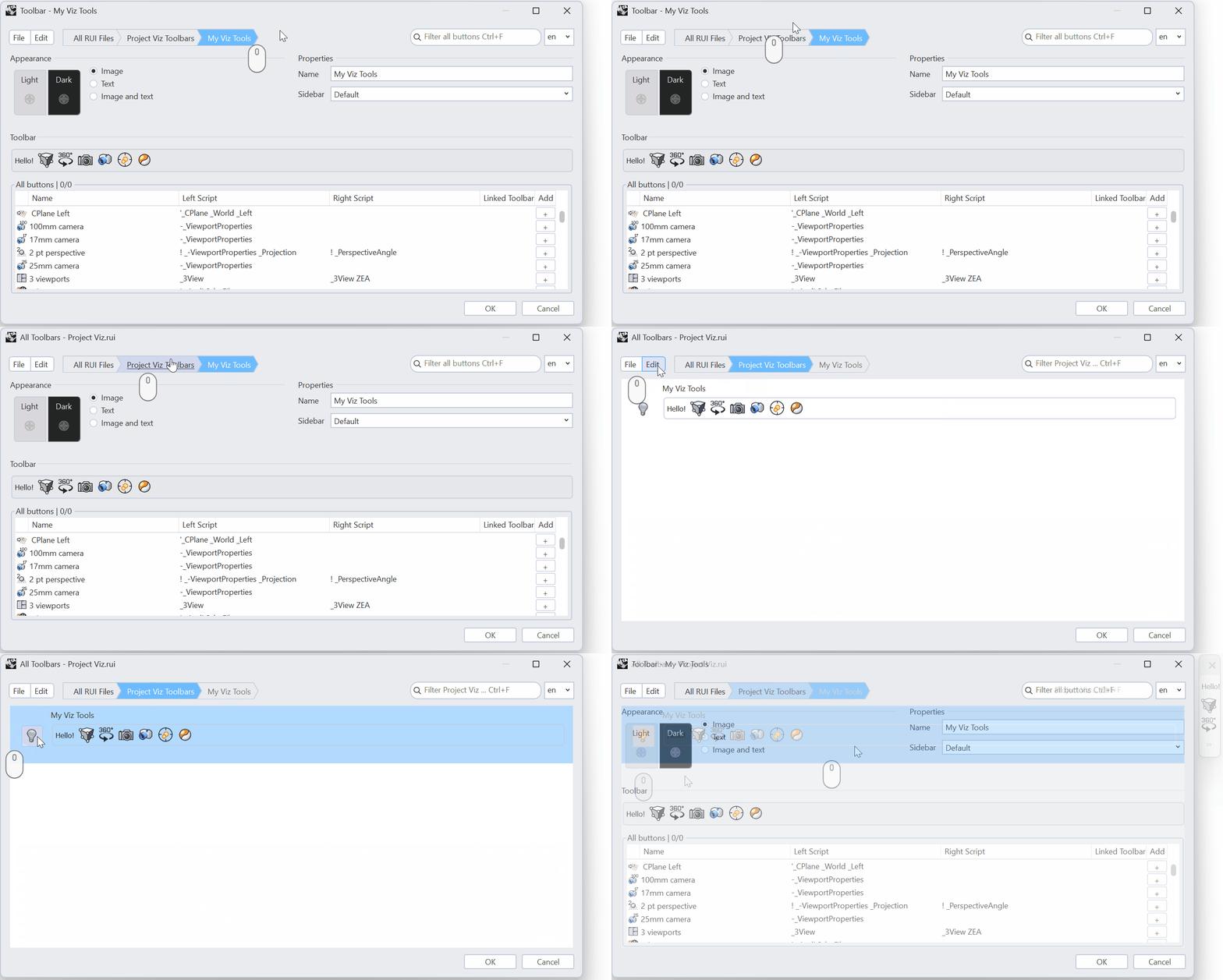
For the new Toolbar to show up as floating in Rhino, you have to click the lightbulb icon in front of the Toolbar name in the list of toolbars.
Create a Toolbar Icon
Sometimes the standard commands and buttons don’t do exactly what you want. For example, we want to use  ZoomExtents
to zoom to the objects, but we do not want the command to consider the light
objects. In this exercise, we will make a new toolbar with a button that will Zoom Extents while ignoring any light objects in the model.
ZoomExtents
to zoom to the objects, but we do not want the command to consider the light
objects. In this exercise, we will make a new toolbar with a button that will Zoom Extents while ignoring any light objects in the model.
-
To add a new toolbar button to your Toolbar, you can do it two ways:
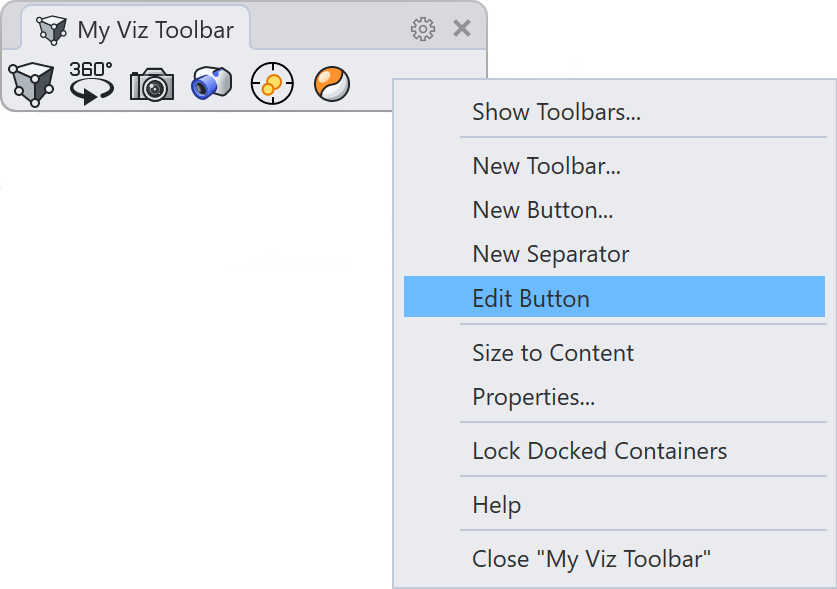
- In the Toolbar Editor, you can press the Edit menu and choose Insert New Button. Once the new button is added, you can select it and choose Edit → Edit Button.
- If you have your My Viz Tools Toolbar open in Rhino, you can right-click on it and choose New Button….
-
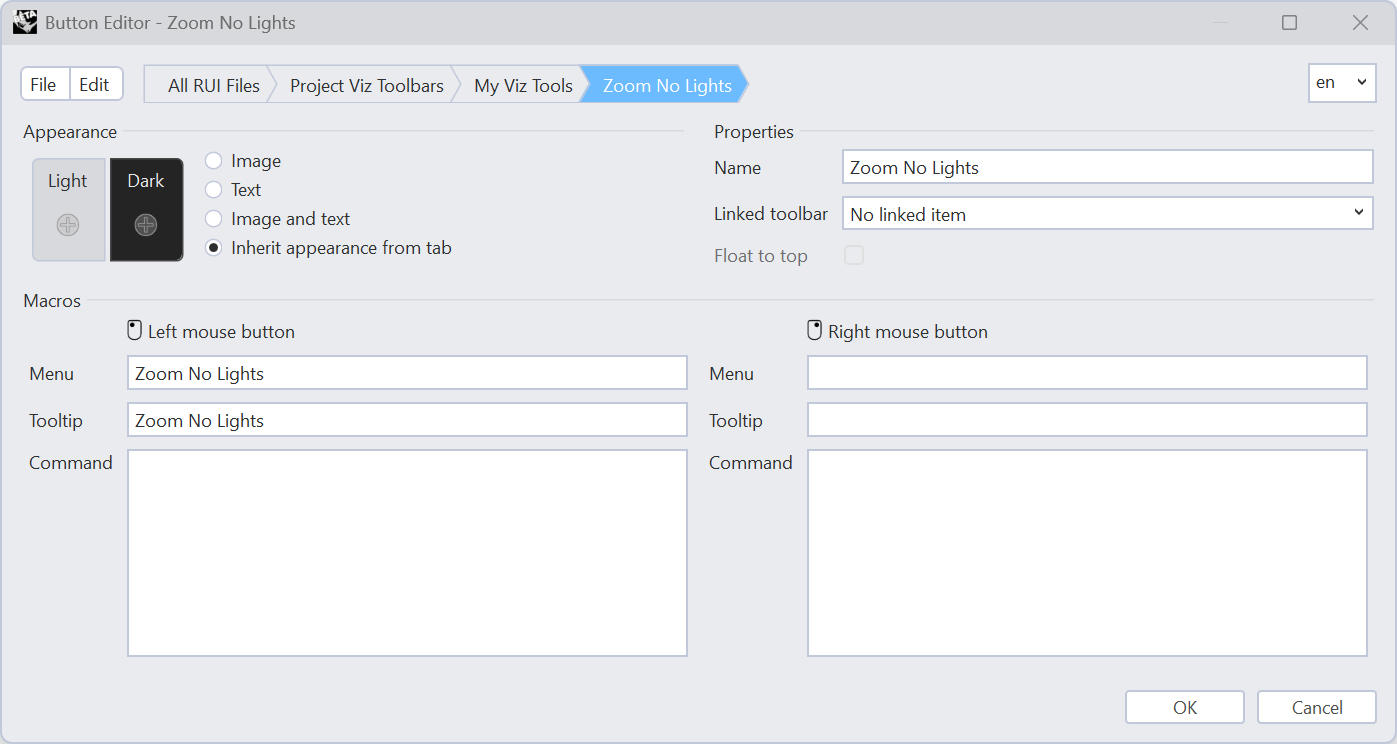
Add the name Zoom No Lights to the button. It will automatically fill in the Name in all places.
-
To add the custom command, we will use a macro. Type in or copy the following into the Command section:
! _SelNone _SelLight _Invert _Zoom _Selected _SelNone. -
The Tooltip will automatically fill in with the command name. In this example, we’ll change it to:
Zoom Extents Except Lights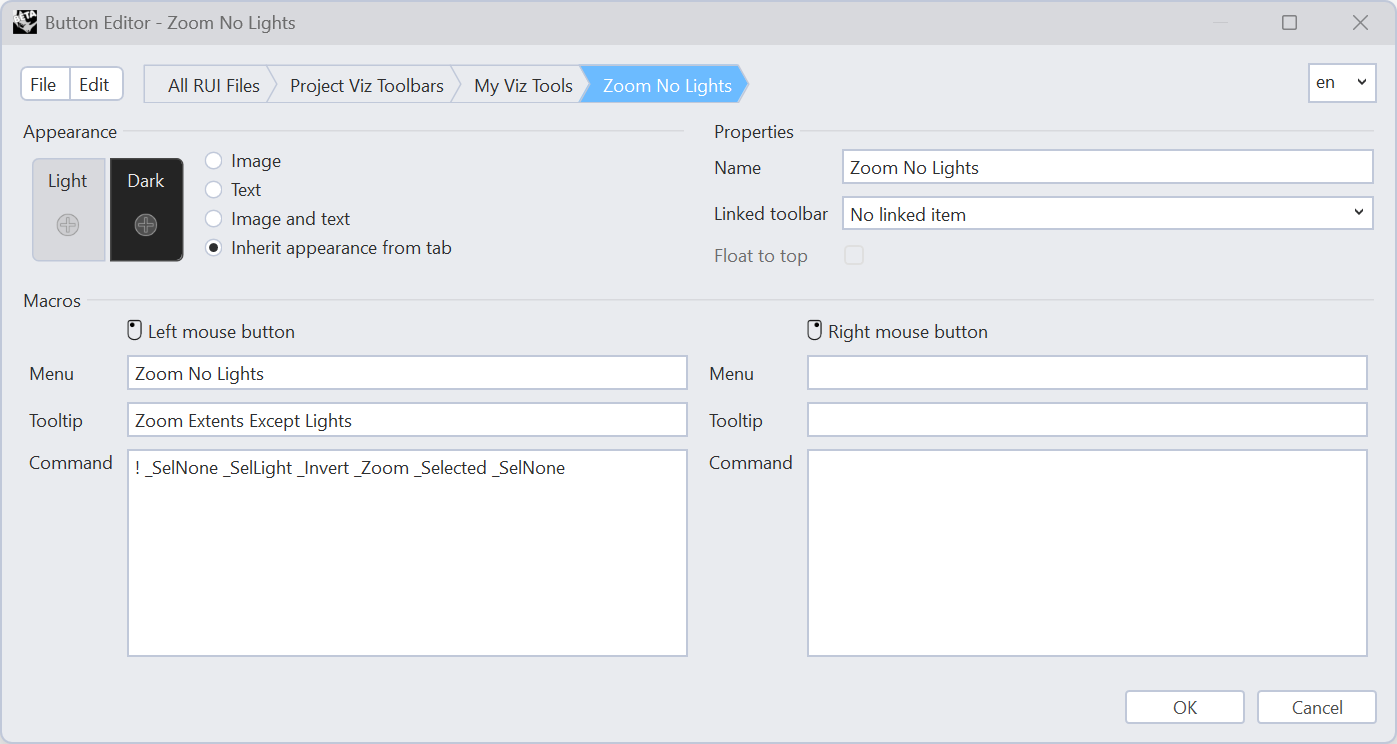
-
Add a custom icon to the button by pressing the + sign under Appearance:
- Select Image
- Choose the + sign under Light.
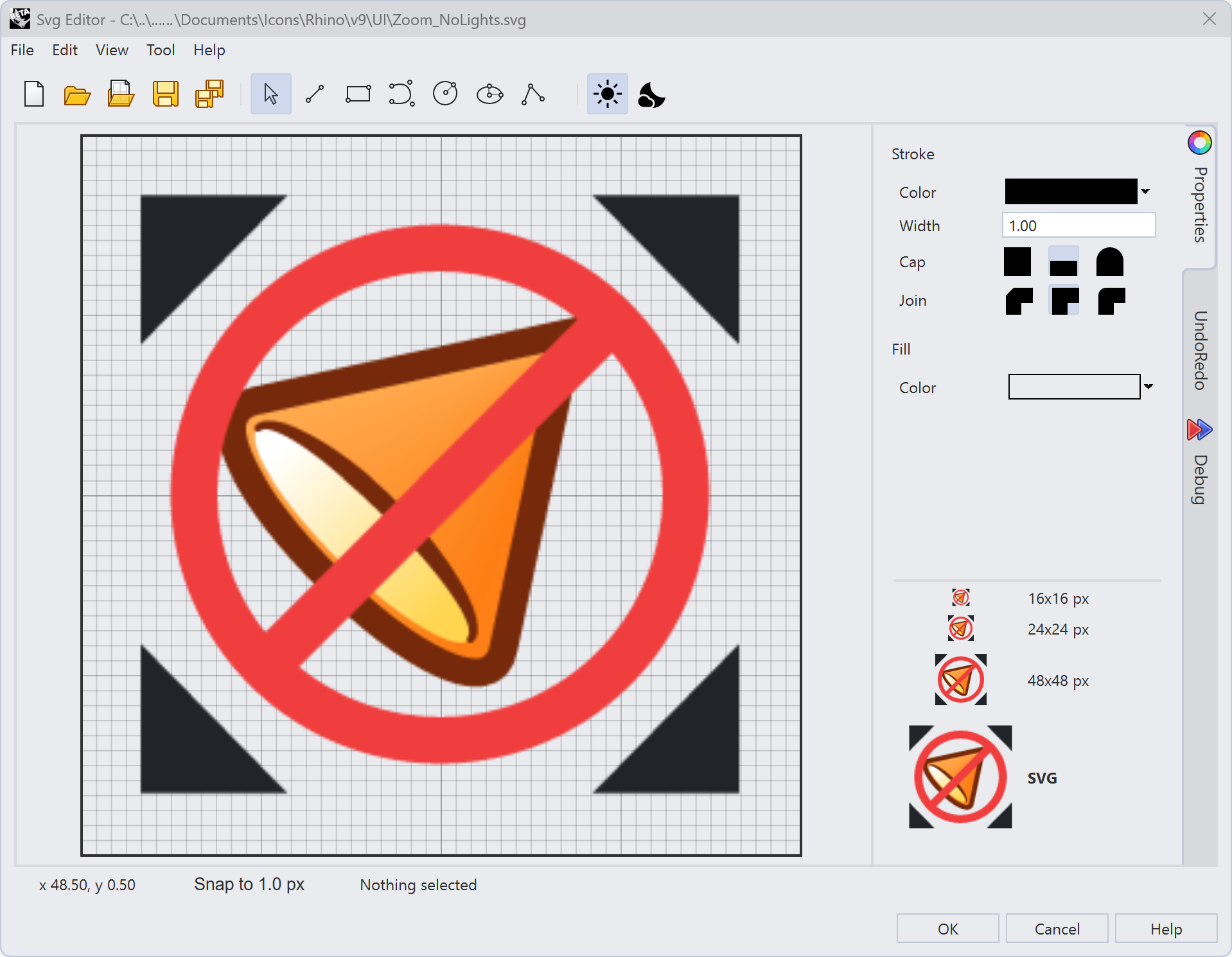
- In the SVG Editor, you can draw your own icon by using the drawing tools in the SVG Editor itself.
-
Alternatively, you can import an SVG file to be used in the button:
- Download zoom-no-lights.svg
- Go to File → Open. Use the icon from this example.
-
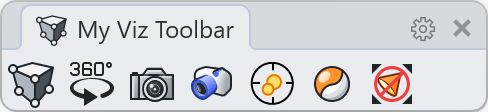
To add a dark mode icon to your button, press the + sign under Appearance → Dark. Download zoom-no-lights_darkmode.svg for the dark mode version of the SVG file used.
Arranging Panels
Panels give you quick access to controls like Layers, Properties, and Materials without leaving your modeling view. For our Visualization UI, we want to add the Lights, Materials, and Snapshots panels. We also want to have two panels stacked on top of each other for accessing tools faster.
-
You can add a panel by clicking on the + tab on the docked panels to the right of the UI. Check the
 Lights
,
Lights
,  Materials
, and
Materials
, and  Snapshots
panels from the list. Uncheck the Display and
Snapshots
panels from the list. Uncheck the Display and  Layouts
panels, if they are on by default.
Layouts
panels, if they are on by default.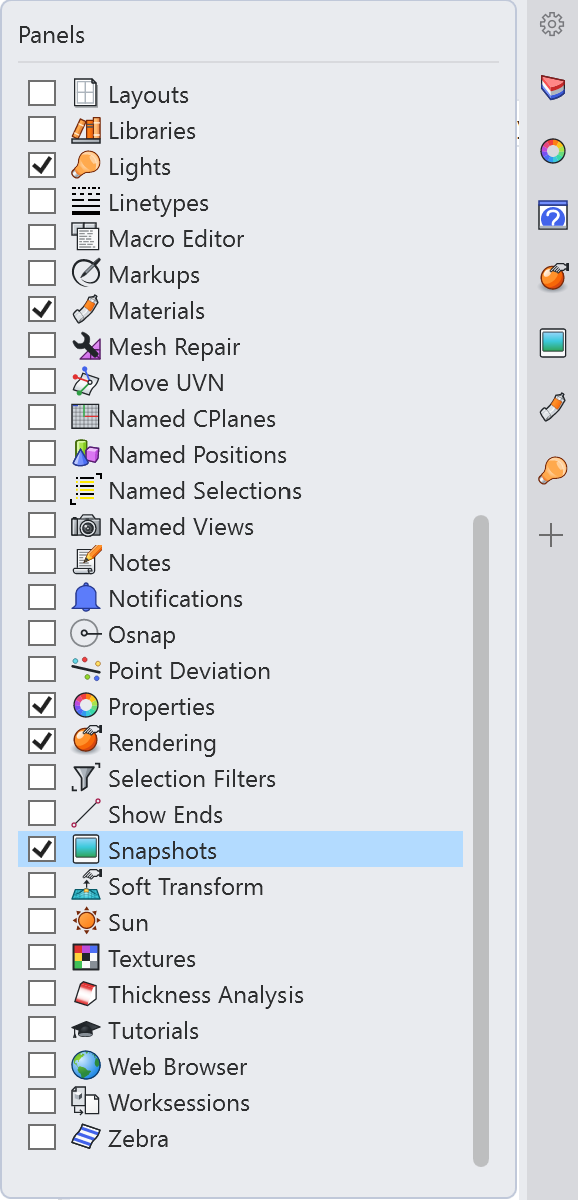
-
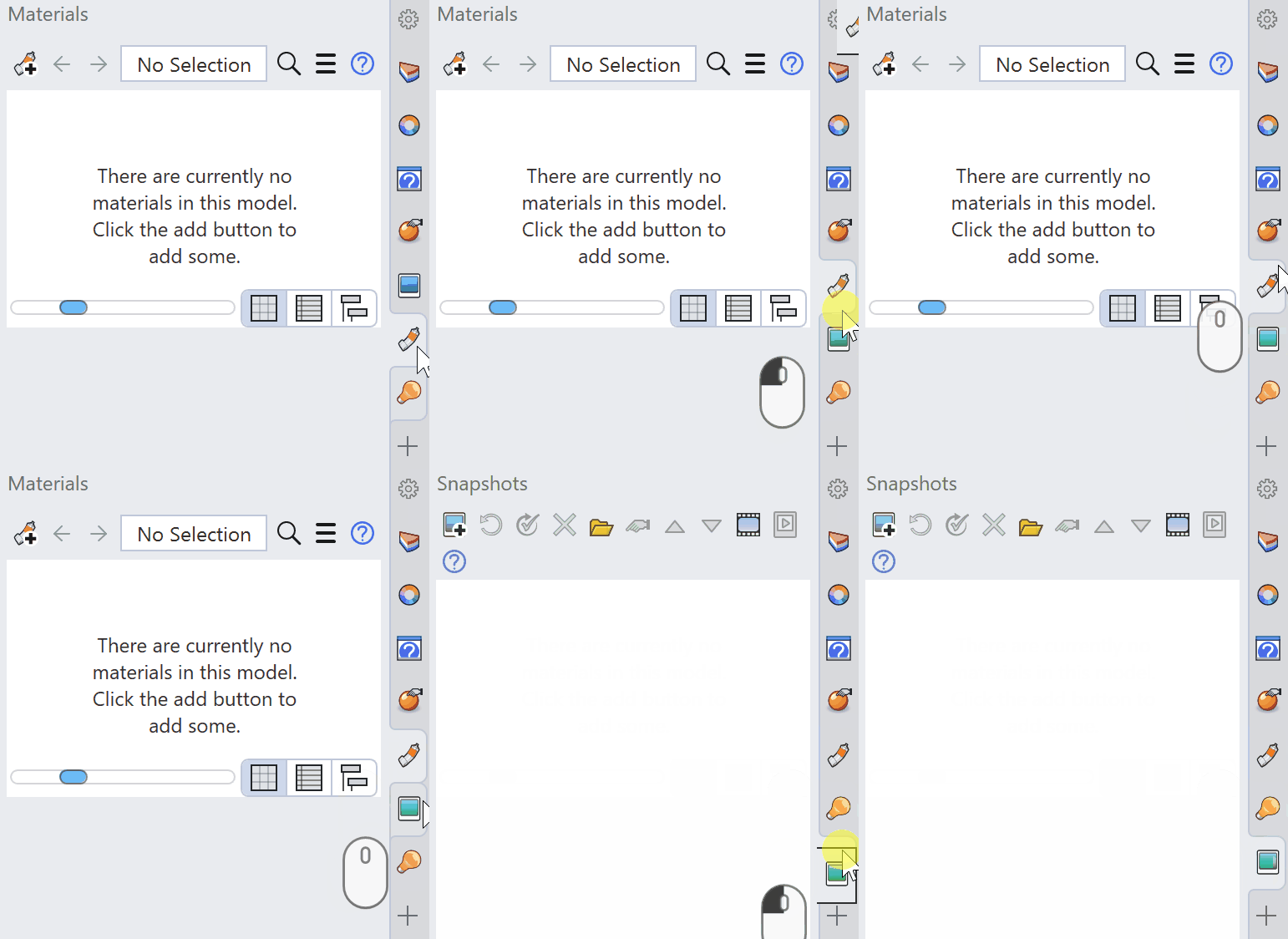
Reorder the tabs so that all the rendering-related ones are next to each other. Do this by dragging the tab to a new position.
-
Let’s move some of the panels to save space. Drag the
Lights
Panel from the tab out of its container to pop it into its own floating panel window.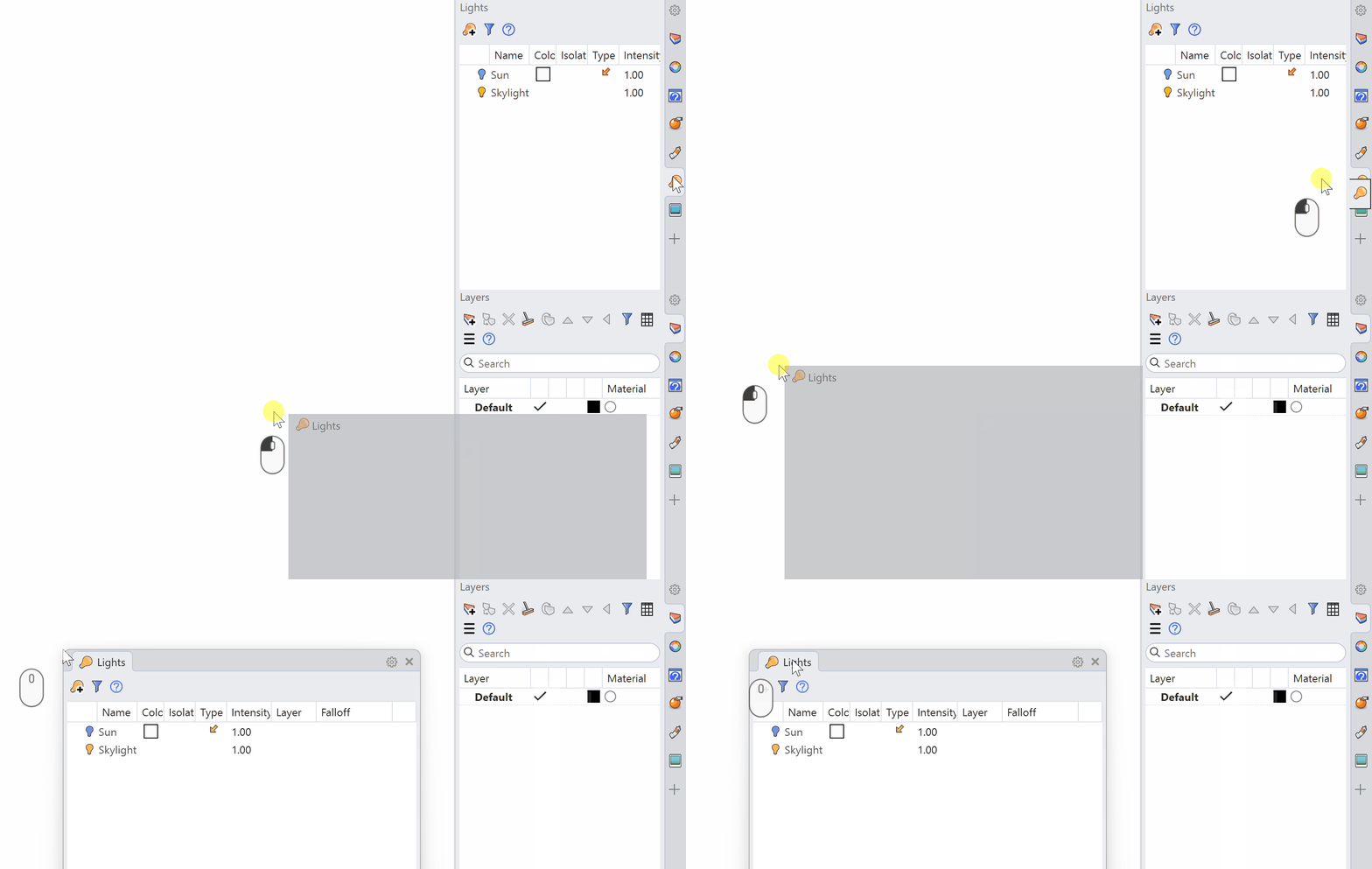
-
Now dock the
Lights
Panel below your other panels by dragging it. Please note that you need to click on the container, not the tab, in order to get it docked. When the cursor changes to four arrows, you’re in the right spot.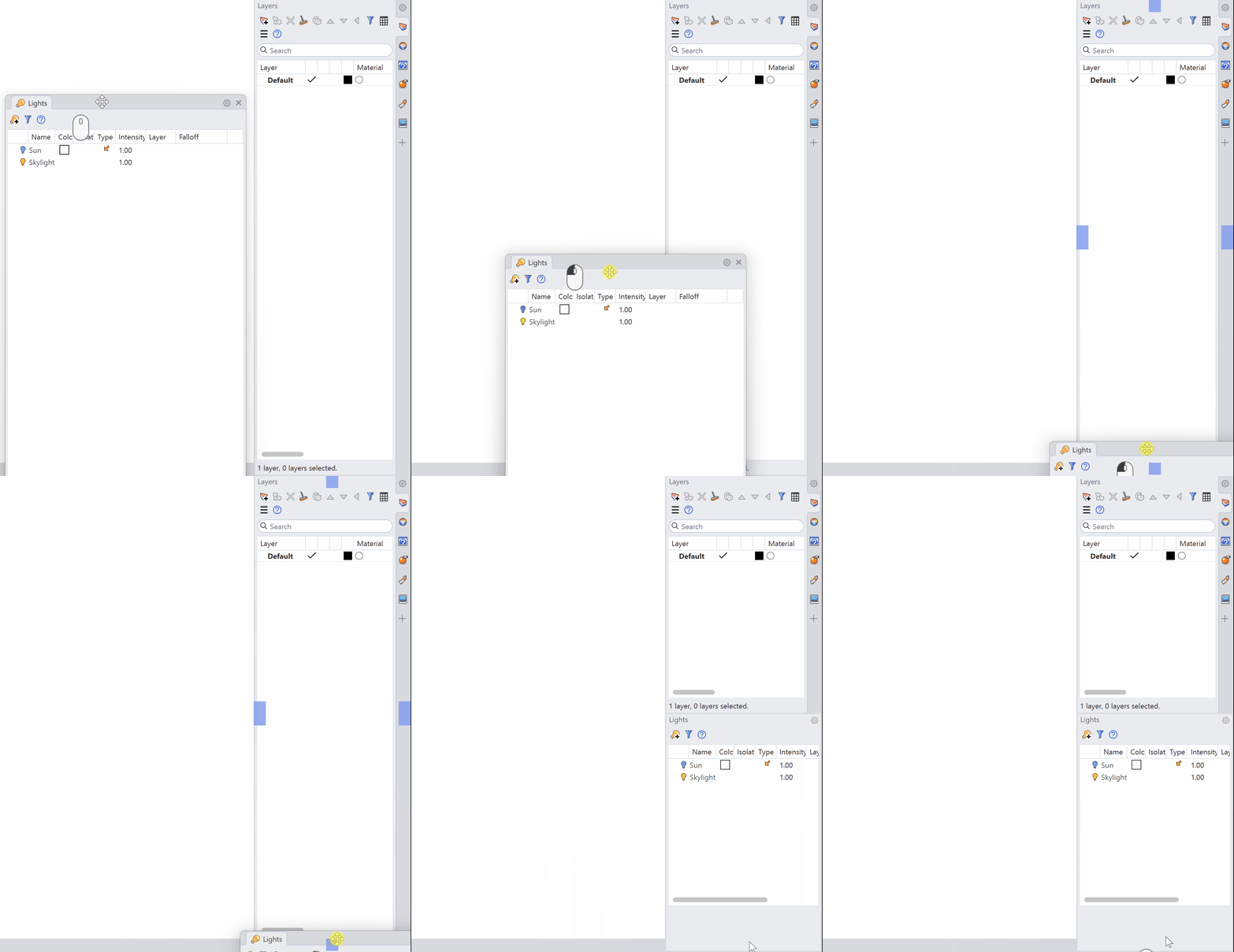
-
Select the tab for the
Materials
Panel and drag it down to the Lights
Panel.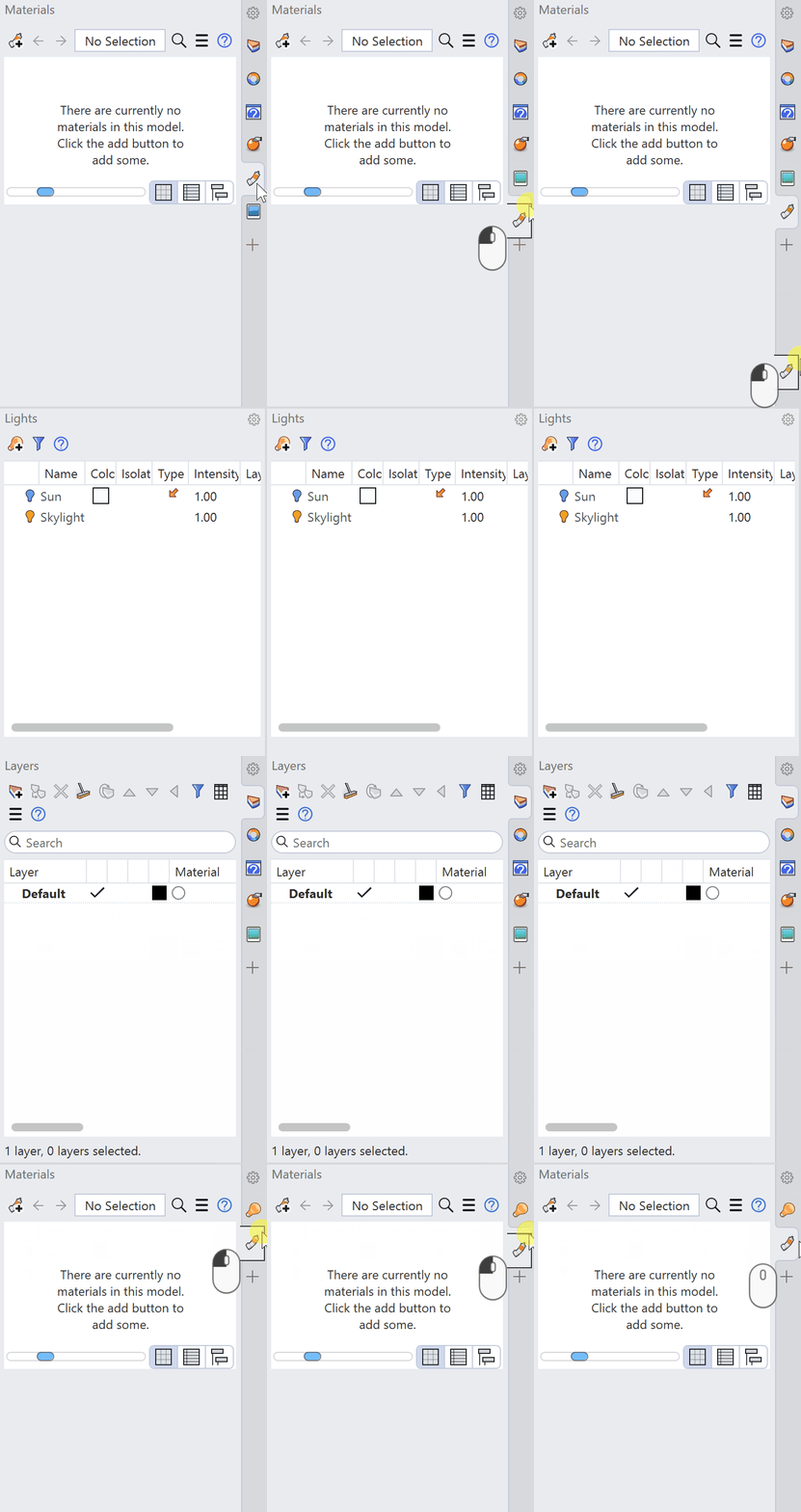
-
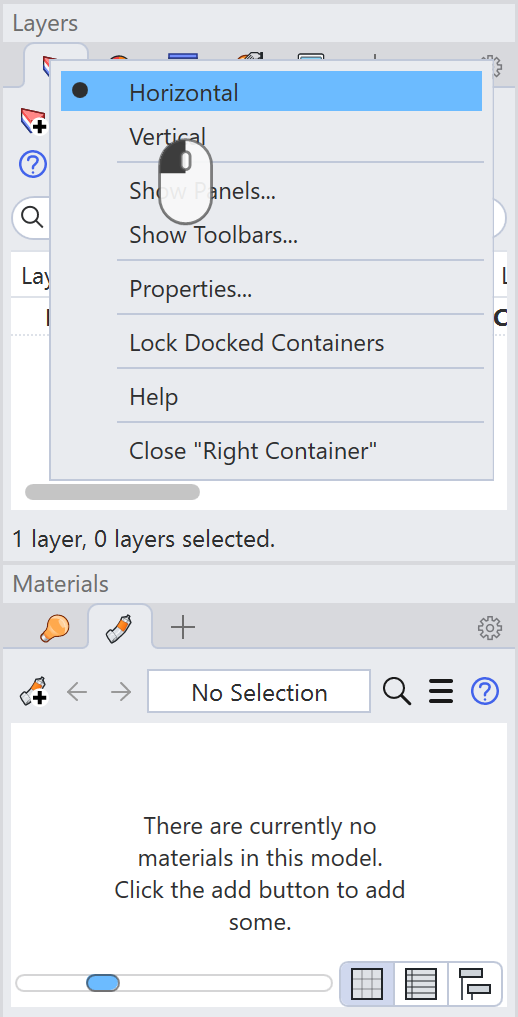
Select the panel menu button to switch tabs to Horizontal.
Modify Your Display Mode
-
Run the
Options
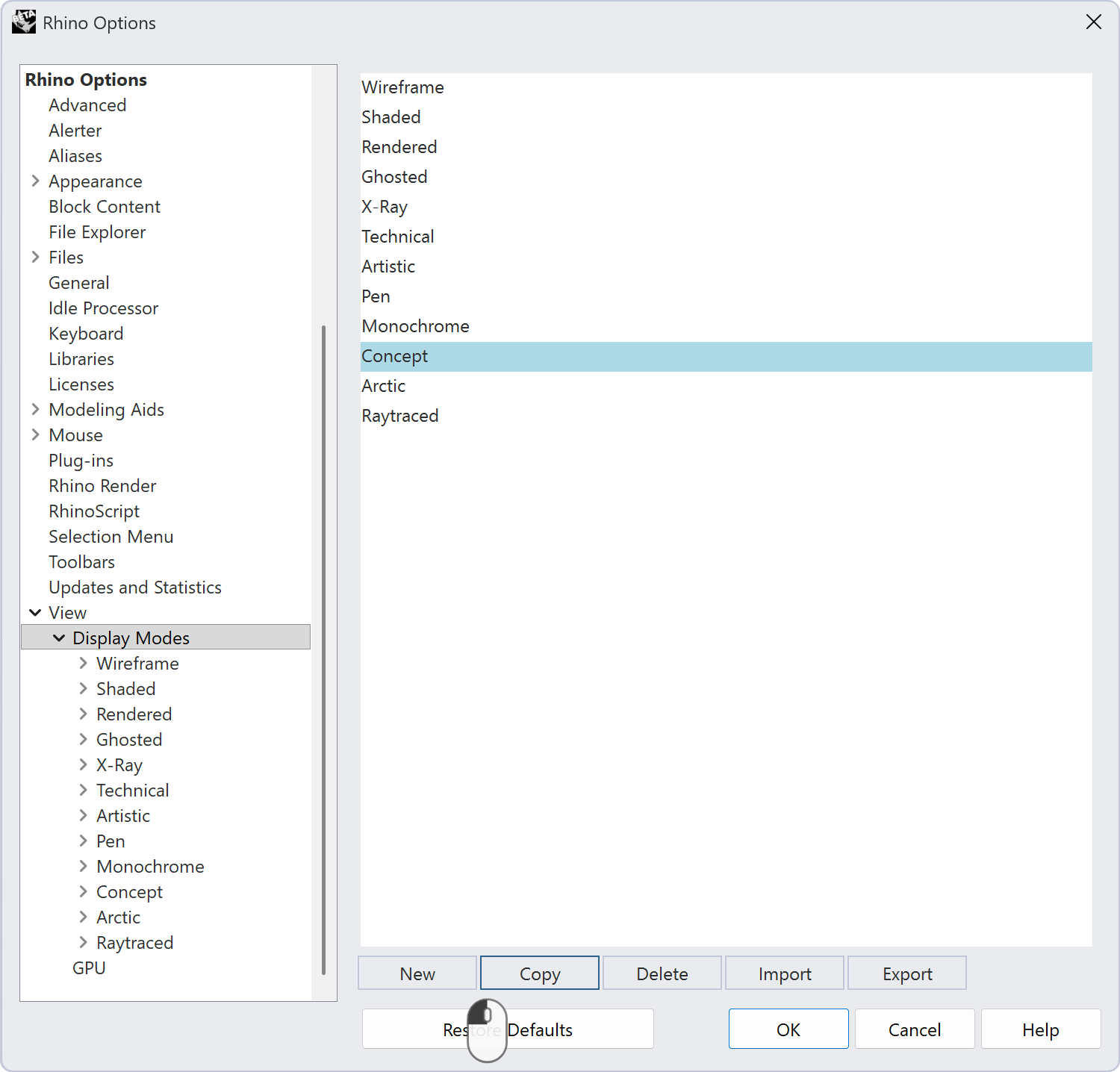
command and in the Options Window, go to View → Display Modes. -
Select Concept and press Copy.
-
Go to the Copy of Concept Display Mode and change the name to My Viz Display:
-
Change the Background Color to
Gradient 4 Colors:- Make the Top color this color
#C5F6FA - The Bottom color this color
#FFE8CC - The Top Left color this color
#C5F6FA - The Top Right color this color
#99E9F2 - The Bottom Left color this color
#FFE8CC - The Bottom Right color this color
#FFD8A8
- Make the Top color this color
-
Change the Shading Effect to
Parallel Lines.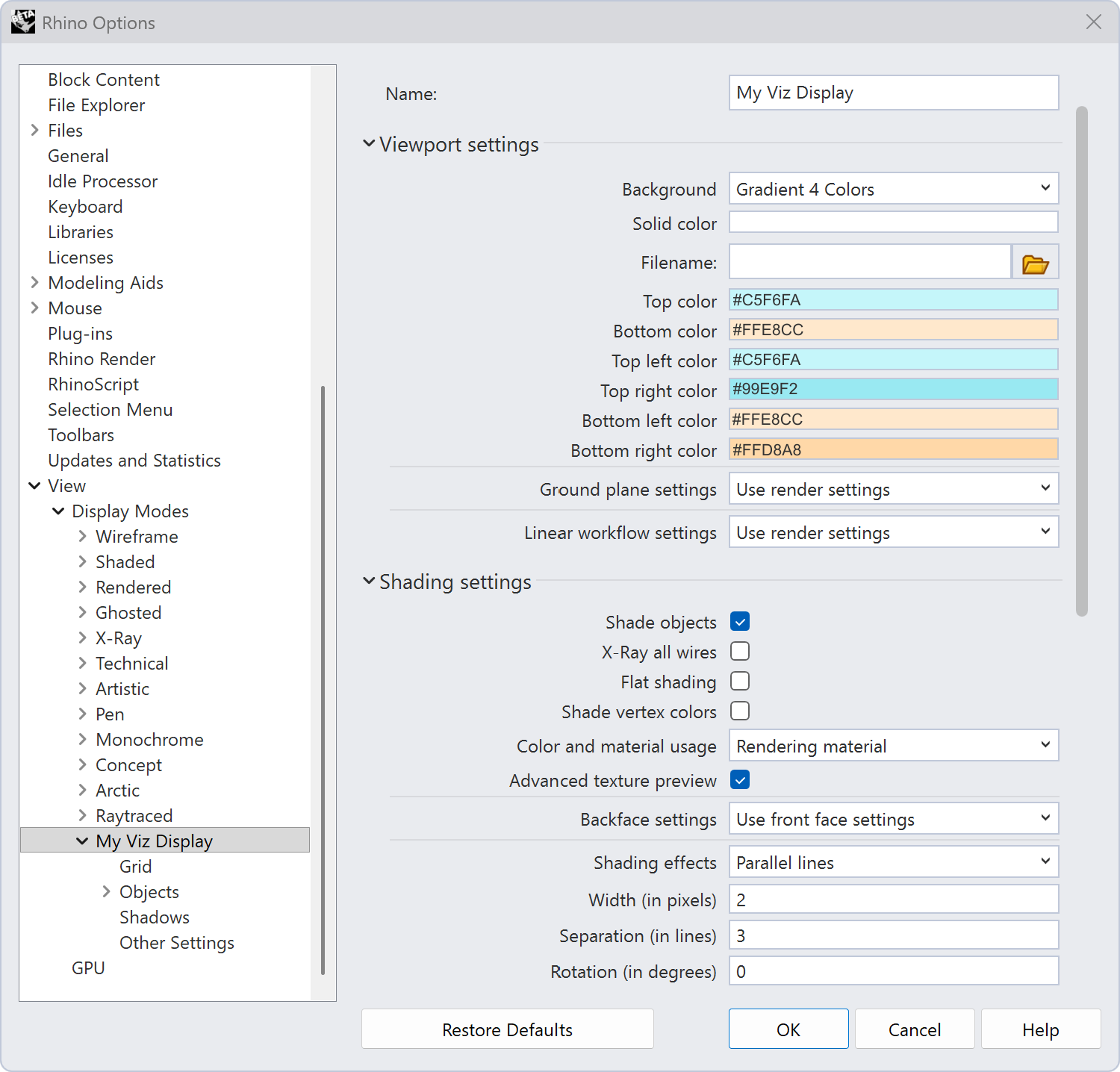
-
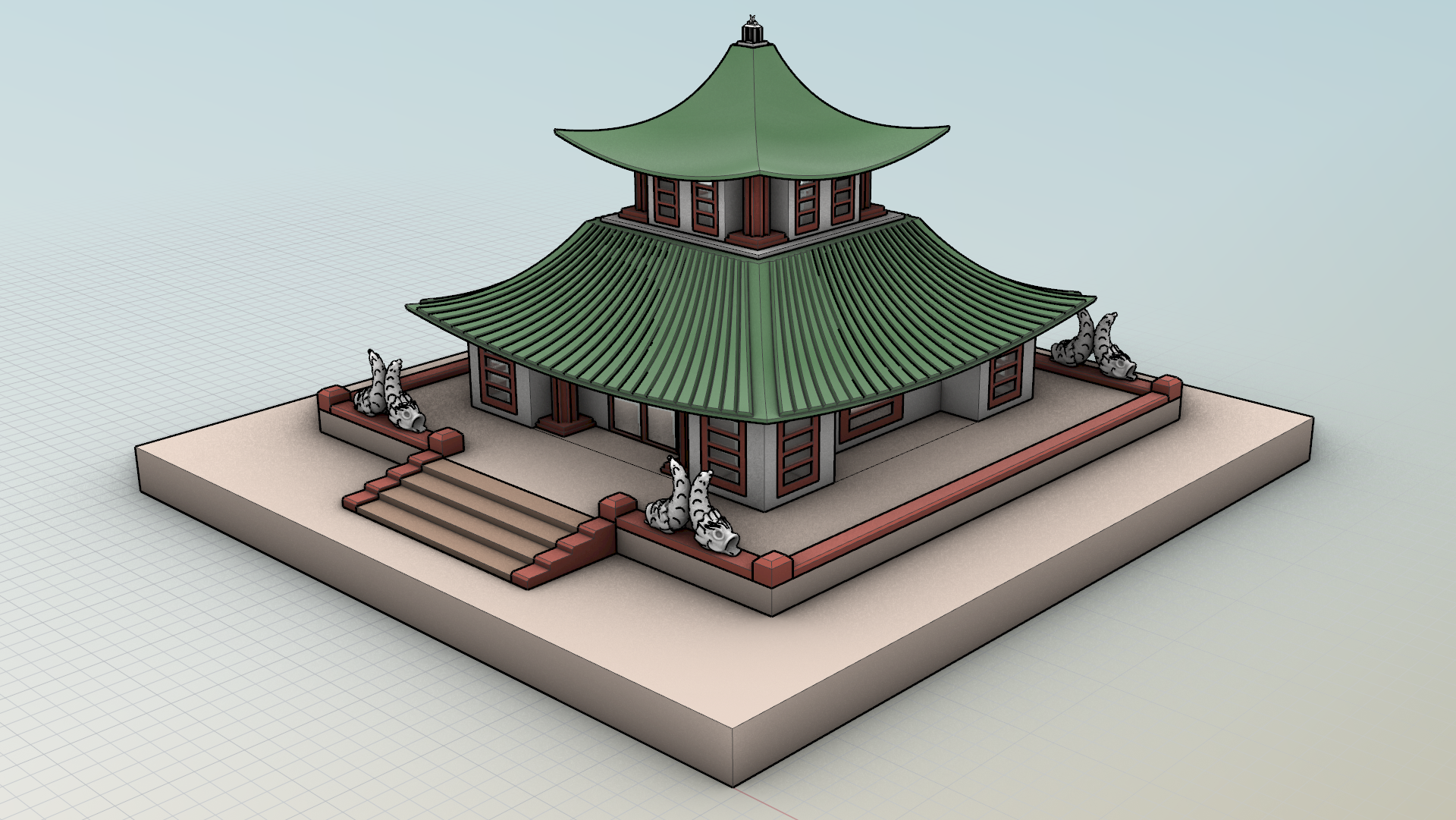
Under Object → Lines, increase the Silhouette to 4.
-
Modify the Silhouette line color to a lighter dark this color
#212529.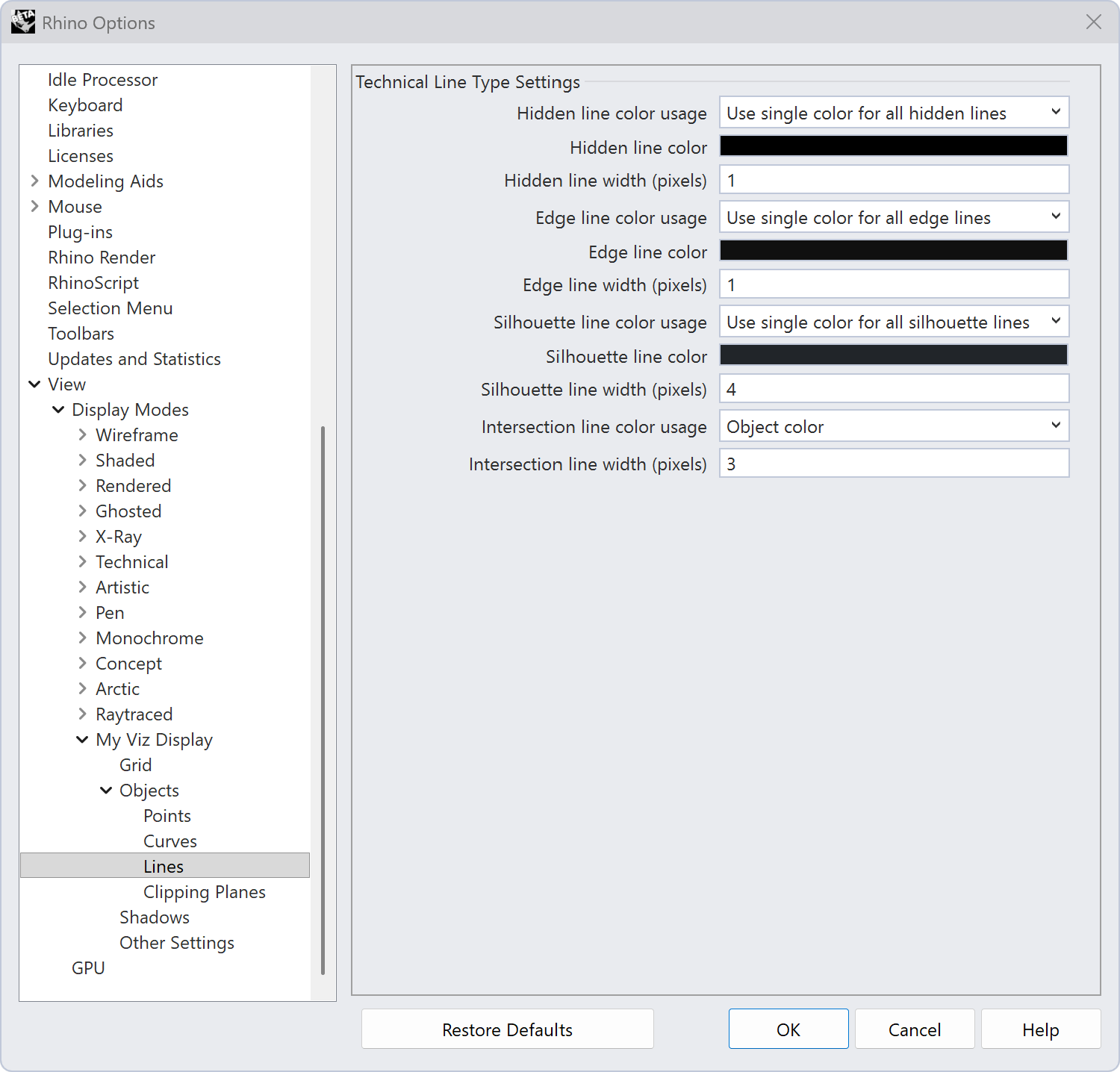
-
Press OK to close the Options dialog.
-
Change the display mode to My Viz Display.
Transfer Your Settings
Next, let’s move your Rhino settings to another computer. This includes: Options, your custom toolbars (RUIs), and Window Layouts. Everything that makes your Rhino feel like yours.
 OptionsMigrate
brings a complete Rhino setup into your current Rhino in one step, rather than picking through individual settings. Use it when you want everything: Options, aliases, keyboard shortcuts, plugins, schemes, window layouts, and your custom toolbars and RUIs.
OptionsMigrate
brings a complete Rhino setup into your current Rhino in one step, rather than picking through individual settings. Use it when you want everything: Options, aliases, keyboard shortcuts, plugins, schemes, window layouts, and your custom toolbars and RUIs.
OptionsMigrate
can pull that setup from three places:
- A previous version of Rhino installed on this computer (for example, migrating your Rhino 8 setup into Rhino 9).
- An .
rhsfile exported from another machine with OptionsExport
. This is how you move your setup between computers, including Windows and Mac.
OptionsExport
. This is how you move your setup between computers, including Windows and Mac. - A backup created by Rhino, including the one written when you run
 Reset
.
Reset
.
It replaces the older  OptionsImporter
and
OptionsImporter
and  PreviousOptionsImporter
commands, which were easy to confuse and didn’t capture everything.
PreviousOptionsImporter
commands, which were easy to confuse and didn’t capture everything.
Migrate on the Same Computer
- Run OptionsMigrate
.
- Choose your source: A previous Rhino version, an .rhs file, or a backup.
- Press Finish, and Rhino brings in the full setup.
Rhino backs up whatever it replaces first, so it never loses your current setup. If the result isn’t what you wanted, you can migrate back from that backup.
Export to Another Computer
Next, let’s move all of your Rhino settings to another computer. Rhino 9 bundles everything into one file type: .rhs.
- On this computer, run OptionsExport
in Rhino. OptionsExport
creates a
.rhsfile containing your Window Layouts, Keyboard Shortcuts, Aliases, Plug-ins, Schemes, Default and Custom RUIs, Advanced Settings, Window Positions, and Rhino Options. Save the file as My-viz-ui.rhs and move it to the other computer. - On the other computer, use OptionsMigrate
and select the
My-viz-ui.rhsfile. This merges the incoming settings with what’s already there.
OptionsExport
→ OptionsMigrate
is one of the easiest ways to get a classroom or new hire looking at the same Rhino setup as you, with zero manual toolbar rebuilding.Save and Share Window Layouts
If you just want to share your Toolbar and Panel setup from your Viz UI with another computer, rather than all of your settings like Transfer Settings does, Window Layouts will do that for you.
-
Go to the Window menu → Window Layouts → Save Window Layout… and name it My Viz UI.
-
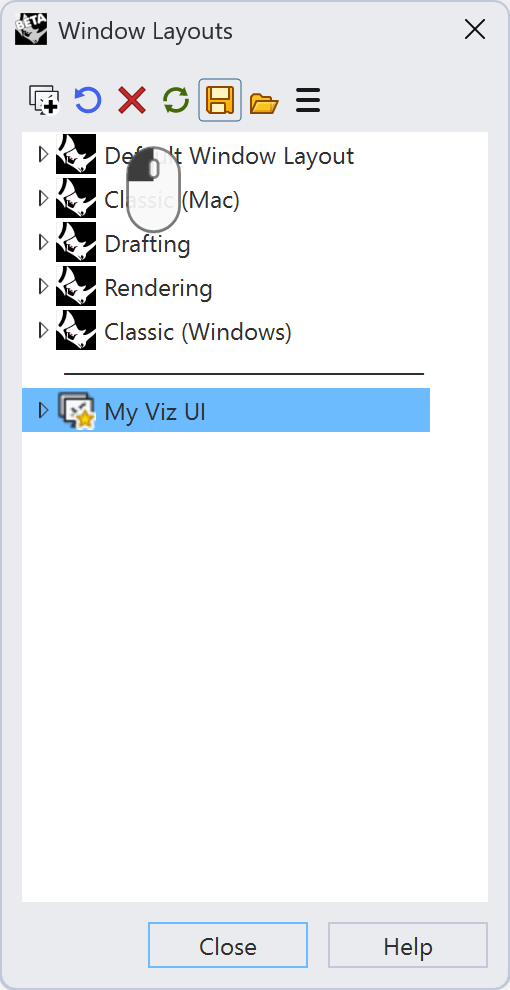
Go to Window → Window Layouts → Manage Window Layouts… to see your saved layouts. Select My Viz UI and press the Export button. Save the file as My Viz UI.rhw.
-
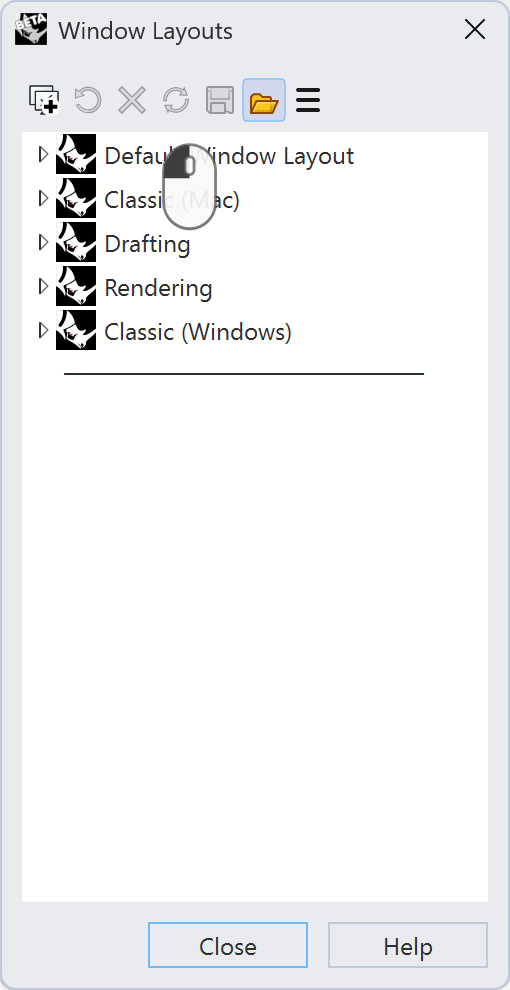
Move the file My Viz UI.rhw to the other computer. On that computer, go to Window → Window Layouts → Manage Window Layouts…, then press the Import button to open My Viz UI.rhw.
-
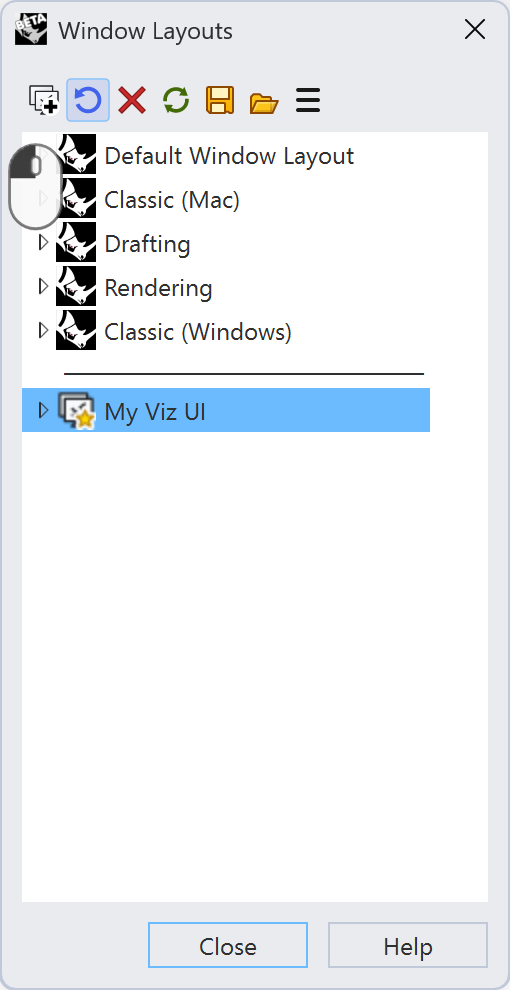
To update Rhino to use My Viz UI, select My Viz UI from the list and press the Restore button.
 OptionsImport
 WindowLayout
 SaveWindowLayout


