Try the Rhino WIP.
May 2026
design · model · present · analyze · realize.
As a Rhino 8 user, you have early access to Rhino WIP — the Work In Progress build of what's coming next. Your feedback shapes the final product.
What's New in This Build
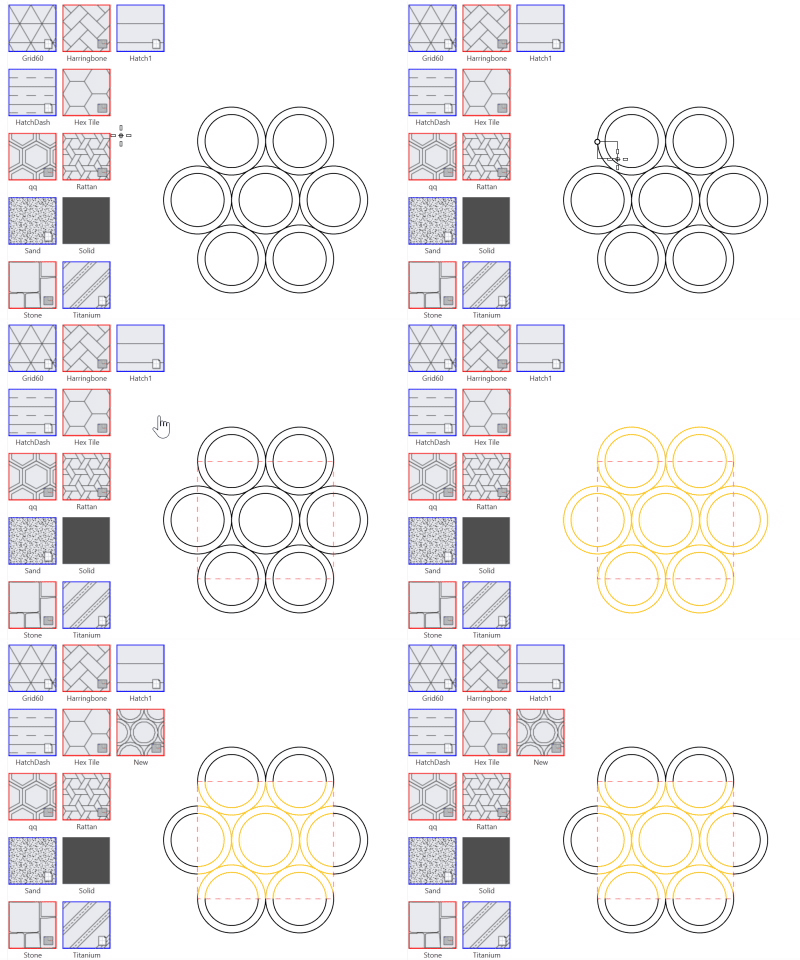
Create custom hatch patterns directly from Rhino 2D geometry — no external tools needed.
Try it →
Linetypes now support shapes positioned at intervals along curves — great for architectural and engineering drawings.
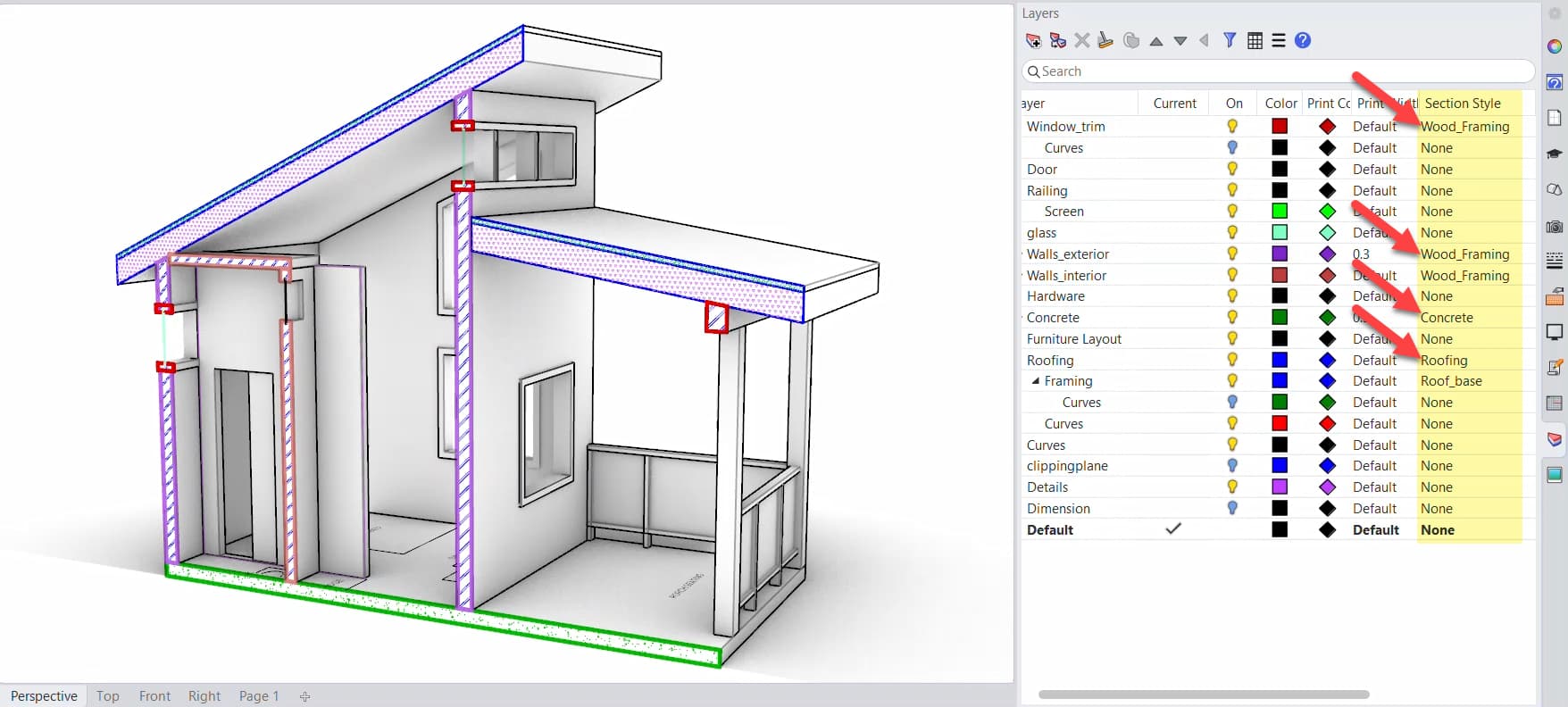
Save and reuse section style settings — fills, hatches, edge colors, and line weights — as document-level presets.
PushPull now works across multiple surfaces at once, making direct modeling faster and more intuitive.
New markup tools make it easy to annotate models and communicate design intent directly in Rhino.
Drawing Clipping Enhancements
Drawing Reflected Ceiling Plans
Drawing Section Styles
Text Formatting — Kerning & Line Spacing
Text Masks & Callout Shapes
Dim GD&T Symbols
Hatch Create Patterns via Grasshopper
Hatch Management Panels
Hatch Improved Creation and Editing Boundaries
Layouts Non-Rectangular Detail Views
Blocks Export Block Attributes
Workflow Crosshair Size Control
Workflow New Clipboard Features
Workflow Trim/Extend with Fence Selection
File IO Improved DWG Import/Export
Hundreds of enhancements in progress. See the full list →
There are hundreds of enhancements and dozens of new tools in progress.
Download Rhino WIP and let us know what you think.
Thank you for your help,
Bob McNeel
bob@mcneel.com +1 (206) 545-7000
McNeel • North America • Europe • Latin America • Asia News | Gallery | Download | Sales | Learn | Support | FabStudio | Resources
For tech questions, contact our support team. For sales questions, contact our marketing team. This message was sent to [EMAIL], a subscriber to our product news list. Unsubscribe or change your email address. Privacy Policy.